HourLife 1.0: forty-two modules, one day at a time
The main app is finished. Forty-two modules, four tabs, and a storage layer we rebuilt so your health records never touch iCloud. Here is what 1.0 does, what we cut, and why the Today screen asks how you are arriving before it shows you a list.
-
 HourLife
- Release
- v1.0
- The HourLife team
- 10 min read
Before HourLife there were eleven apps.
A task manager. A habit tracker. A separate one for the gym, because the first one couldn’t count minutes. Notes for the journal, a spreadsheet for money, a second spreadsheet for the books we meant to read, and a note titled goals-2024.md that had not been opened since March.
None of them were bad. The problem was that nothing knew about anything else. The habit tracker had no idea the week had been wrecked by a deadline that lived in the task manager. The journal had no idea a goal had moved. Every Sunday we spent forty minutes copying numbers between apps that were all, individually, working perfectly.
HourLife 1.0 is the app that ends that Sunday. It’s built for iPhone, it’s finished, and this is what’s in it.
Four tabs, forty-two modules
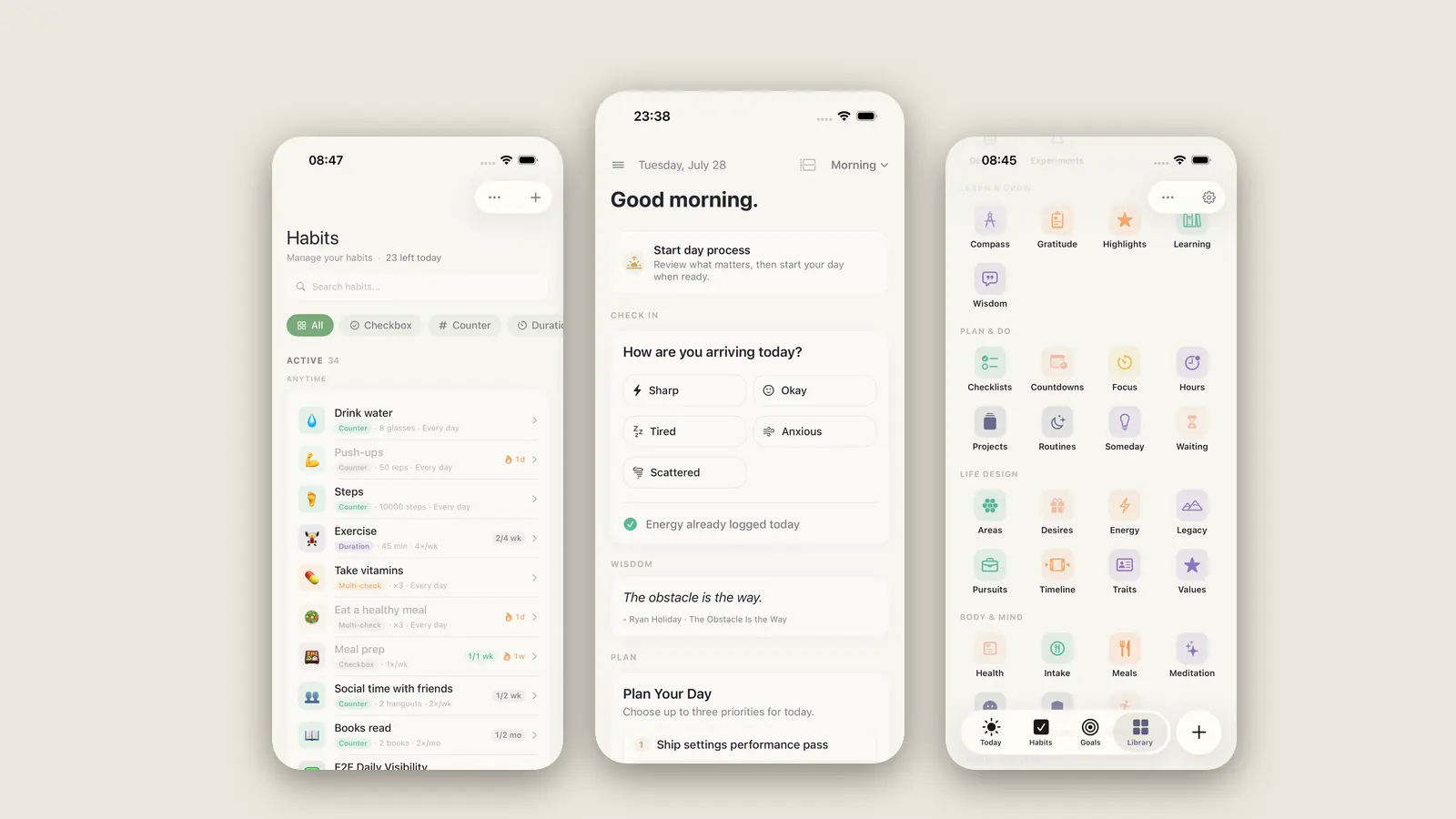
The shape of the app is deliberately lopsided. Three things get a tab of their own, because they are what you touch every day — Today, Habits, Goals — and a fourth tab is a Library holding the other thirty-nine.
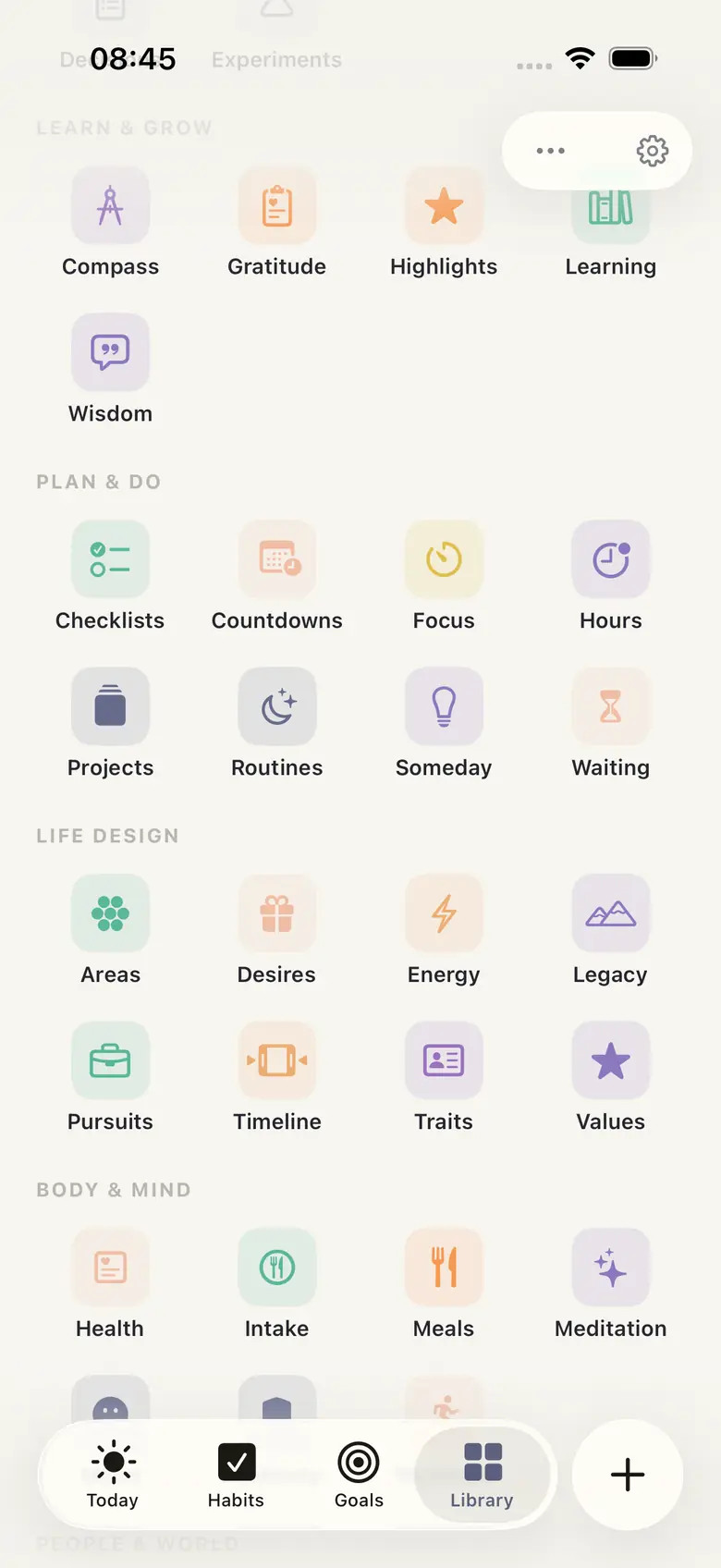
Compass, Gratitude, Highlights, Learning, Wisdom. Checklists, Countdowns, Focus, Hours, Projects, Routines, Someday, Waiting. Areas, Desires, Energy, Legacy, Pursuits, Timeline, Traits, Values. Health, Intake, Meals, Meditation, Mood, Sobriety, Workouts. People, Household, Decisions, Experiments, Finances, Media, Vault.
Written out like that it sounds like a lot, and it is. The honest answer is that most people will use eight of them. The Library exists so the rest can be there on the day you need one, without sitting in your face on the days you don’t — every module can be switched off, and the ones you switch off vanish from search, from the Library, and from the add sheet.
That was the hardest constraint of the whole build. A system with forty-two modules is easy to make impressive and very hard to make calm.
The day starts with a question, not a list
Open the app and it does not lead with what you owe.
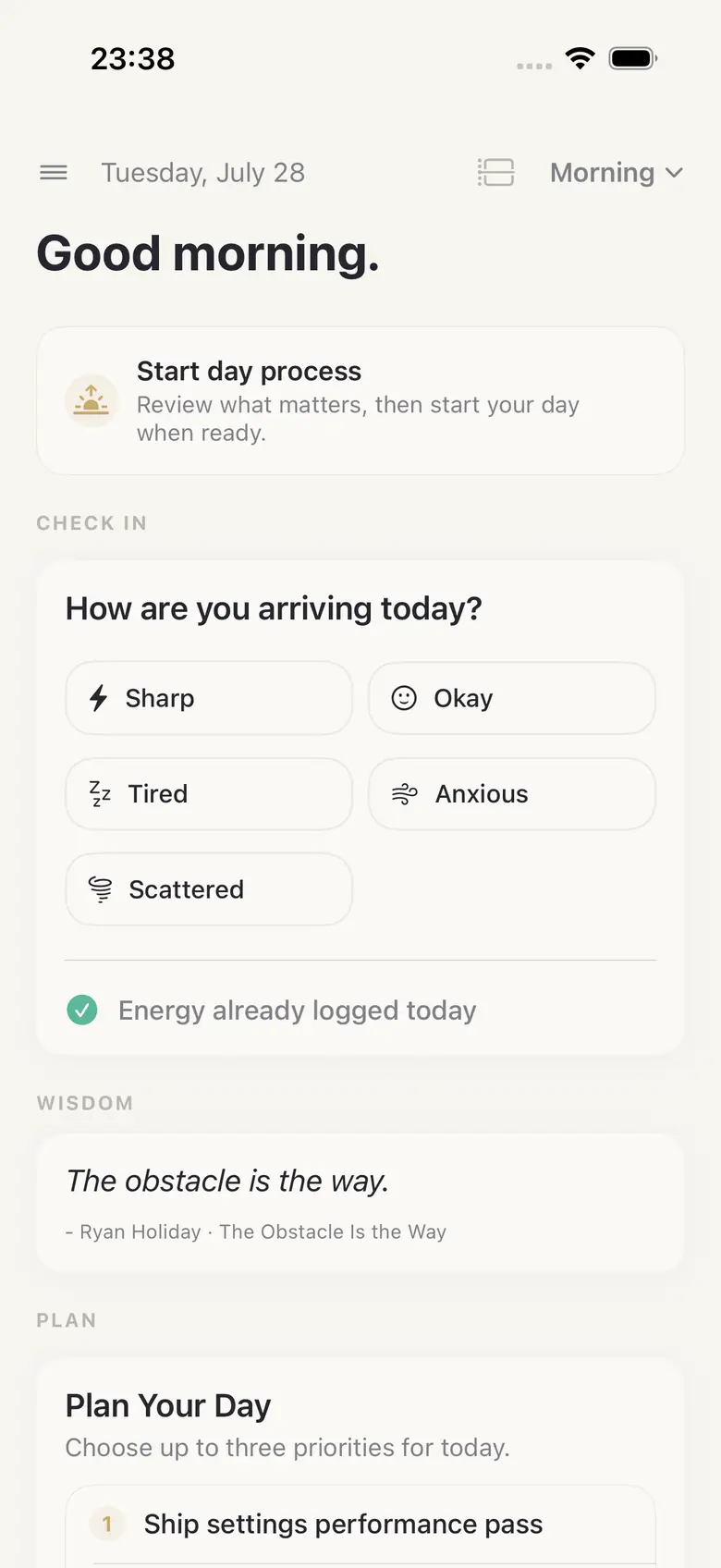
It asks how are you arriving today — Sharp, Okay, Tired, Anxious, Scattered — and it asks before showing you anything else, because the honest answer changes what a reasonable day looks like. That answer is stored, so after a few months the app can tell you something no to-do list can: which days you actually do your best work, and what those days had in common.
Then a line of wisdom, then the plan. Up to three priorities. Not five, not ten. Three is a hard limit and it is the single most argued-about number in the app. Every version we tried with a bigger cap turned the screen back into a backlog, which is the thing we were trying to escape.
Underneath sits the rest of the day — routines due now, focus blocks, what the calendar holds. But the first screen is a check-in and a shortlist, and it stays that way.
Habits that measure the right thing
Most trackers offer one shape: did you do it, yes or no. That works for flossing and fails for almost everything else worth building.
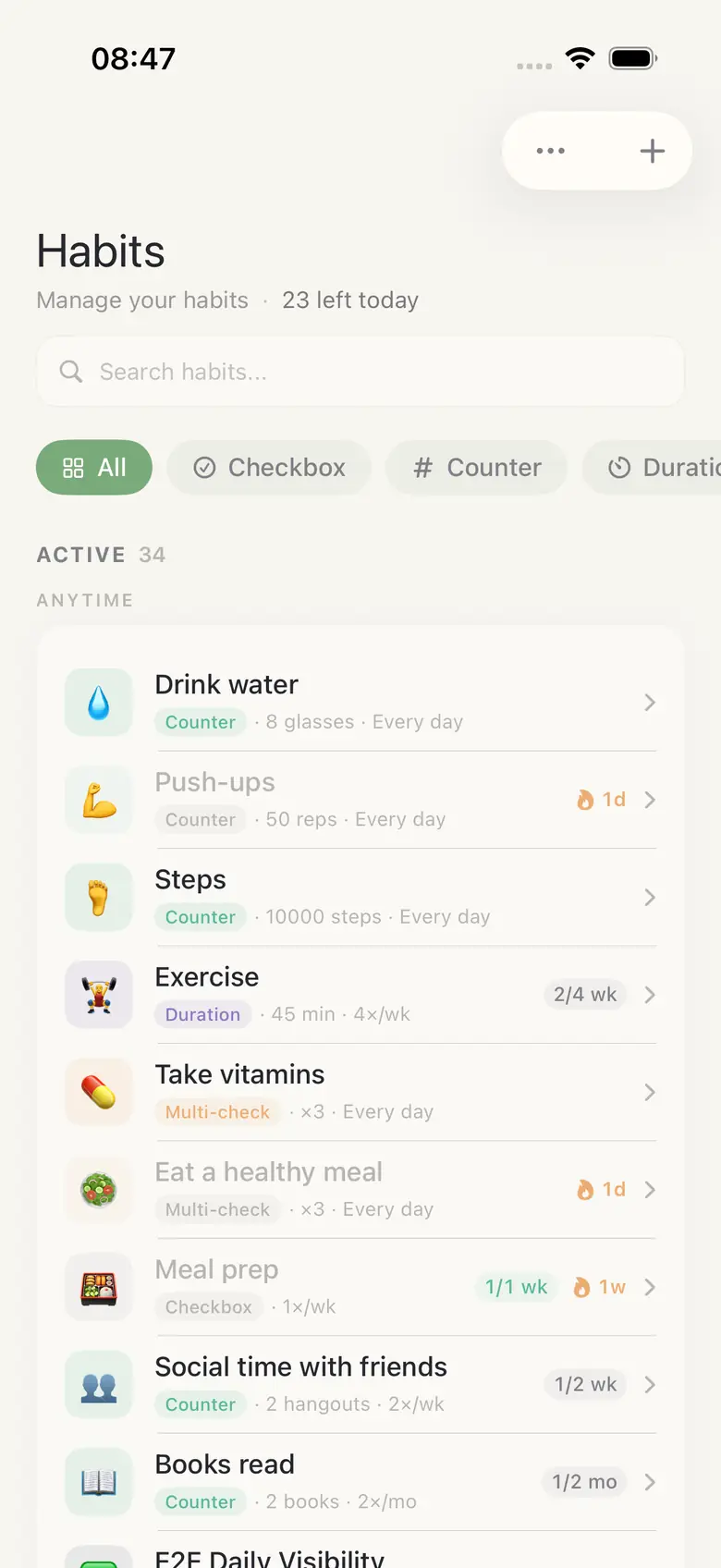
HourLife has four kinds. A checkbox for the binary ones. A counter for eight glasses of water or ten thousand steps. A duration for forty-five minutes of exercise. And a multi-check for the ones you do several times a day, like vitamins.
Each one carries its own cadence — every day, four times a week, twice a month — and the header tells you how many are left today rather than how long your chain is. Streaks are shown, but nothing resets to zero and nothing turns grey at you. A missed Tuesday is a missed Tuesday.
Direction, across four horizons
Goals in most apps are a flat list with a due date, which is why nobody keeps them.
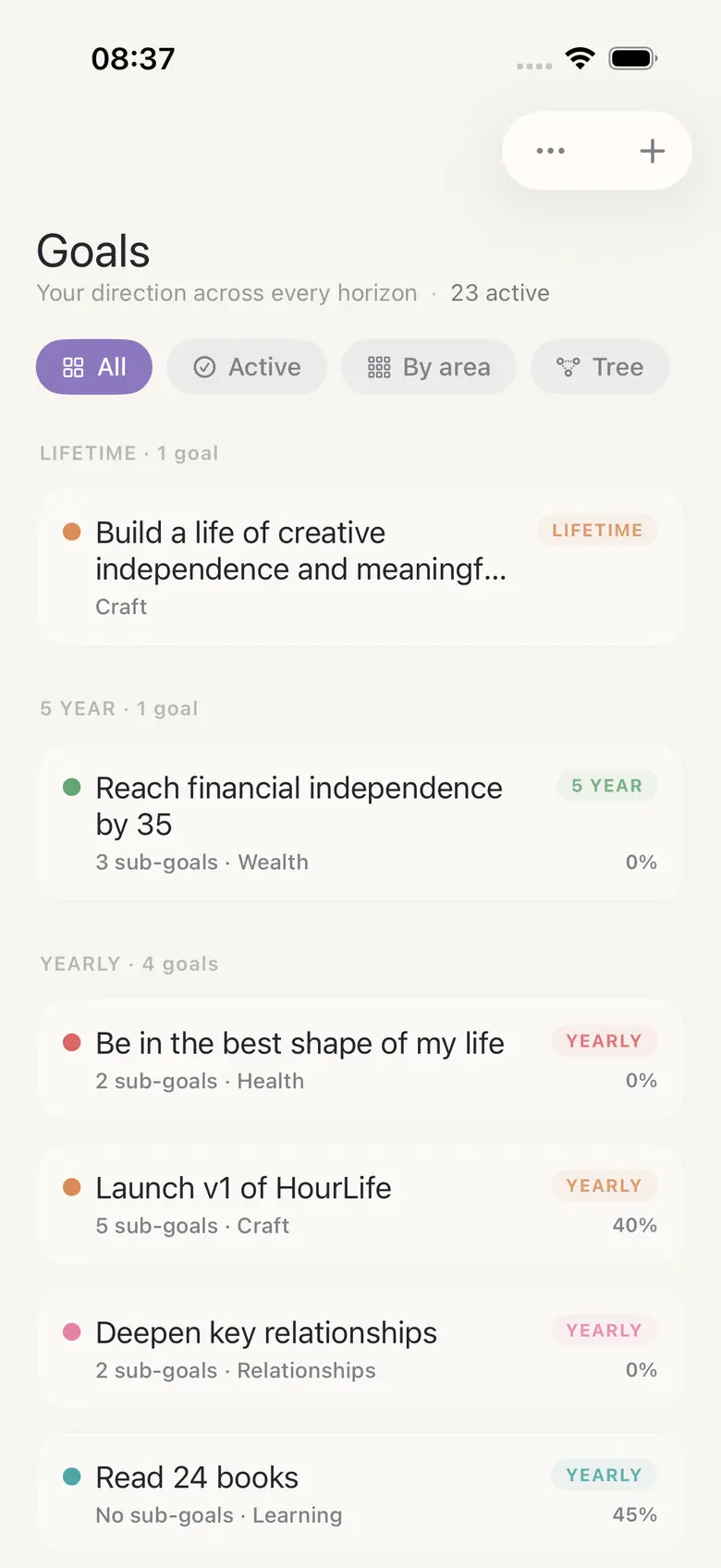
Here they stack. A lifetime goal at the top — the sentence you'd want read back to you at the end. Beneath it the five-year goals that would have to be true for it to happen. Beneath those the yearly ones, then the quarterly work, each with sub-goals that roll their progress upward on their own.
Every goal belongs to a life area — Craft, Health, Wealth, Relationships, Learning — and there is a Tree view that draws the whole structure, which is the fastest way we know to discover that four of your five active goals belong to the same area and one part of your life has quietly had nothing pointed at it for a year.
Tasks that know what day it is
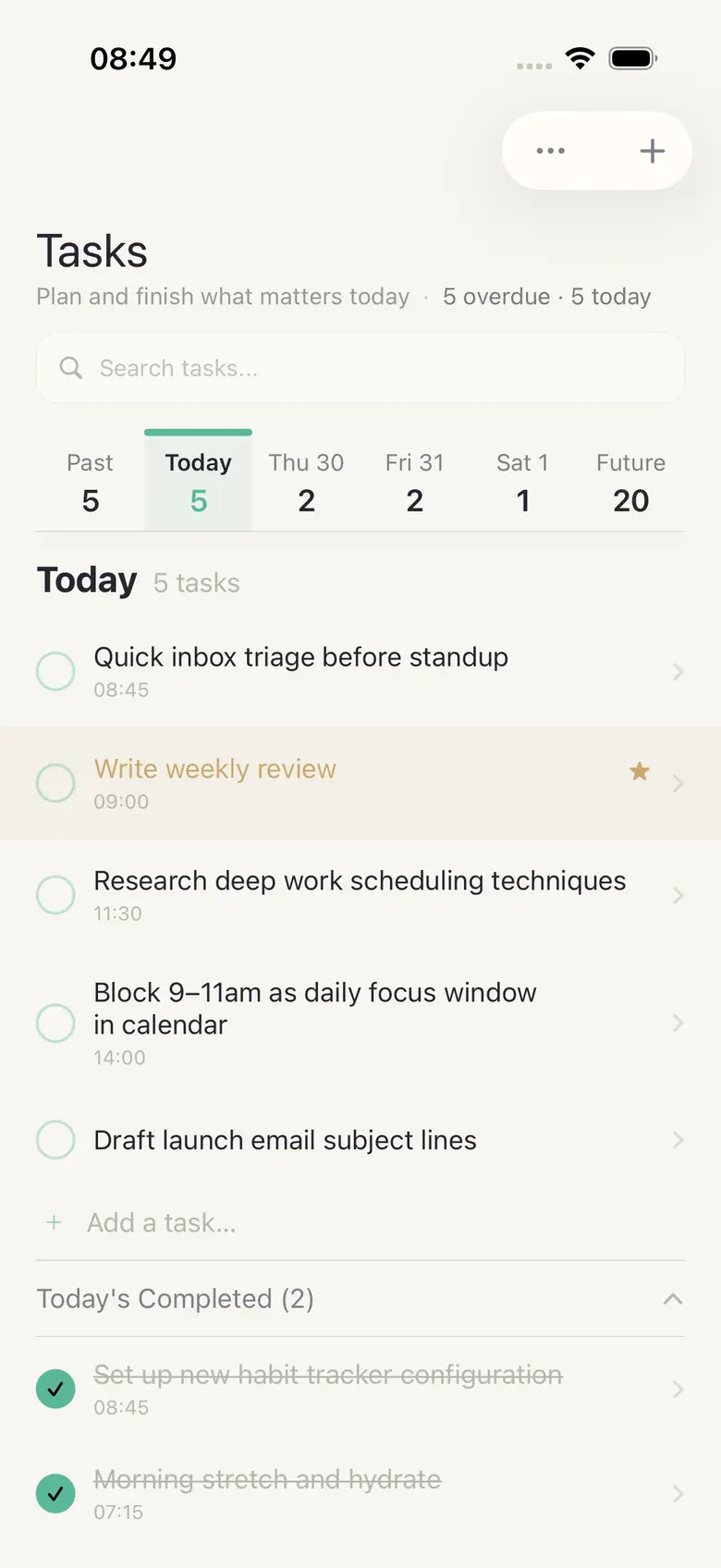
Tasks are the least novel part of the app and that is on purpose — a task list should be boring. The one thing we did care about is the strip along the top: past, today, each of the next few days, and a Future bucket, each carrying its count. Overdue is a number you can see before you open anything, which turns out to be the difference between clearing it and avoiding it.
Tasks link to goals and projects, so finishing one moves a bar somewhere else. That link is the whole reason the app exists.
The record you’ll want in ten years
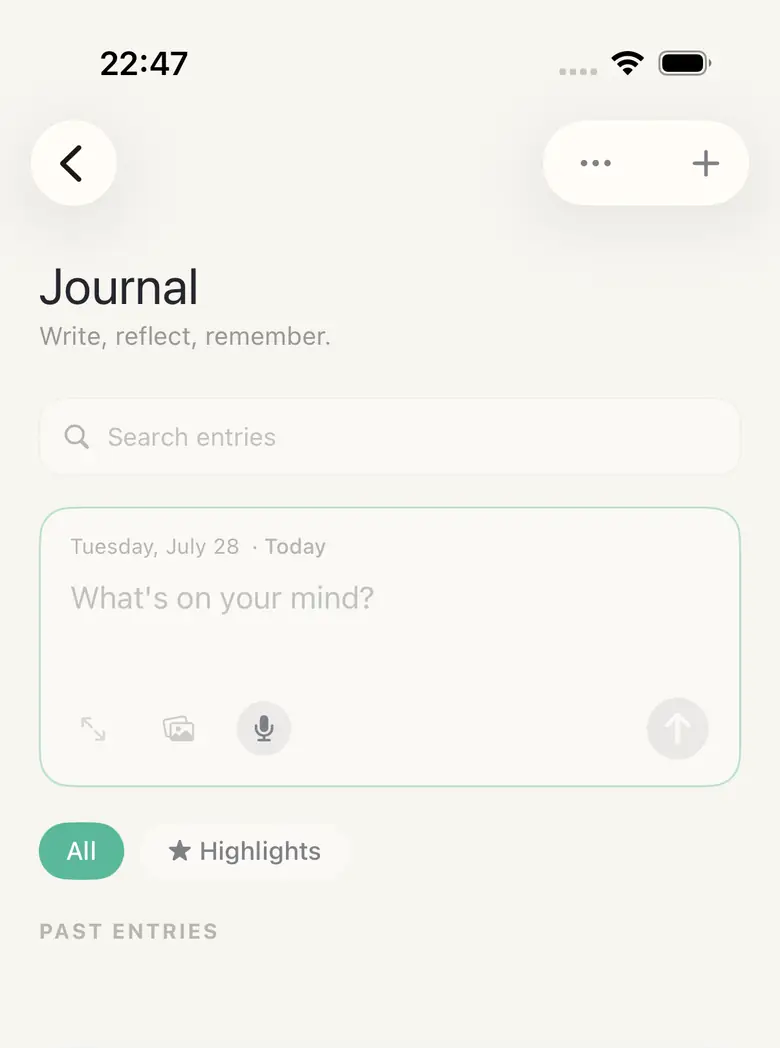
The Journal takes text, voice, and photos, and the composer sits at the top of the screen rather than behind a button, because the entries you actually want later are the ones you wrote in the eleven seconds you had.
Around it are the other reflection modules: Mood, Gratitude, Highlights, and a Timeline that lays your life out end to end. None of them nag. They are storage for the things that are obvious now and gone in four years.
The point of a life log is not the writing. It’s being able to answer, in 2036, what 2026 was actually like.
The part that took longest and that you will never see
The last six weeks before 1.0 went almost entirely into storage, and none of it is visible in a screenshot.
Health records never touch iCloud. Apple’s guidelines are explicit that personal health information may not be stored there, and we agree with the rule, so HourLife runs two separate stores: a CloudKit-backed one for most of your data, and a local-only store — excluded from device backups and from iCloud Drive export — for health metrics, wellbeing data, and the encrypted Secure Box. Your weight history exists on your phone and nowhere else. That is not a setting. There is no toggle to get it wrong.
The Secure Box re-keys properly. It holds a random encryption key that is itself wrapped by your PIN. Changing the PIN rewraps that one key rather than re-encrypting everything, which means a PIN change can’t strand your own data behind a key that no longer exists — the failure mode that quietly eats vaults in apps that derive the key from the passphrase directly.
The app tells you when a save fails. An earlier build had a fallback that kept running in memory when the store wouldn’t open, so everything looked fine and nothing was being written. We took it out. If the database can’t start, HourLife stops and says so, and if a write fails you get told at the moment it happens. An app that holds a decade of your life has no business being optimistic about whether it saved.
Sync runs on your iCloud account. There is no HourLife account, no password to set, no server of ours with a table of your habits in it. We could not sell your data if we wanted to, because we do not have it.
What this actually changes
The feature list is long. What it adds up to, in a normal week, is shorter — and this is the part we built it for.
Sunday stops being admin. There is nothing to copy from one app into another, because there is nothing to copy between. The weekly look-back is reading a screen instead of rebuilding a picture from six places, and it costs about five minutes.
Finishing something moves something. A task attached to a goal moves that goal’s bar, which moves the bar of the goal above it. It sounds minor and it quietly changes what you pick up first: the difference between a day of activity and a day of progress is knowing which of the two you just had.
You can find the thing you half-remember. Search runs across every module at once and filters down to one when you know where you left it — the decision you made in March, the name of the book someone recommended, the note about the person you’re seeing tomorrow. Things you write down stop being things you lose.
The app shrinks to your size. Switch off the modules you are never going to open and they are gone: out of search, out of the Library, out of the add sheet. A forty-two module app that you have cut down to nine is a nine-module app, and it stays that way until the month you need a tenth.
You can be honest about the private things. Weight, mood, intake, sobriety — the numbers people fudge or quietly stop logging are exactly the ones that never leave your phone. There is no setting to check first and no account to trust. That is the only reason a log like that is worth keeping.
Nothing to cancel, and nothing holding you. No account, no password, no server of ours. Your data exports as Markdown and JSON into your own iCloud Drive, so the day you want to leave, you can — and an app you can walk away from is the only kind worth putting ten years into.
What’s free and what isn’t
Twenty-two of the forty-two modules are free forever: Today, Habits, Goals and Tasks, plus Journal, Calendar, Brain, Projects, Routines, Checklists, Focus, Countdowns, Hours, Someday, Waiting, Mood, Gratitude, People, Areas, Health, Meals and the Vault.
Premium adds the twenty that reward a longer runway — Values, Desires, Legacy, Timeline, Traits, Energy for the identity work; Highlights, Wisdom, Experiments, Decisions, Compass for reviewing what already happened; Workouts, Sobriety, Intake, Meditation for the deep verticals; Pursuits, Learning, Media, Household, Finances for planning and reference — along with unlimited history, cross-module analytics, custom widgets, and auto-export to iCloud Drive.
It’s sold monthly, yearly, or as a one-time lifetime unlock. Prices come from the App Store in your own currency; we don’t print them here because we’d only get them wrong for half the people reading.
What we left out of 1.0
- No account, no login, no password
- No social features — no feed, no friends, no sharing your streak
- No AI writing your journal for you
- No ads, ever, at any tier
- No web app, and no plans for one
The last two are the ones we get asked about. A web app would mean your life living on a server we run, and the first thing on this list is the reason there isn’t one.
What’s next
1.0 is going to the App Store. When it’s live, the buttons on the HourLife page turn into a real download link — they already know how, they’re just waiting on a URL.
We are not going to publish a roadmap. The version of this app that gets worse is the one that keeps adding modules, and a public list of promises is how that happens. What we are actually doing next is watching which of the forty-two get opened a second time, and making those better.
There is one thing we will name: a proper year-end review. It is most of the reason the rest of this exists, and it can’t be built honestly until somebody has a full year in the app. Ask us in January.
Your day, your record, your device.
More from HourLife
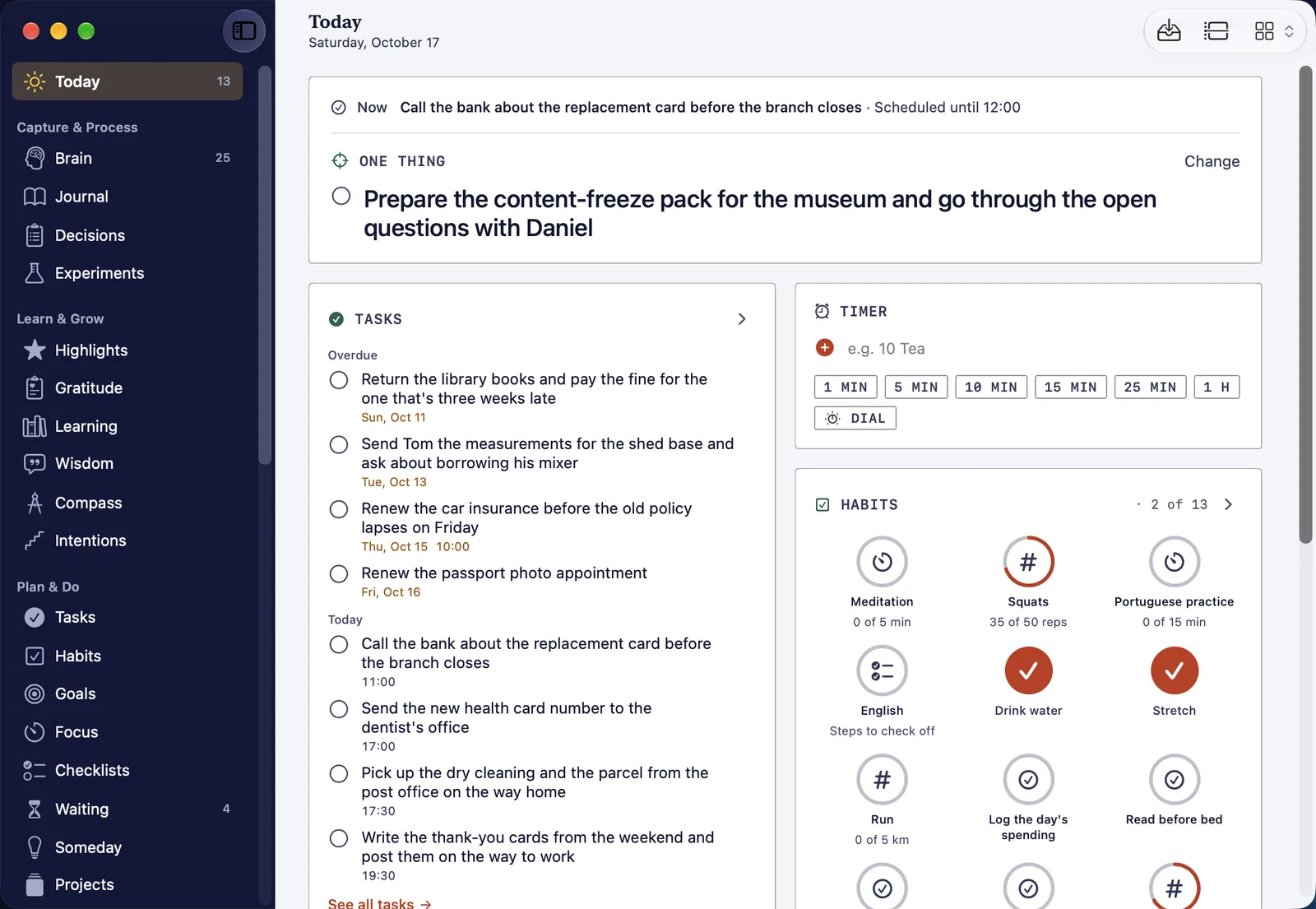
HourLife for Mac 1.0: your whole record, with a keyboard
HourLife for Mac 1.0 is a native Mac app for the desk half of the week: every module in a sidebar, Today five ways, a Command Bar and a key for nearly everything, a panel at the edge of the screen, and the same record as your iPhone through your own iCloud.
HourLife
Release
v1.0
11 min read
HourLife 1.4: more of your days in iCloud, your health kept off it
HourLife 1.4 syncs mood, meditation, energy, workouts, intake and experiments through iCloud, keeps health records off it, and adds Quick Timer, for the pasta and the parking meter.
HourLife
Release
v1.4
3 min read