HourLife 1.6: give your year a direction
HourLife 1.6 adds a year that starts on any date, with one word to return to, month plans that carry into your week, a wallpaper maker, flashcards on a spaced review schedule, subscriptions on a calendar, and a way to send us an idea and read our reply.
-
 HourLife
- Release
- v1.6
- The HourLife team
- 6 min read
HourLife 1.6 is available for iPhone and Mac.
What changed
- Begin your year on any date, with a guided reflection, three goals, one word to return to and a sealed letter to your future self.
- Plan each month toward your year, carry its must-dos into the week, and look back at the months behind you.
- Make a wallpaper from your year’s word, your month’s theme or your own words.
- Flashcards in Learning, Wisdom, People and Decisions, on a spaced review schedule.
- Subscriptions on a calendar, savings pots, debt payoff and your credit score in Finances.
- Talking points, important dates and relationships on a person’s page.
- Share an idea with screenshots, and read our reply inside the app.
- Siri and Shortcuts can add tasks, log habits, start a focus session and read you today’s tasks.
- Scanned documents now sync across your devices.
- More reliable daily planning, habit timers, medication logging and task completion.
A year that starts when you do
A year doesn’t have to begin on January 1. In 1.6 it begins when you begin it: a birthday, a new job, the Monday after a hard month. Open Today, switch to Year and tap Begin your year.
What follows is a short ceremony rather than a form. It asks you to look back at the year behind you, then to choose three things that matter for the one ahead, linked to the long-term goals you already keep. You pick one word for the year, sign it, and can write a letter to yourself that stays sealed until the year’s last day.
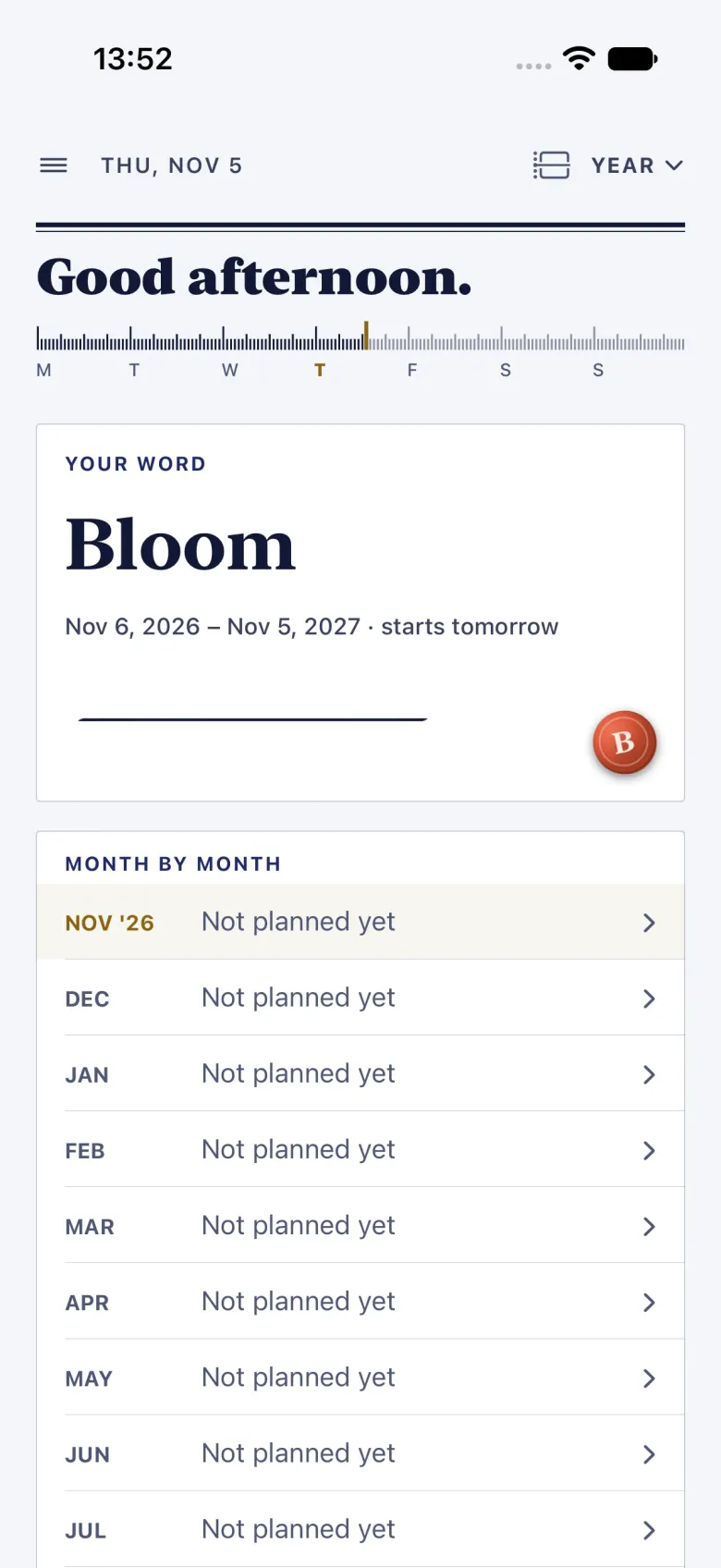
The word then sits on Today on the days you choose, beside the month’s theme and the week’s intention, so the year is something you see rather than something you wrote down in January and lost. You can plan a year ahead of time, too, and it starts on its own day.
Month by month
A year is too big to act on, so 1.6 brings it down a step. From the Year page, open a month and plan it: a theme, the moves that push the year’s goals forward, something new to try, and up to three must-dos, typed in or picked from your open tasks.
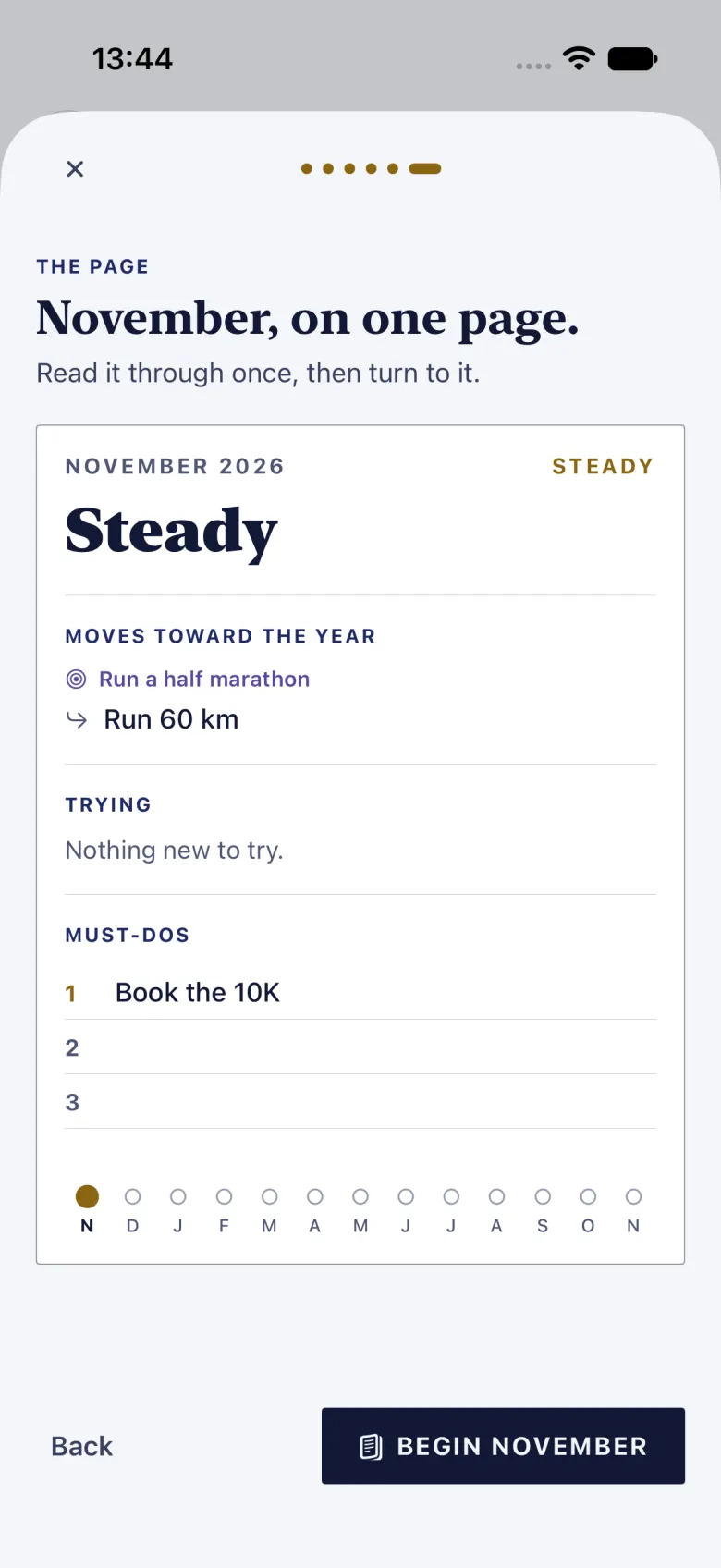
The must-dos carry into your weekly review, and the week’s plan carries into Today, so Year, Month, Week and Today are links in one chain rather than four separate lists. Progress on a month counts only what you actually finished. When a month ends, it stays: open any past month to see what you planned and what happened.
A wallpaper of your word
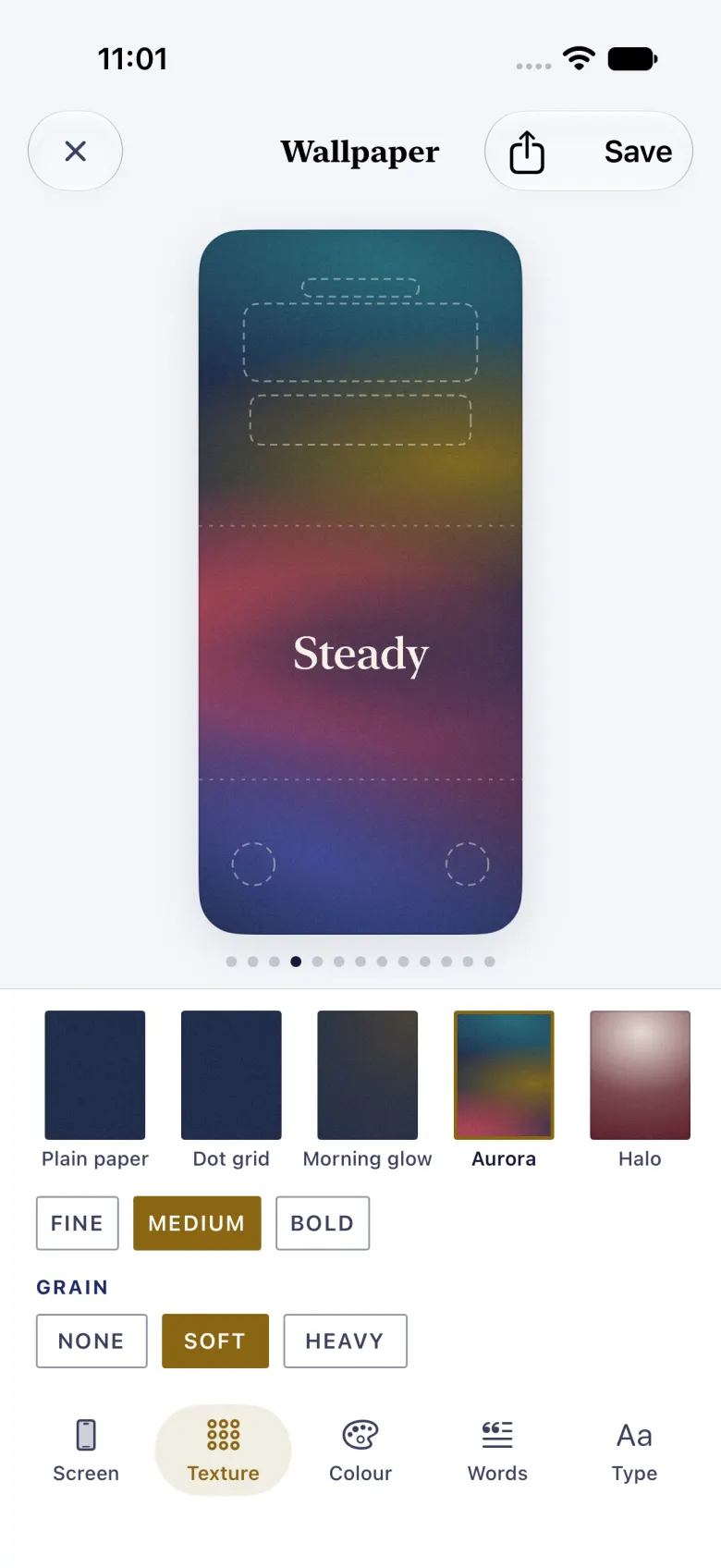
On the iPhone, Make a wallpaper is a quiet link at the foot of the Year and Month pages. It sets your year’s word, your month’s theme or your own words on HourLife’s paper, with patterns, colours and grain to choose from, and the preview leaves room for the clock and the widgets.
Save it to Photos or share it, then set it as your Lock Screen or Home Screen in iOS. HourLife can’t set a wallpaper for you; iOS doesn’t allow it. Once you have saved one, the Make HourLife Wallpaper shortcut can draw it again for you. The wallpaper maker is included without Premium; the Premium colour sets come with Premium, like the app’s colour themes.
Flashcards that come back when you need them
Learning, Wisdom, People and Decisions each get a deck of flashcards. Write a question and its answer, and HourLife brings each card back on a spaced review schedule: soon after you learn it, then less and less often as it sticks. Cards you miss come round again in the same session, and you can undo an answer you tapped by mistake.
The decks share one review, so a few minutes a day covers all four. On the Mac, the review brings back what you have learned and saved in Learning and Wisdom, along with the cards you made on your iPhone.
Money you can see coming
Finances gains a subscriptions calendar: each service on the day it bills, and what the month costs. Next to it are savings pots, a debt payoff plan, and a place to log your credit score. All of it works on iPhone and Mac.
People, remembered properly
A person’s page can now keep talking points, the things you meant to ask or tell them next time. On the iPhone it also holds their important dates and the people in their life, so a partner’s name or a child’s birthday is there when you need it.
Smaller tools for real life
1.6 adds a set of small, practical tools to modules you already use:
- Eight new Journal templates, among them a thought reframe, the inner critic, self-compassion and preparing for a difficult conversation.
- Worry time: snooze a nagging capture in Brain Dump until a set time each day, instead of carrying it around.
- Mood can name the feeling more precisely, and keep a calm-down plan for hard moments.
- Decisions keep a list of the assumptions behind a choice, which the outcome review checks.
- Highlights gathers your wins at work into one dated list, ready for a review or a CV.
- Tasks can carry a soft “aim for” date ahead of the real deadline.
- Energy shows your readings next to the people you saw that day.
- Focus takes a one-tap note when something pulls you away mid-session.
- A use-by list for the pantry.
Tell us what to build
Settings › Share an idea on the iPhone, and Settings › Feedback on the Mac, send us an idea or a problem with screenshots. An email address is optional. When we reply, the answer arrives in the app, under Your ideas on the iPhone, and you can write back. It is a private conversation with us, not a public forum.
On-device AI, as an experiment
On iPhones and Macs that support Apple Intelligence, 1.6 adds four experimental features that run on the device: a Day summary, which is on by default, and Organize capture, Answer from records and Read receipt, which stay off until you turn them on. Anything they suggest is shown to you before it adds or changes a record. You’ll find them under Settings › On-device AI on the iPhone and Settings › Premium on the Mac; on other devices they don’t appear.
On the Mac
HourLife for Mac 1.6 gets the subscriptions calendar, savings and debt plans, credit scores, talking points and spaced review. Your long-term goals now appear in the monthly and weekly reviews in Compass, and Siri and Shortcuts can add a task, log a habit or start a focus session.
The year ceremony, month planning, the wallpaper maker and making flashcards are on the iPhone for now. What you plan there syncs to the Mac through your iCloud as before.
The smaller things
- Scanned documents now sync across your devices instead of staying on the iPhone that scanned them.
- The app icon, or the Dock icon on the Mac, can show a number: tasks due today, overdue tasks or captures waiting in the Inbox. It is off unless you turn it on, in Settings › Notifications.
- Fixes to daily planning, habit timers, medication logging and completing a task that appears in more than one list.
Choose what the year is for. Then let it reach today.
More from HourLife
HourLife 1.7: Calendar becomes a real calendar
HourLife 1.7 turns Calendar into a full calendar: events with alerts, alarms and repeats; Day, Week, Month, Year and List views; your Apple and Google calendars beside them; .ics import and export; and a Calendar widget.
HourLife
Release
v1.7
4 min read
HourLife 1.5: Care, Memoir and Ventures
HourLife 1.5 adds three modules: Care, for your doctors, visits and the questions to ask; Memoir, for writing your life a moment at a time; and Ventures, for testing a side business as a bet. Projects collect ideas, and tasks can be due sometime this week.
HourLife
Release
v1.5
5 min read