HourLife 1.7: Calendar becomes a real calendar
HourLife 1.7 turns Calendar into a full calendar: events with alerts, alarms and repeats; Day, Week, Month, Year and List views; your Apple and Google calendars beside them; .ics import and export; and a Calendar widget.
-
 HourLife
- Release
- v1.7
- The HourLife team
- 4 min read
HourLife 1.7 is available for iPhone and Mac.
What changed
- Calendar is now a full calendar: add events with alerts and alarms, make them repeat, and switch between Day, Week, Month, Year and List.
- See and edit your Apple and Google calendars right beside your own events, and import or export .ics files.
- A new Calendar widget for the Home Screen and the Lock Screen.
- The rest of HourLife can sit on the calendar too, as layers: birthdays, project deadlines, renewals, the days your habits are due, and more.
- Page titles tuck into the top bar as you scroll.
- Fixed a crash when opening Compass, plus other fixes.
A calendar you can plan in
Until now, Calendar was a record. It showed what you had done on a day — the habits, the focus sessions, the workout — and the events from Apple Calendar, read-only. You couldn’t add a dentist appointment to it.
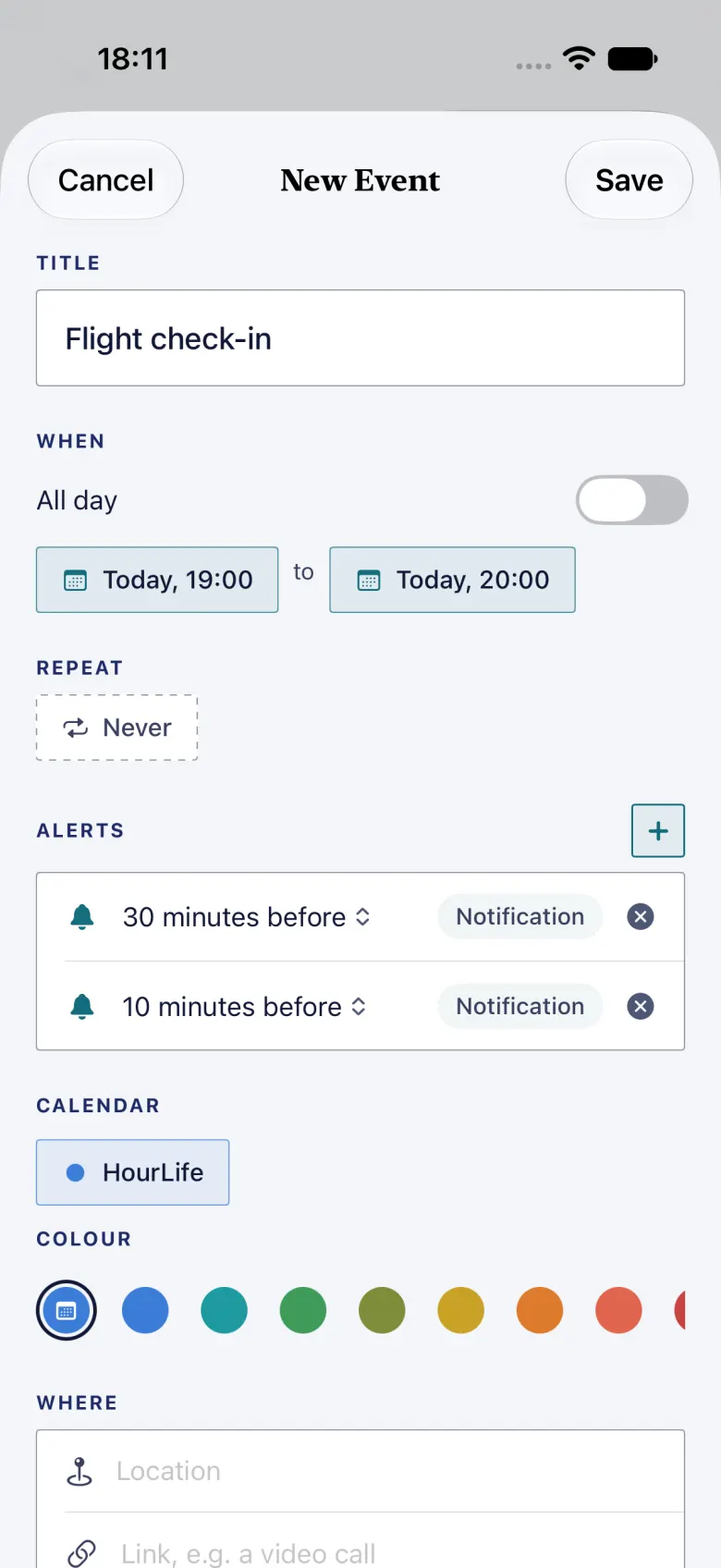
Now you can. Tap +, give the event a time, and choose how it repeats: daily, weekdays, weekly, monthly on the 12th or on the second Tuesday, yearly, or your own pattern, ending on a date or after a number of times. Change one occurrence and HourLife asks whether you mean this event, this and the following ones, or all of them.
Events come in five views. Day and Week are hour grids with a line for now. Month is the grid you know. Year is twelve small months, and it can shade each day by the habits you finished, the hours you focused or the workouts you did — a year at a glance. List is the day log Calendar used to be, with your events in it now, so nothing you relied on has gone.
Alerts, and alarms that ring through Silent
Every event can carry an alert, from “at start” to a week before, and for an all-day event, the morning of or the day before. A notification can be snoozed. Each calendar can have its own default alerts, so a work calendar can warn you fifteen minutes ahead and a birthday calendar a week ahead.
The first alert on an event is free. With HourLife Premium an event can carry more than one, and any of them can be an alarm that rings even when your phone is on Silent, for the check-in you cannot miss. If Premium lapses, the alerts you already set keep ringing.
Your Apple and Google calendars, side by side
HourLife now reads and writes the calendars on your iPhone. Turn them on and your Apple Calendar events show next to HourLife’s; open one to edit it, move it or delete it, and the change goes back to Apple Calendar.
Google Calendar works the same way, without a Google sign-in. Add your Google account in iPhone Settings, under Apps › Calendar › Calendar Accounts, and its calendars appear in HourLife. There’s a short guide in Calendar › Settings with a button that takes you there. HourLife never sees your Google password, and there is still no HourLife account and no server of ours in between.
Alerts you set on a Google or Apple event are saved with the event, so Calendar or Google rings them and HourLife doesn’t ring a second time.
Leaving another calendar app? Import its .ics export into a HourLife calendar. Importing the same file twice adds nothing new. Any HourLife calendar can be exported as .ics too.
The rest of your life, as layers
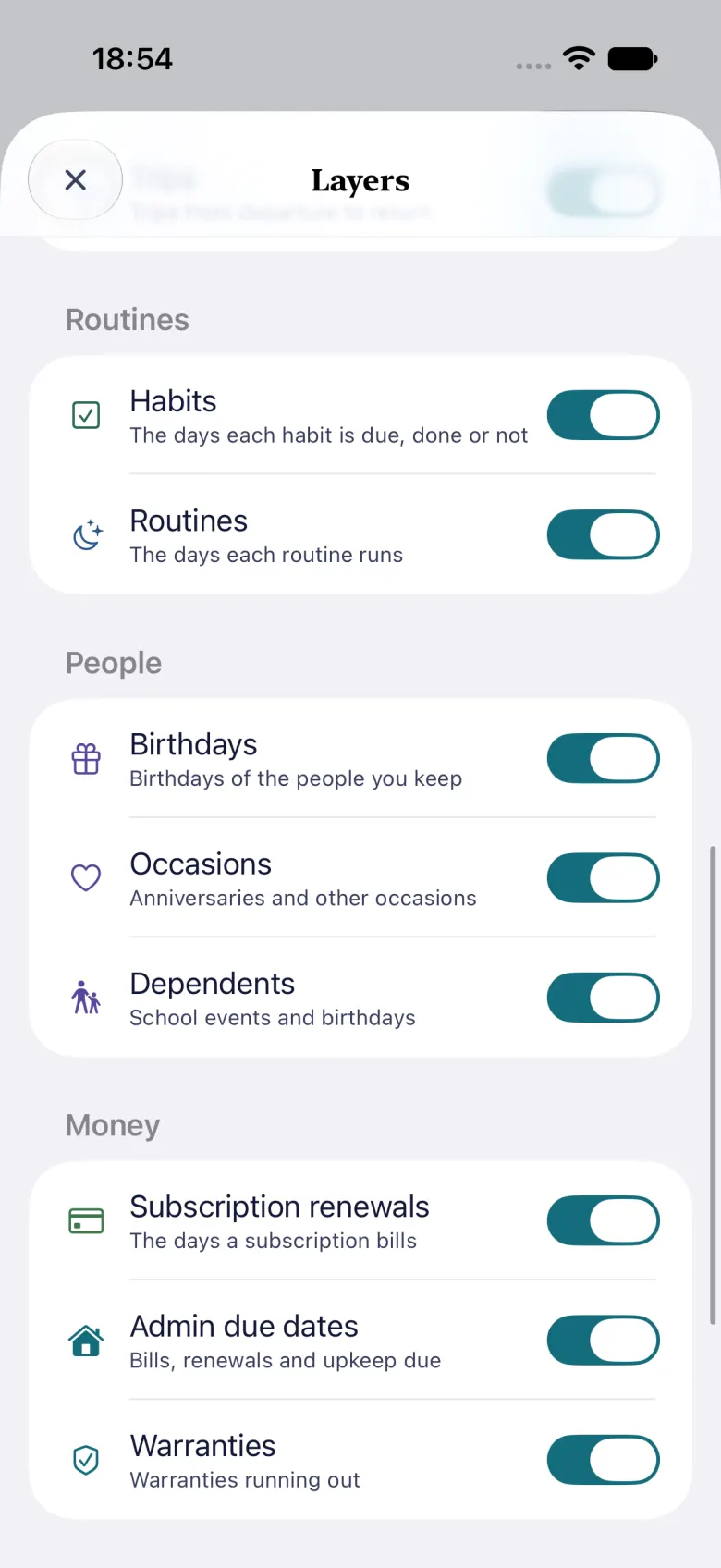
Most of what has a date in HourLife was never on a calendar: a friend’s birthday, a project’s target date, the day a subscription renews, the day a warranty runs out. In 1.7 they can be. Layers puts them on the calendar, grouped into Plan, Routines, People, Money and Health, each drawn in its module’s colour. A chip above the grid turns a whole group off in one tap, and tapping an item shows what it is, with a link to its page.
Health layers, such as care visits, are read from your iPhone only, like the rest of your health records.
Search finds an event by its title, its place or its notes, across HourLife and Apple Calendar.
On the Mac
HourLife for Mac 1.7 puts Day, Week, Month, Year and List behind one switch. Repeating events now show on every day they happen, including in the day log. You can add an event straight from the Calendar card in the side panel, and delete a journal entry from its page or from Today.
Apple and Google calendars, and alerts that ring, are on the iPhone for now. Events you make on either device sync through your iCloud as before.
Keep what you did. Now plan what comes next, in the same place.
More from HourLife
HourLife 1.6: give your year a direction
HourLife 1.6 adds a year that starts on any date, with one word to return to, month plans that carry into your week, a wallpaper maker, flashcards on a spaced review schedule, subscriptions on a calendar, and a way to send us an idea and read our reply.
HourLife
Release
v1.6
6 min read
HourLife 1.5: Care, Memoir and Ventures
HourLife 1.5 adds three modules: Care, for your doctors, visits and the questions to ask; Memoir, for writing your life a moment at a time; and Ventures, for testing a side business as a bet. Projects collect ideas, and tasks can be due sometime this week.
HourLife
Release
v1.5
5 min read