The notes app
Keeps everything.
Which is the point, and also why nothing ever leaves. A note has no way to become the thing you are doing this month.

Idea · A HourLife mini app
Every idea list has the same defect: it only grows. Full by month two, dead by month four, because nothing ever comes back out.
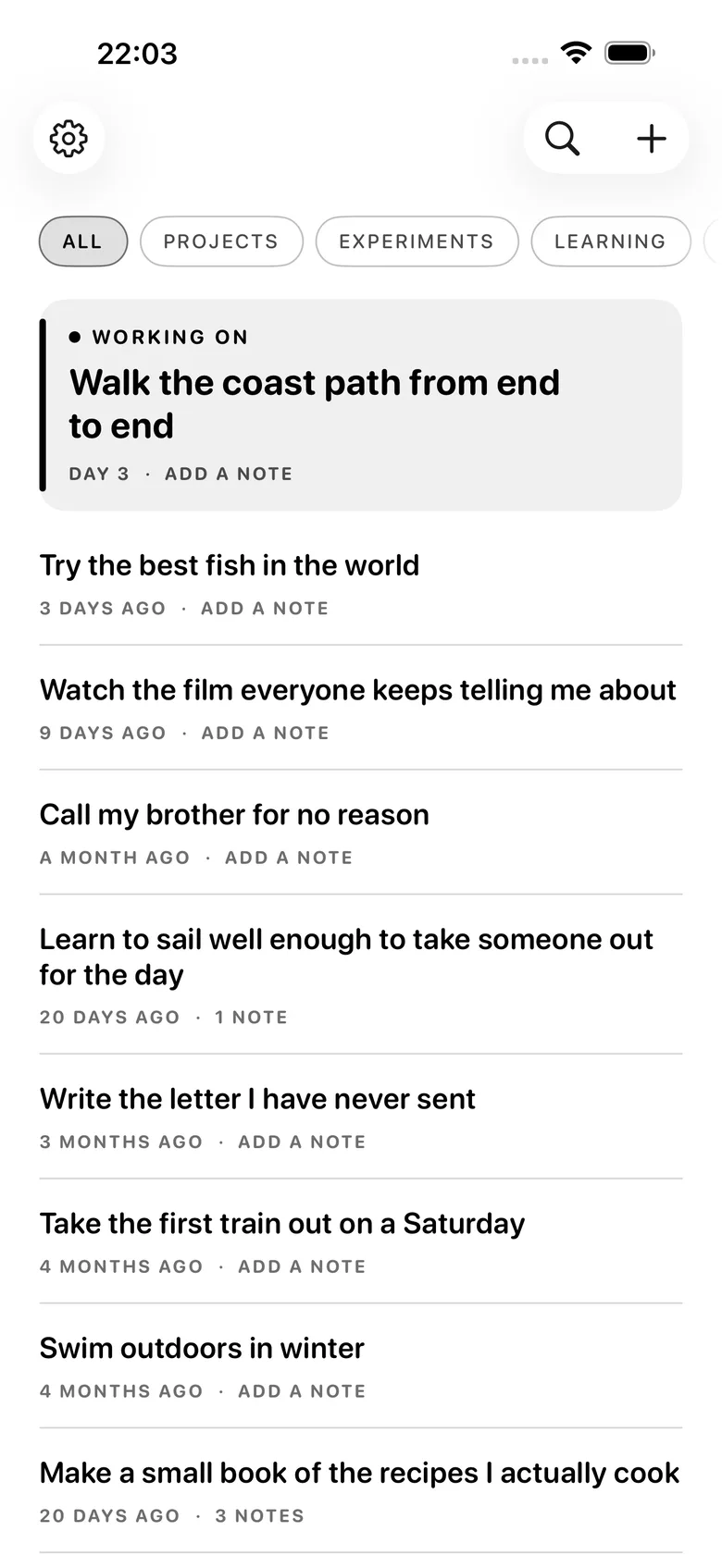
Idea holds exactly one live idea. Everything else waits in a reservoir that asks nothing of you. When the live slot is empty, the app deals you a small hand and you pull one down.
iPhone · Local-first, iCloud optional · Free
Why this exists
You have written the idea down five times. It is in Notes, in a task app, on the back of something. The writing was never the obstacle — the obstacle is that nothing ever gets chosen, because choosing from forty things at once is not a decision anyone makes on a Tuesday night.
The notes app
Which is the point, and also why nothing ever leaves. A note has no way to become the thing you are doing this month.
The task app
The moment an idea gets a due date it stops being something you wanted and starts being something you are late for.
Idea
Five to look at, not forty. One goes live. The rest stay exactly where they were, owing you nothing.
How it works
There is no inbox to process and no weekly triage. The reservoir is allowed to be large and quiet.
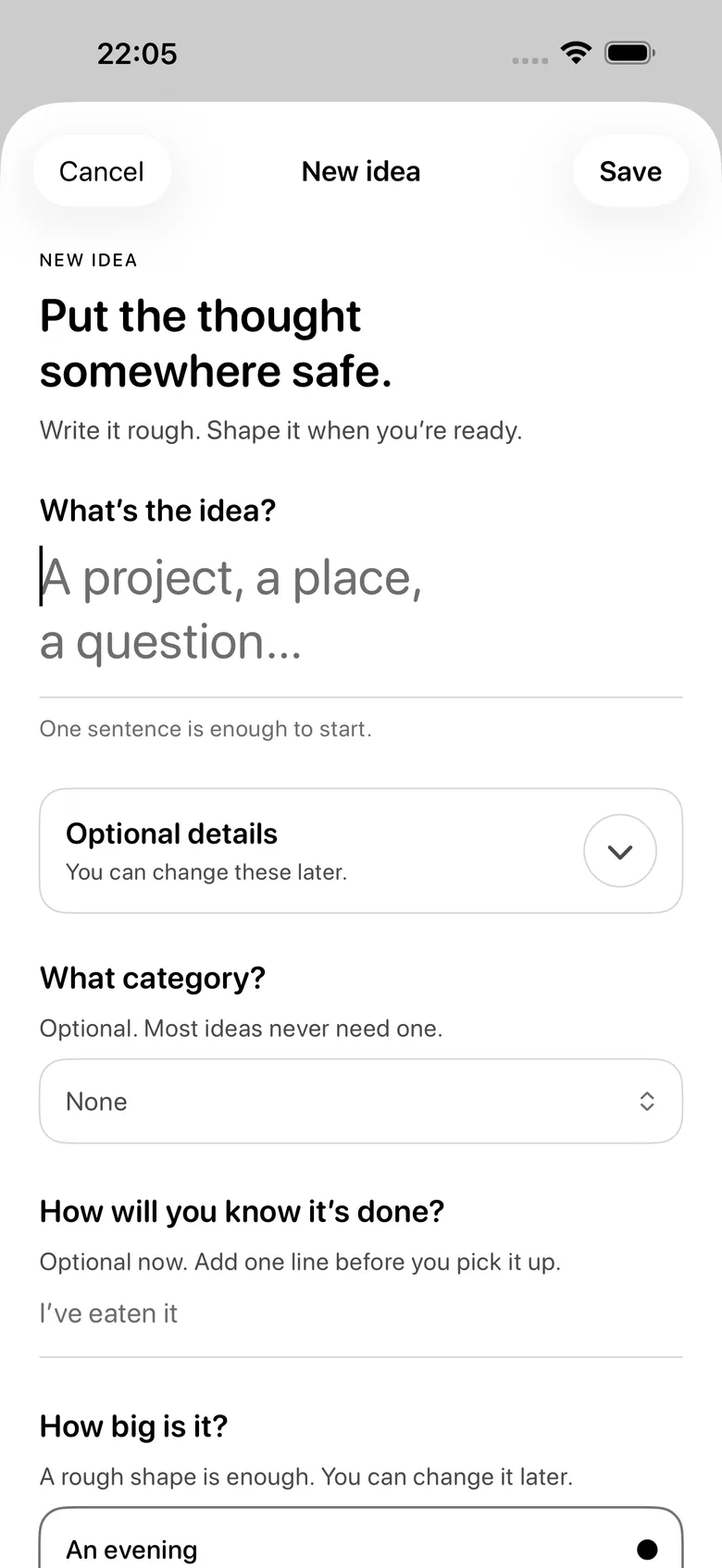
Write anything you want to make, any time. No due date, tag, folder, or priority.
When nothing is live, tap draw. Idea deals a small hand — including something old, and something you have passed over before.
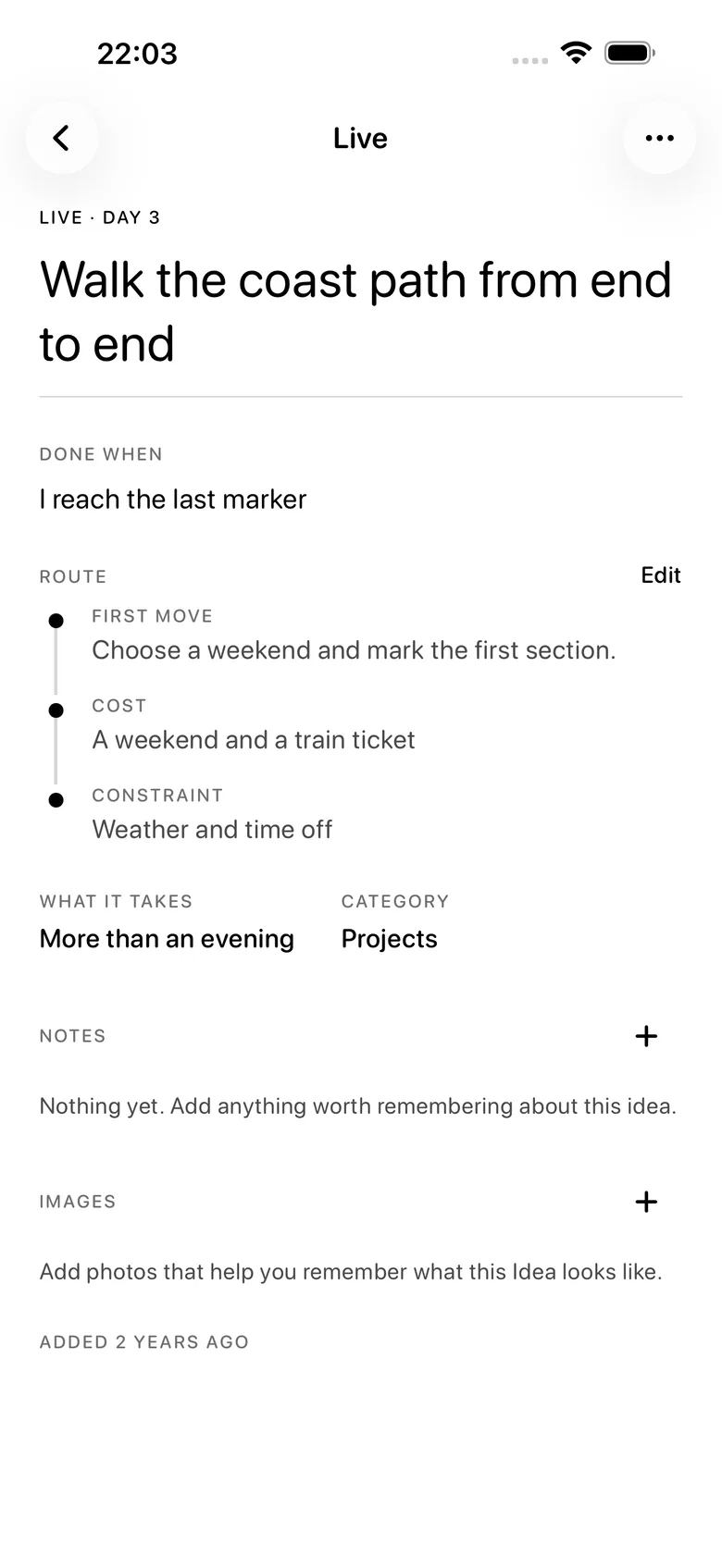
Pull one down and give it a route: the next step, the shape of the effort, and what done will look like.
To draw again, the live one has to end. Finish it, set it down, or let it go — and say which.
Every draw, every pass, and every ending stays in the record.
The hand always includes something old and something you have skipped, because a draw that only ever surfaces last week's ideas is a recency filter wearing a costume.
Three ways it ends
Most idea tools have exactly one exit: done. So anything you decide against just sits there, and after a year the list is mostly a monument to abandoned things you never formally abandoned.
Done
You finished it. It goes in the record as finished.
Set down
Not now. It returns to the reservoir without a mark against it.
Let go
You decided against it, on purpose, and said so.
Passing over an idea in the draw is recorded too. Reading which ideas you have skipped six times is more informative than reading the ideas themselves.
The part that compounds
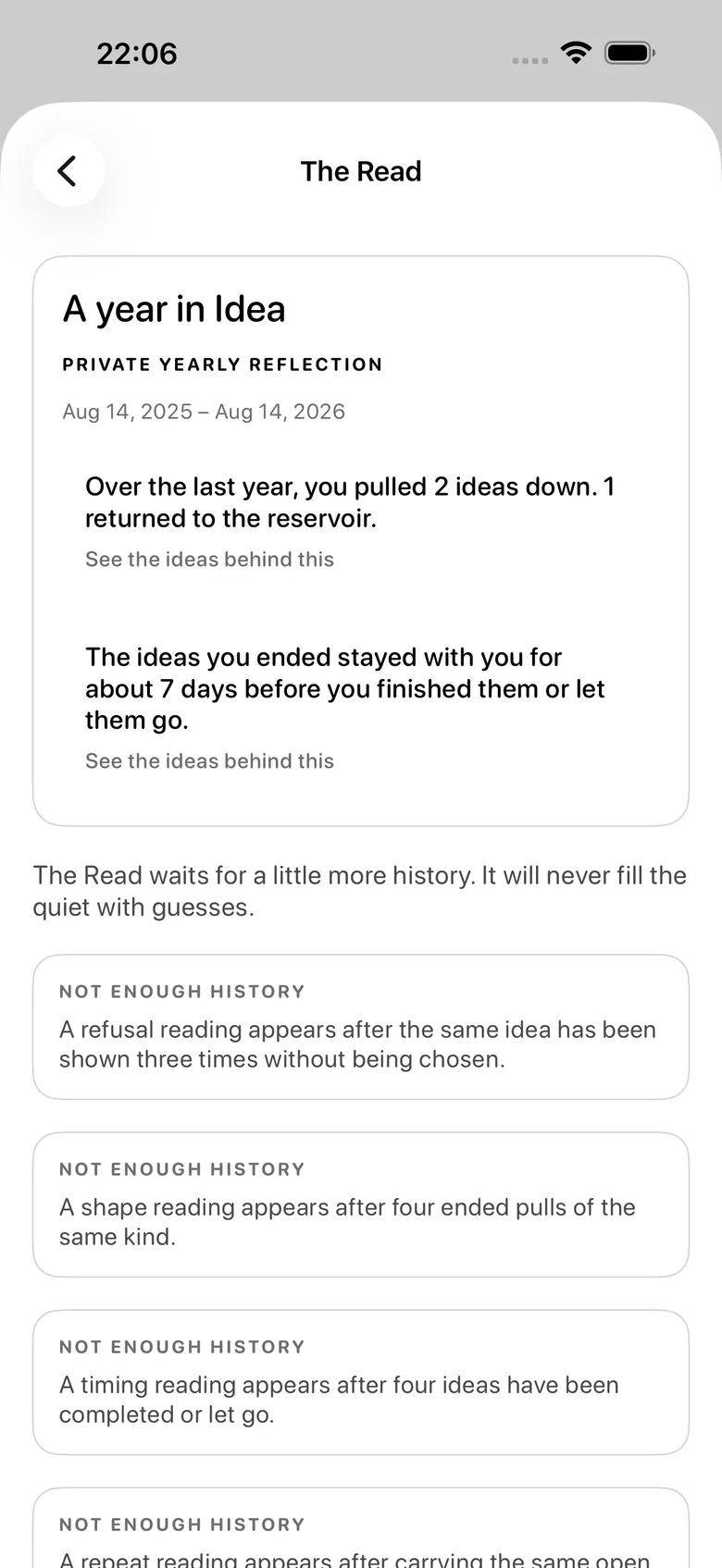
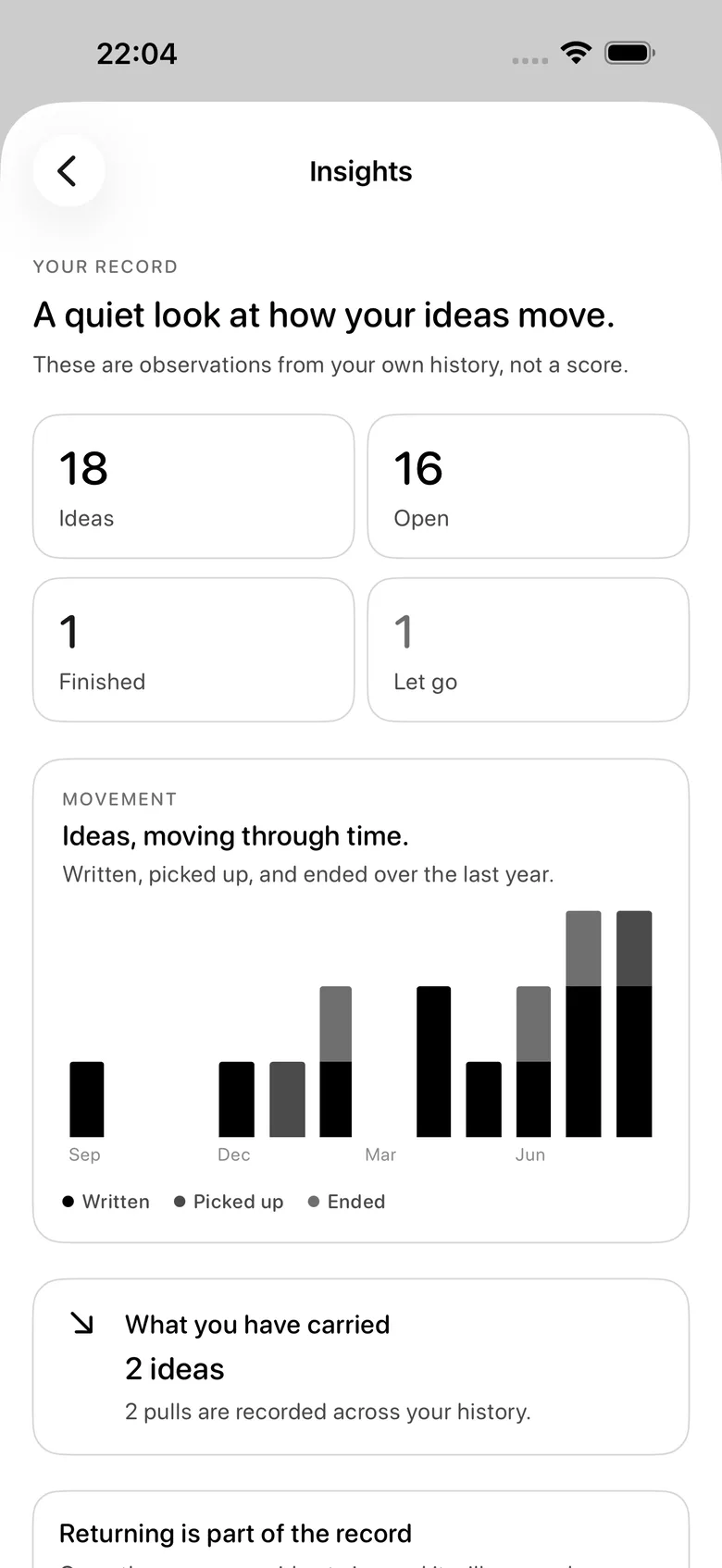
The record keeps every draw, every idea you passed over, and how each live idea ended.
After a few months it stops being a log and starts being a description. The idea you have drawn and skipped nine times is telling you something, and so is the one you finished in a weekend after eighteen months of not touching it.
See what you keep choosing.
No progress bars, completion percentage, or score. The record is a set of sentences about what actually happened.
Record
Every ending, in order, with what it was.
Patterns
What reaches the live screen, and what waits.
What it refuses to do
The reservoir is not a list of chores. An idea is allowed to sit in it for three years without the app ever mentioning it.
Private by default
There is no account, no sign-up, and no email address to hand over. Nothing leaves the device unless you turn on iCloud sync, which is off until you ask for it and uses your own private iCloud database.
Pricing
Writing ideas, the draw, pulling one down, the route, every ending, and the complete record — free for as long as you keep the app. What you wrote is never behind a purchase.
Free · no subscription · no in-app purchase
Everything included
Free
Unlimited ideas, the draw, the live slot, all three endings, the full record, a read of what you keep choosing, the Home Screen widget for the live idea, private iCloud sync, and opt-in local nudges when an idea has been open a while.
Every HourLife mini app is free — there is nothing to unlock inside Idea and nothing to restore. HourLife itself, the full Life OS, is a separate product on its own terms.
Version 1.0 · On the App Store
Idea is built for iPhone. It is small on purpose and staying that way — the next version adds nothing that turns the reservoir back into a list.
The other layers
One live idea. One thing being carried.
One Thing runs the same mechanism pointed at what you are doing rather than what you might make. Two slots, two questions, and nothing to pay for either of them.
We would like to use Google Analytics to see which pages are worth keeping. It is off until you say yes, and the site works exactly the same either way. How we handle your data.
Google Analytics is currently on. We use it to see which pages are worth keeping, and nothing else. You can change that whenever you like — the site works exactly the same either way. How we handle your data.