- Games
- Brain tests
- Schulte Table
Schulte table
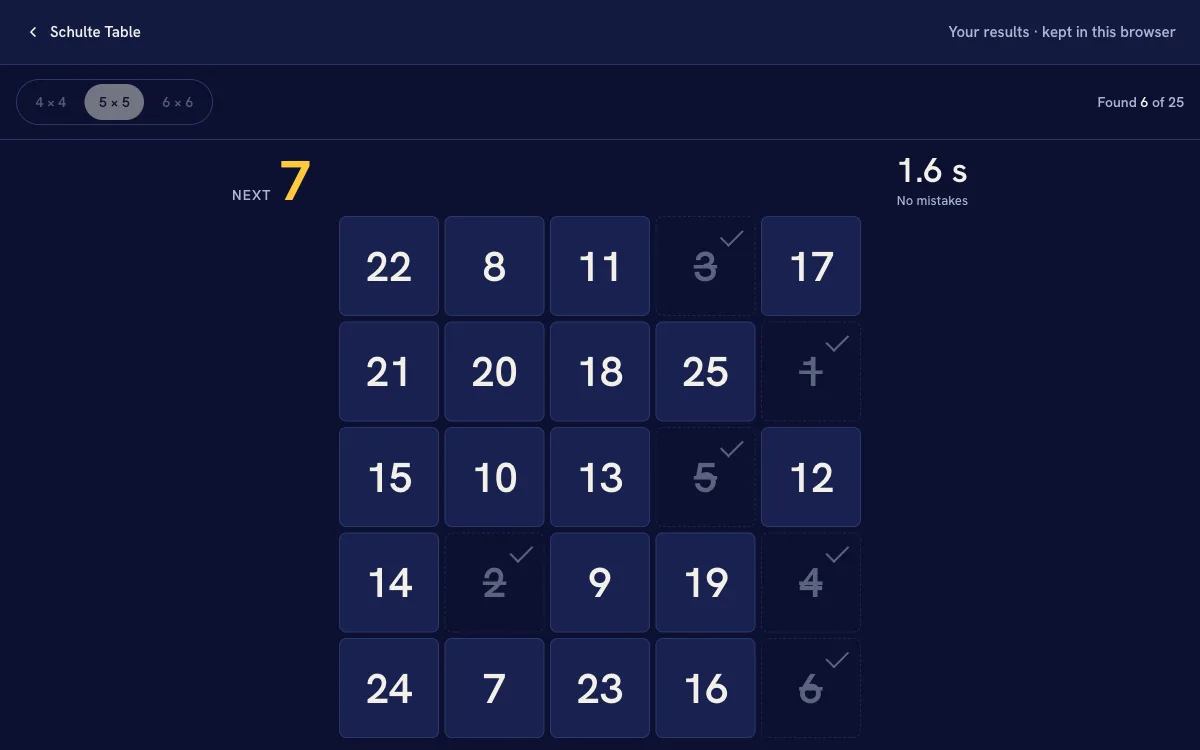
A grid of scrambled numbers. Find them in order, from 1 up, as fast as you can. Three sizes, from 16 numbers to 36.
- About a minute for a 5 × 5 grid
- Three sizes 4 × 4, 5 × 5 and 6 × 6
- No account your times stay in this browser
A bigger screen puts more distance between the numbers, so compare runs on the same device.
Your results
- Latest
- Best
- Average
How it works
Pick a size
4 × 4 holds 16 numbers, 5 × 5 holds 25 and 6 × 6 holds 36. The numbers are shuffled fresh for every run, so you can't learn where they sit.
Find them in order
Press Start and the grid appears with the clock running. Press 1, then 2, then 3, all the way up. The number you need next is always shown above the grid. A wrong number flashes and counts as a mistake, but adds no time.
Read your time
The clock stops on the last number. You get your time to a hundredth of a second, your mistakes, and how it compares with your last run of the same size. Your last 20 runs of each size are kept on this page.
What a Schulte table asks of you
A Schulte table is a square grid of numbers in a random order, found in sequence. It is an old drill, and a simple one: no words, no memory to fill, just one search after another for as long as the grid lasts.
Each find is a small visual search. You look for one number among many, press it, and start again for the next. Time tends to go in two places: losing your place, when the number you need is one your eyes just passed, and rushing, which shows up as mistakes. A steady sweep across the grid often beats darting around.
Some people practise by keeping their eyes on the middle of the grid and finding the numbers out of the corner of their eye. That is harder than it sounds, and it is a different exercise from a free search. Whichever way you play, compare a run only with your own runs of the same size.
Questions
-
How is the time measured?
The clock starts on the screen frame the grid first appears and stops the moment your press on the last number arrives. Both come from the browser's own high-resolution clock. Mistakes don't add time; they are counted on their own.
-
What happens if I press the wrong number?
The cell flashes, the page tells you which number to find, and a mistake is counted. The clock keeps running, so a mistake costs you the moment it took and nothing more. The cell also shakes, unless your device is set to reduce motion.
-
Can I use the keyboard?
Yes. The arrow keys move between cells, Home and End jump to the ends of a row, and Space or Enter presses a cell. It is slower than tapping or clicking, because you travel to each number one cell at a time, so compare keyboard runs with keyboard runs.
-
Which size should I start with?
5 × 5 is a good place to start. 4 × 4 makes a quick warm-up, and 6 × 6 is there for when 5 × 5 starts to feel easy. Each size keeps its own history, so moving between them doesn't muddle your times.
-
Is this a medical test?
No. It is a game that shows how quickly you scan and search on the day. It can't diagnose anything about attention or eyesight, and the size of your screen moves your time too.
-
Where are my results saved?
Only in this browser, in its local storage: the last 20 runs of each mode. Nothing is sent to HourLife, and clearing your browser's site data or pressing Clear removes them.
More brain tests
Attention · 4 min
Multiple Object Tracking Test
Keep your eyes on a few marked dots as they all move, then find them again.
Take the testAttention · 2 min
Stroop Test
Name the colour of the ink, not the word it spells. Speed counts, and so do mistakes.
Take the testTime · 2 min
Time Perception Test
Hold a target length in your head, repeat a length you saw, or pick the longer of two. No clock on screen.
Take the testFind the hours in your day
HourLife draws your day as 24 hours on one screen, so finding where the afternoon went is a glance, not a search.

