 Time Freedom Review
Product story
Time Freedom Review
Product story
Four decisions on a Sunday night
Weekly reviews die of thoroughness. Time Freedom Review asks five questions and ends with four decisions on one page — keep, release, protect, try. Next Sunday it asks the only follow-up: did it hold?
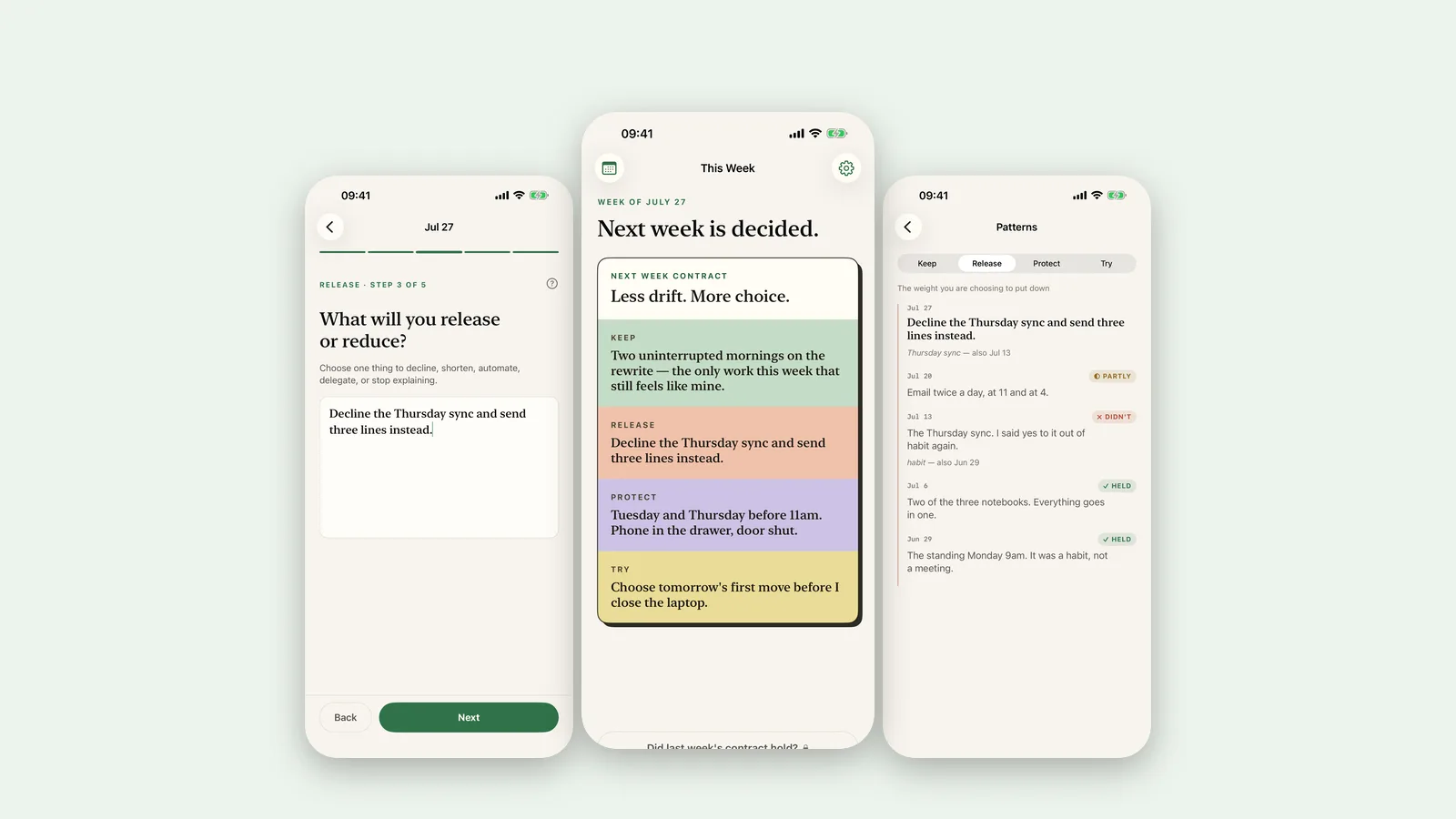
Every weekly review system I've tried died the same death. Week one: ninety glorious minutes, a beautiful document, seventeen action items. Week two: forty minutes, twelve items. Week four: a calendar notification, dismissed with the special resentment reserved for your own past enthusiasm.
Weekly reviews die of thoroughness. Time Freedom Review is the first one that survived contact with my actual Sundays, because it's built on a brutal ration: five questions in, four decisions out, one page total.
The contract
The review walks you through five questions about the week that just ended — where the time went, what it cost, what it gave back. Ten minutes, maybe fifteen if the week deserves it. And then, instead of an action-item landfill, it makes you close exactly four decisions for the week ahead:
- Keep one thing that worked.
- Release one thing — decline it, shorten it, automate it, stop explaining it.
- Protect one thing that matters and keeps getting eaten.
- Try one thing, small enough to actually happen.
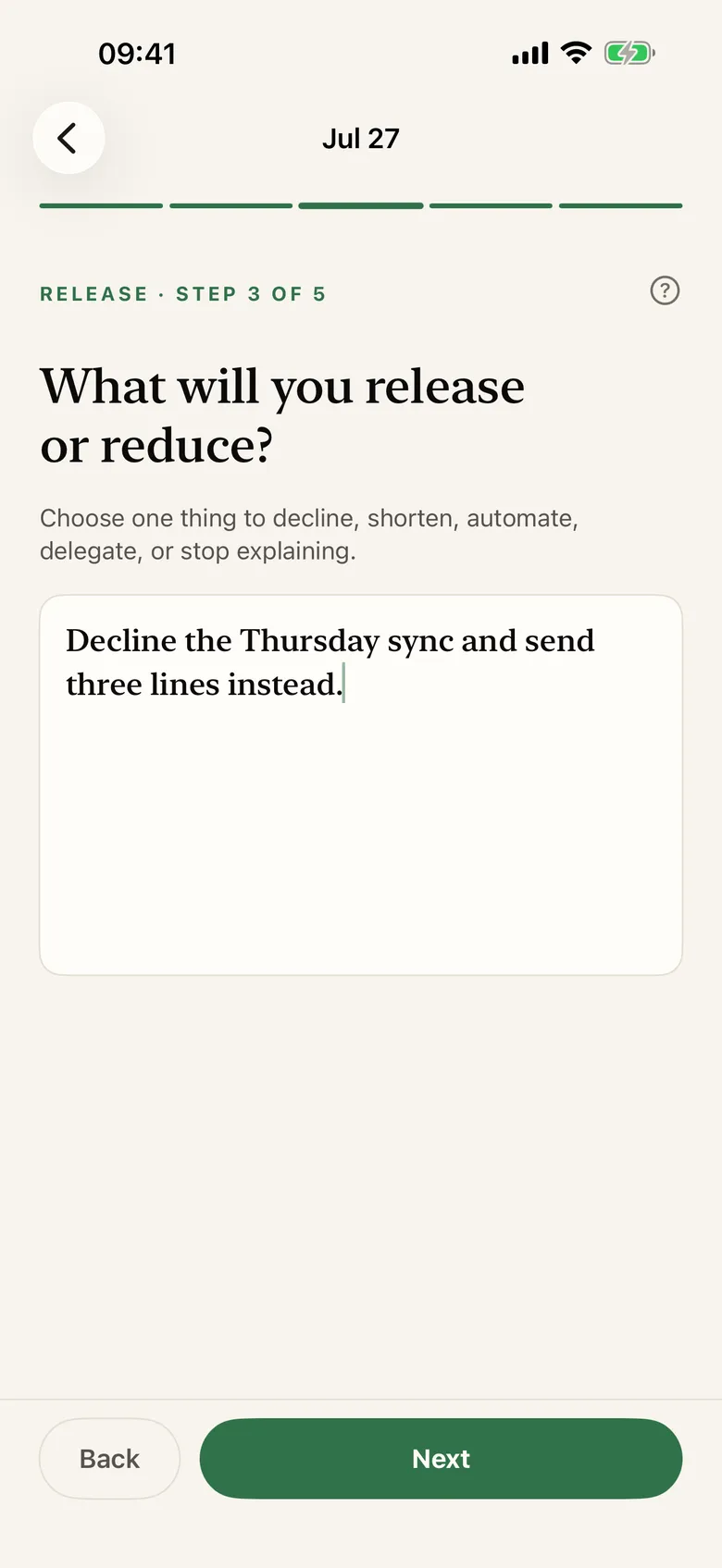
That's the whole output. The app calls it the Next Week Contract and prints it on one page, colour-zoned, no scrolling. My favourite example release, which I have since stolen verbatim: decline the Thursday sync and send three lines instead. Note the shape — not "fewer meetings," a specific meeting, with the replacement named. The three lines take four minutes to write. The sync took fifty, plus the twenty minutes of being annoyed afterwards, which never appeared in any calendar.
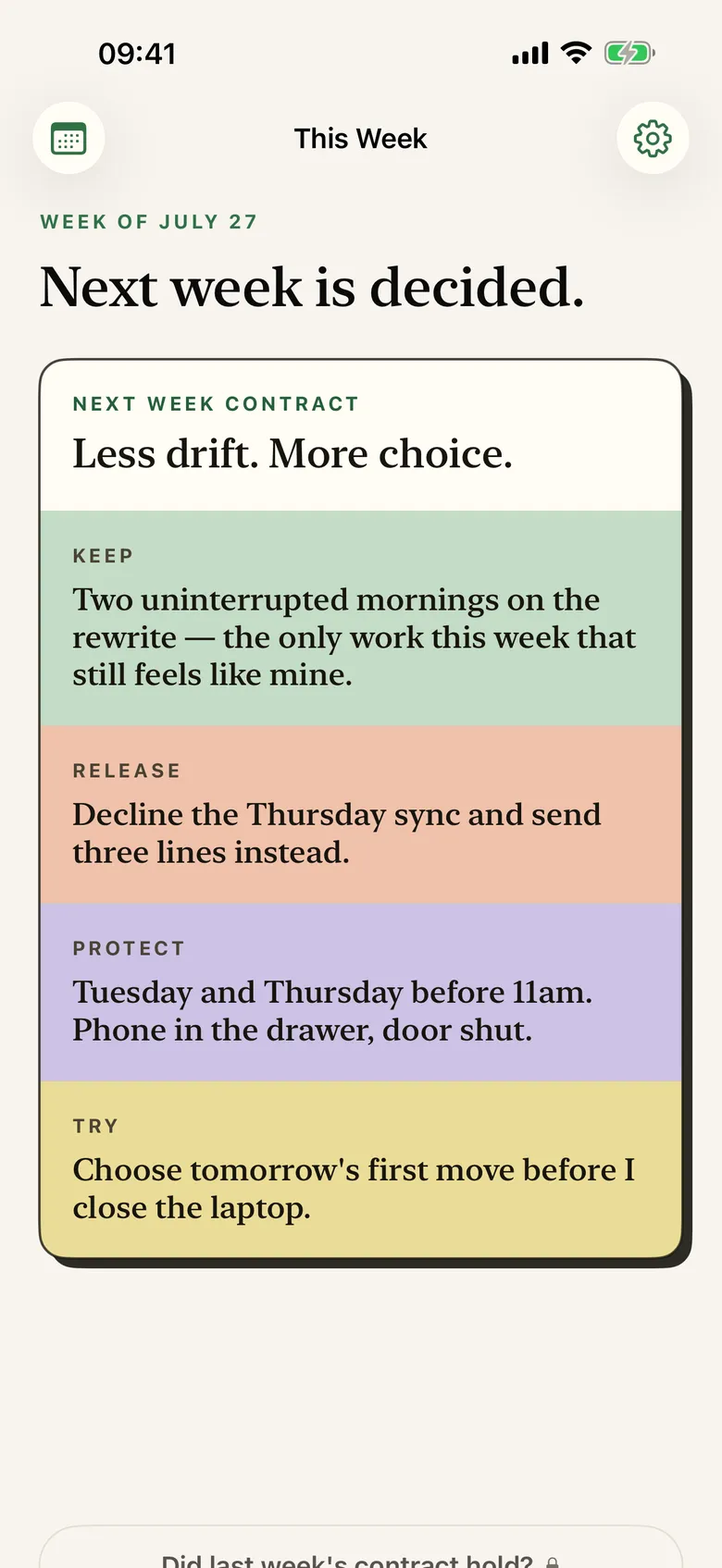
Did it hold?
The following Sunday, before anything else, the app pulls up last week's contract and asks one question per line: did it hold? Not "rate your week." Held, or didn't.
This is where it stops being a planning app and becomes a feedback loop. My Thursday-sync release held for three straight weeks and then broke the week a launch slipped — and the app just recorded that, no grey disappointed face, and folded it into Patterns: over the weeks, what kind of protections hold for me and what kind of releases keep failing. Mine says I'm good at declining meetings and terrible at protecting evenings, which my family could have told you for free, but there's something clarifying about your own contracts saying it.
It's not a planner, not a task manager, not a time tracker — it never asks what you did at 2pm. It asks what you'll decide, once a week, and then whether you meant it.
Try it free first, genuinely
There's a free web version of the ritual at hourlife.com/time-freedom-review — the same five questions and contract, in your browser, no signup needed to see how it feels. The iOS app is the full companion: history, verdicts, Patterns, widgets, everything on your device and your iCloud.
The app is in App Review as I post this — days away. $4.99 once, or $9.99 for the bundle with every HourLife mini app, present and future. No subscription.
It's Thursday as I write this. The sync is in ninety minutes. I've already sent the three lines.
Four decisions. One page. Then: did it hold?