Your life does not fit in one list
Most people end up with a stack of disconnected tools: Reminders for tasks, Notes for thoughts, a habit tracker for routines, a journal for reflection, and a spreadsheet or Notion setup for goals. Each tool can work on its own, but the day itself becomes fragmented.
HourLife is built around a different idea: your life needs a calm operating system. Not a corporate project board. Not a social feed. Not a rigid method that breaks when your week gets messy. A personal LifeOS should help you see what matters today, capture what changes, and connect the small actions back to the bigger picture.
How HourLife works
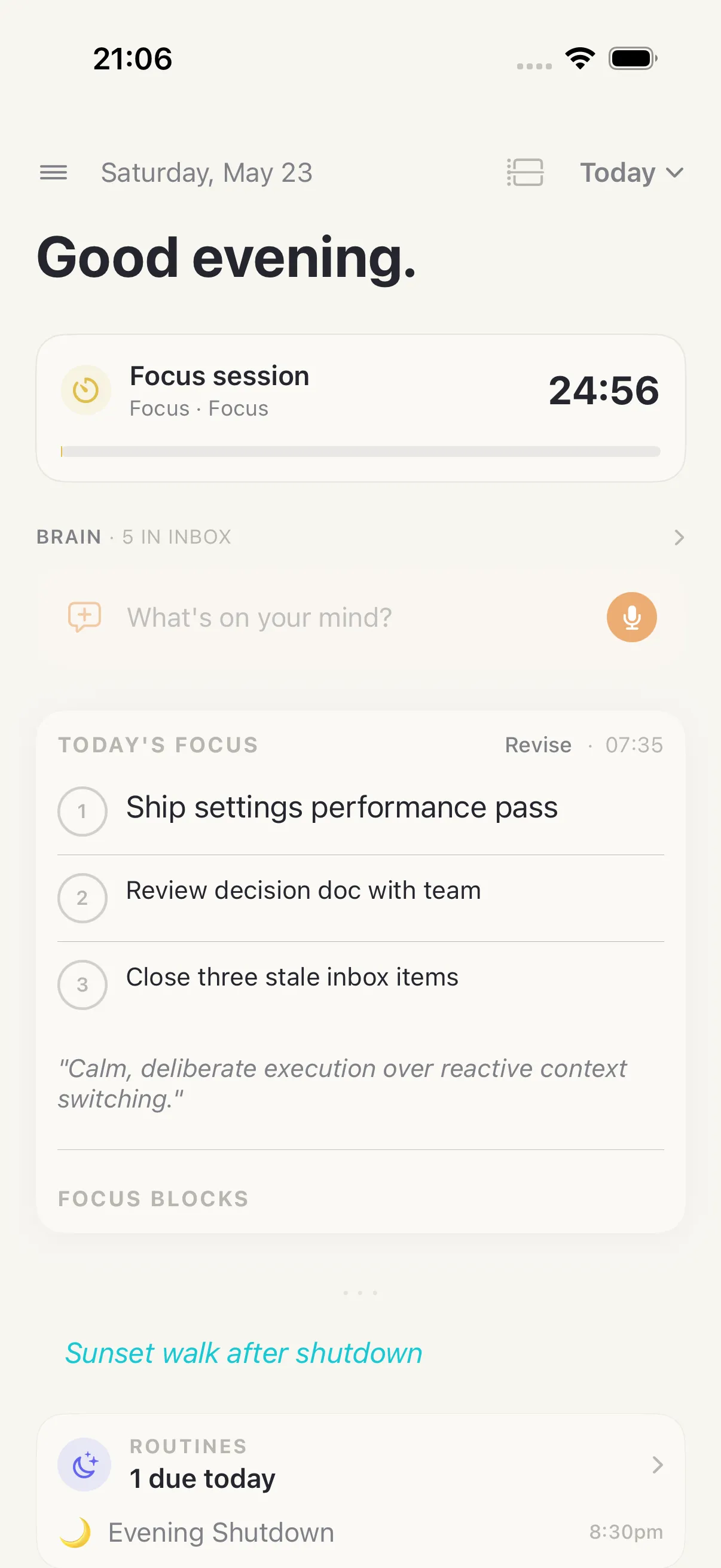
Start from Today. Add the tasks that matter, capture loose thoughts in Brain, check off habits, run focus sessions, and keep your energy or mood in context. If a task belongs to a goal or project, it can carry that context with it, so the work you do today is not separated from the life you are building.
At the end of the day, HourLife can help you reflect through journal entries, gratitude, highlights, and review. Your record is not just a list of completed tasks. It becomes a structured account of what you worked on, what you noticed, and what changed.
Private by design
HourLife is personal software for one person. Your system is not a social network, team workspace, or public dashboard. The product is designed around private Apple-device use, modular setup, and exportable records.
The Markdown export philosophy matters: your days should not be trapped inside an app. A private LifeOS should help you build a useful history that remains readable outside the product.
Built for different modes of life
HourLife can stay simple if all you need is Today, Tasks, Brain, and Habits. It can also expand into goals, projects, journaling, learning, decisions, values, mood, health context, household admin, and long-term review.
That is the point of a modular LifeOS: start with the part of your life that needs help now, then add structure only when it earns its place.