The calendar
Tells you on the day.
Correct, and useless. The month grid has no idea that this particular date needed three weeks of runway.
Kept · A HourLife mini app
Zero is the one number you can no longer act on. By the time the app says "today", the useful window closed a fortnight ago.
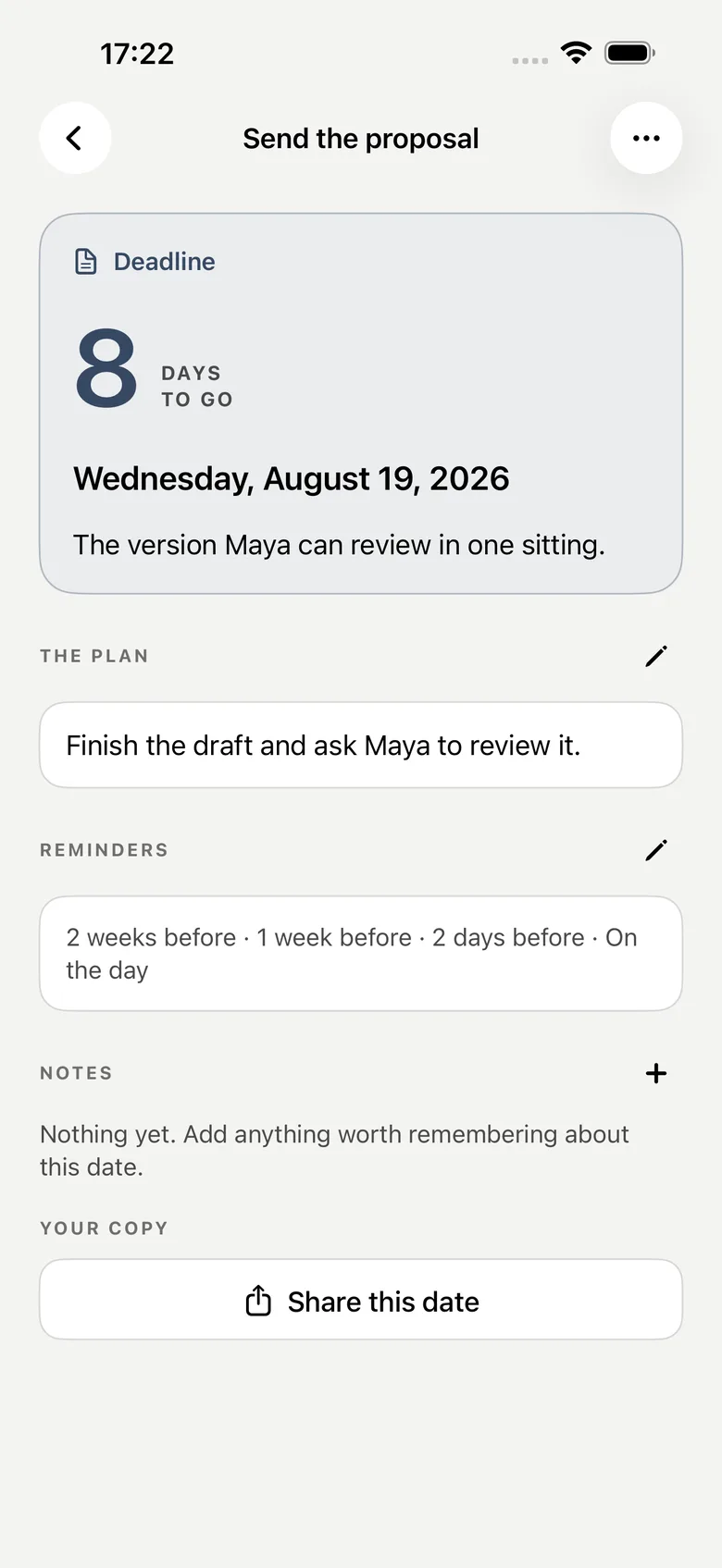
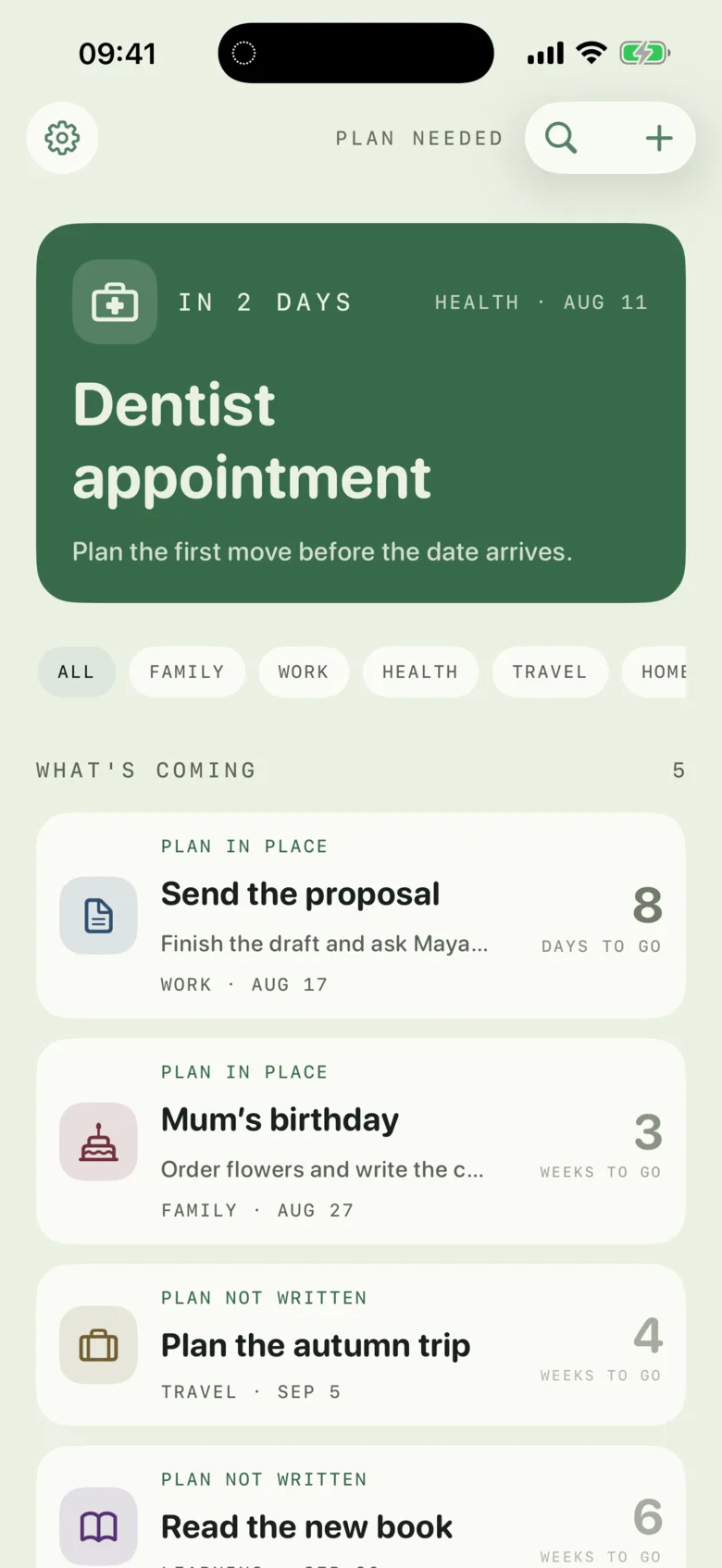
Kept converts a date into the moment work has to begin. It stages the approach so each reminder has a different job, and it keeps the far side of the line — what actually happened when the date came.
iPhone · Local-first, iCloud optional · One-time purchase
Why this exists
Your mother's birthday did not sneak up. The calendar told you on the day, which is exactly when a gift can no longer be ordered, a table can no longer be booked, and a passport can no longer be renewed. A reminder that arrives when the options have closed is a notification about a failure, not a prompt to act.
The calendar
Correct, and useless. The month grid has no idea that this particular date needed three weeks of runway.
The countdown app
A wall of numbers ticking toward zero. It never asks what you intend to do, and it forgets the date the moment it passes.
Kept
The date you care about is not the event. It is the last day you could still do something about it.
How it works
Four things per date, and none of them is a checklist.
Add a date with an optional note, a kind, and a category. A birthday, an appointment, a deadline, a renewal.
Kept gives the approach a runway, so the date can ask for your attention while there is still time to do something useful.
Write one plan line. Not a checklist — a sentence about what you intend to do.
The ladder tells you when to begin, when to check your plan, when to make the last call, and to show up on the day.
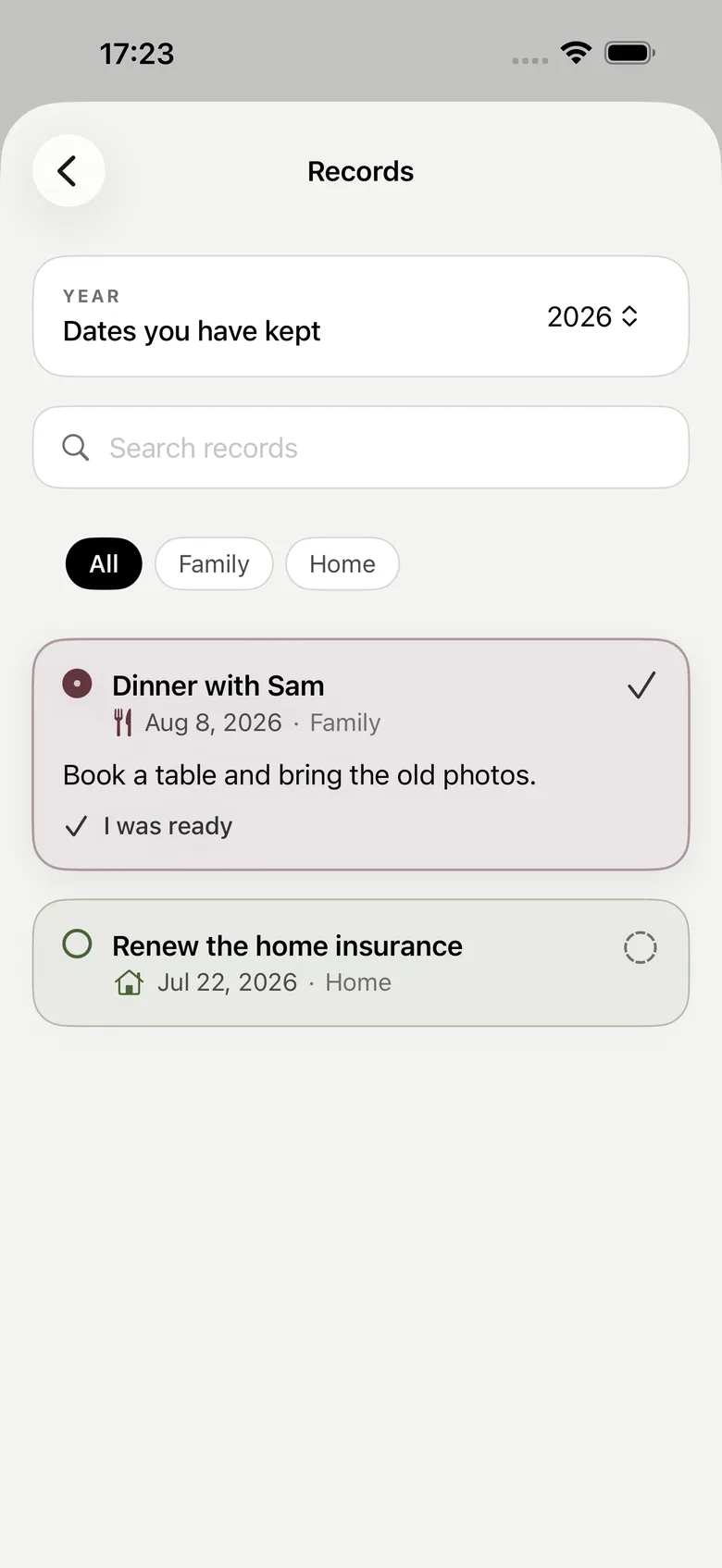
When the date passes, mark it: prepared, scrambled, missed, or moved.
Once you have written a plan, the ladder goes quiet. The reward for preparing early is that the app stops talking to you — which is the opposite of how a reminder app usually behaves.
The crossing
When a date arrives it comes to rest at the fold and asks how it went. You have ten seconds to undo the mark; after that it becomes part of the record.
Prepared
You had a plan and it held.
Scrambled
It happened, late and badly. Also worth knowing.
Missed
It went past. The record says so and moves on.
Moved
The date changed. Not a failure, just a fact.
No mark is a grade, and there is no percentage prepared. Recurring dates build a history instead of starting the same ambush from zero every year.
The part that compounds
Every plan line and every settled occurrence stays readable.
A renewal you scrambled three years in a row is not bad luck. Reading that column is how you find out that the runway you gave it was always two weeks short, and that is a fix you can only make once you can see the pattern.
A date that passed does not disappear when the notification is over.
The plan you wrote in advance sits next to what actually happened, so you can see whether the plan was the problem.
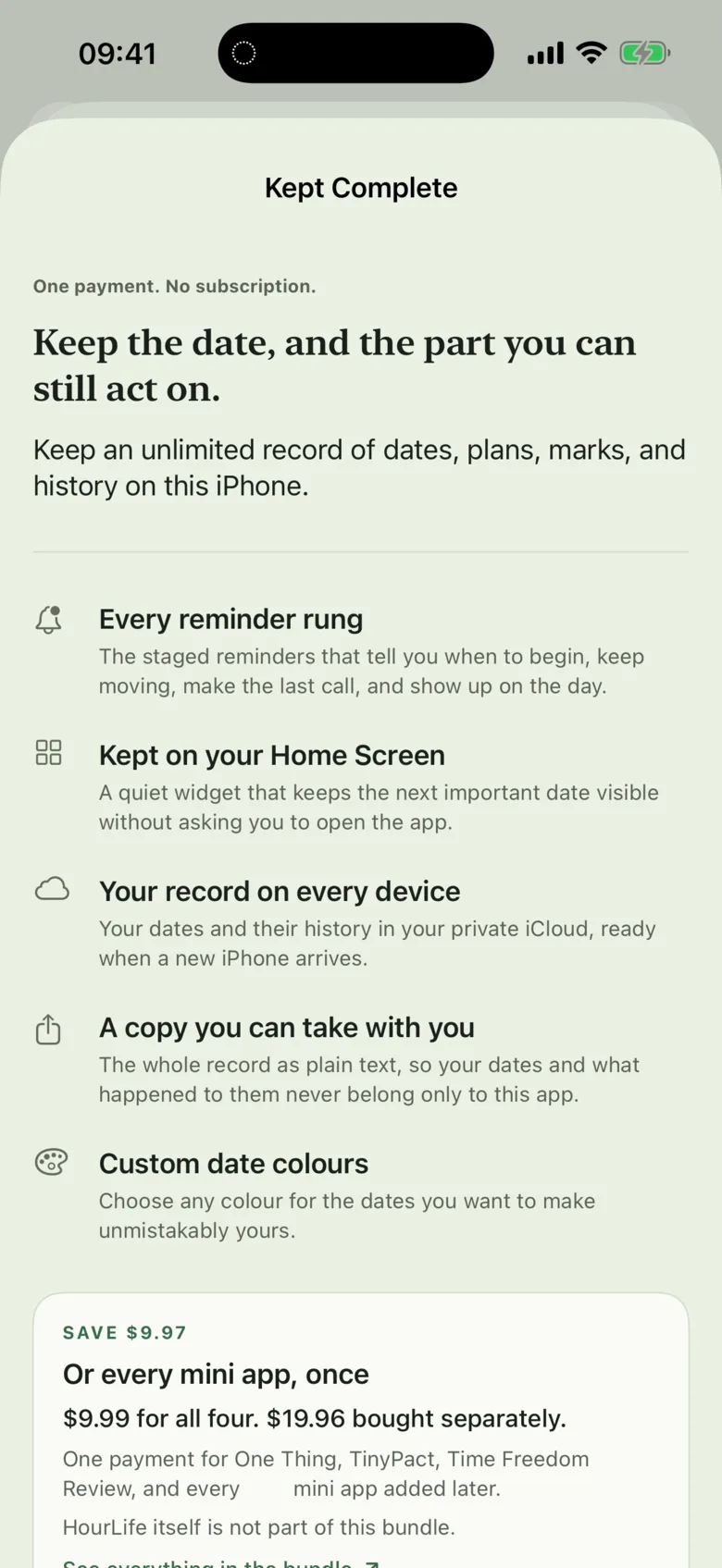
One purchase
Every reminder rung, the widget, iCloud, export.
Record
Prepared, scrambled, missed, moved — across years.
What it refuses to do
There is no queue of things you owe the app. A date with no plan line written is a date with no plan line written, and Kept does not treat that as an outstanding item.
Private by default
There is no account, no sign-up, and no advertising. Optional iCloud sync uses your own private iCloud database; the app does not send your dates to a server we can read.
Pricing
Adding dates, writing plan lines, marking occurrences, and reading the complete record are free for as long as you keep the app. You wrote it, and reading what you wrote is never for sale.
Paid once · no subscription · nothing to renew
Dates and record
Free
Unlimited dates, plan lines, the crossing, all four marks, and the whole record.
Kept Complete
$4.99 once
Every reminder rung on the ladder, the Home Screen widget for the next date, private iCloud sync, plain-text export, and custom date colours.
Mini app bundle
$9.99 once
Kept, every other HourLife mini app, and every mini app added later — at no extra cost.
See everything in the bundleBoth are bought inside the app and charged once. Prices are in USD; the App Store charges Apple's regional price in your own currency. The bundle covers the mini apps — HourLife itself, the full Life OS, is a separate product and is not included.
Version 1.0 · Coming to the App Store
Kept is built for iPhone. The staged ladder is the feature the app exists for, and everything else is deliberately quiet around it.
The other layers
Dates that arrive. Weeks that turn over.
Kept handles the fixed points you cannot move. Time Freedom Review handles the week you can. They solve different halves of the same problem, and one purchase covers both.
We would like to use Google Analytics to see which pages are worth keeping. It is off until you say yes, and the site works exactly the same either way. How we handle your data.