The death clock
Counts your weeks.
A grid of squares and an actuarial estimate. It is about your mortality in the abstract, which is exactly the thing nobody can act on.

Seasons · A HourLife mini app
You already know it is not forever. What you have never done is the arithmetic, because doing it means naming an end.
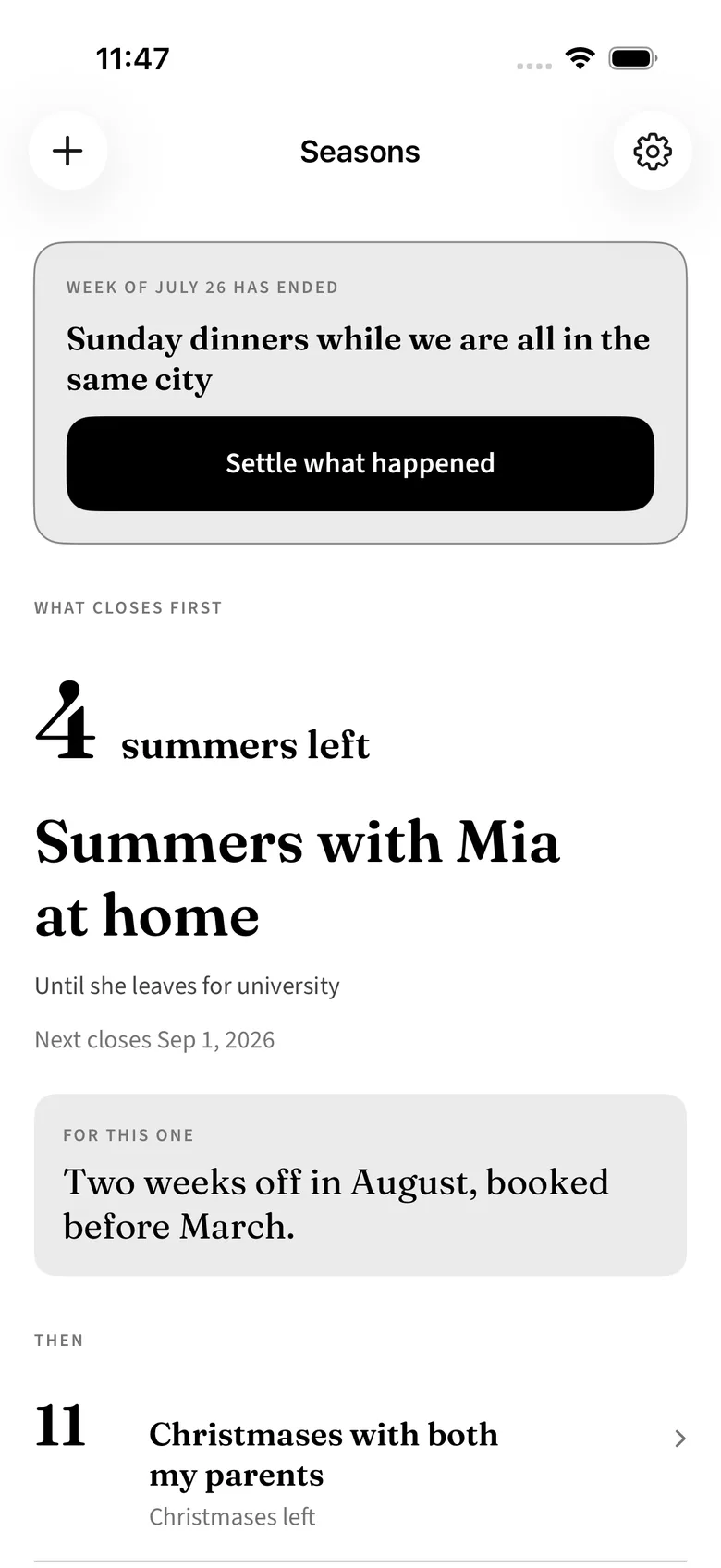
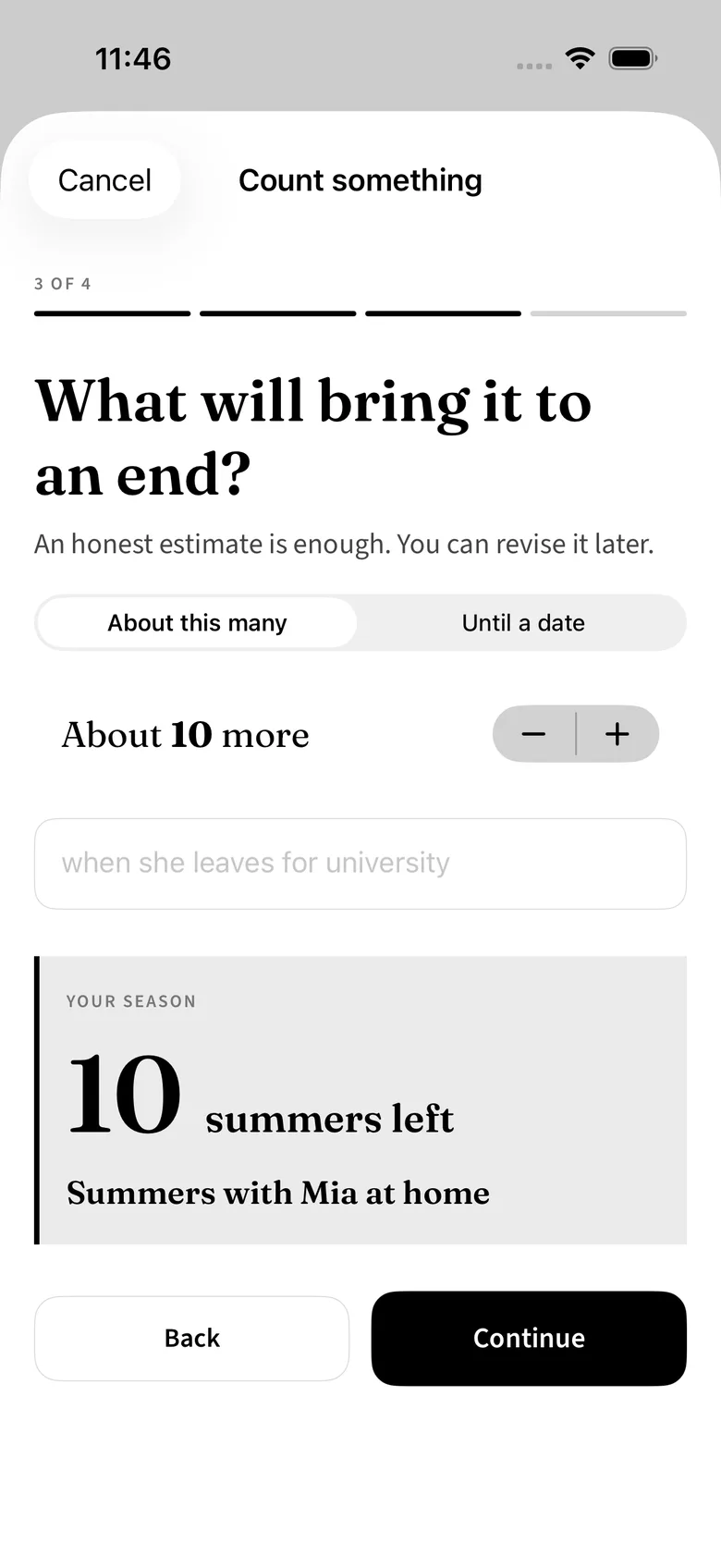
Name something that comes round and will run out. Say roughly when it ends, in your own words. Seasons tells you how many are left — a count of the thing itself, in the word you chose for it.
iPhone · Local-first, iCloud optional · One-time purchase
Why this exists
Your daughter is nine. If she leaves at eighteen, that is nine summers with her still at home — and you have had one of them already this year. Nobody needs a life-expectancy table to find that sobering. You need the count of the specific thing, in the word you already use for it.
The death clock
A grid of squares and an actuarial estimate. It is about your mortality in the abstract, which is exactly the thing nobody can act on.
The countdown
Useful for a wedding. Useless for the things that come round — the whole point is that there is a number of them, not a date.
Seasons
Not days, and not a percentage of your life. Summers. Christmases. Monthly visits before the move.
How it works
Seasons does not want you to open it daily. Occurrences close because the world moved, not because you logged something.
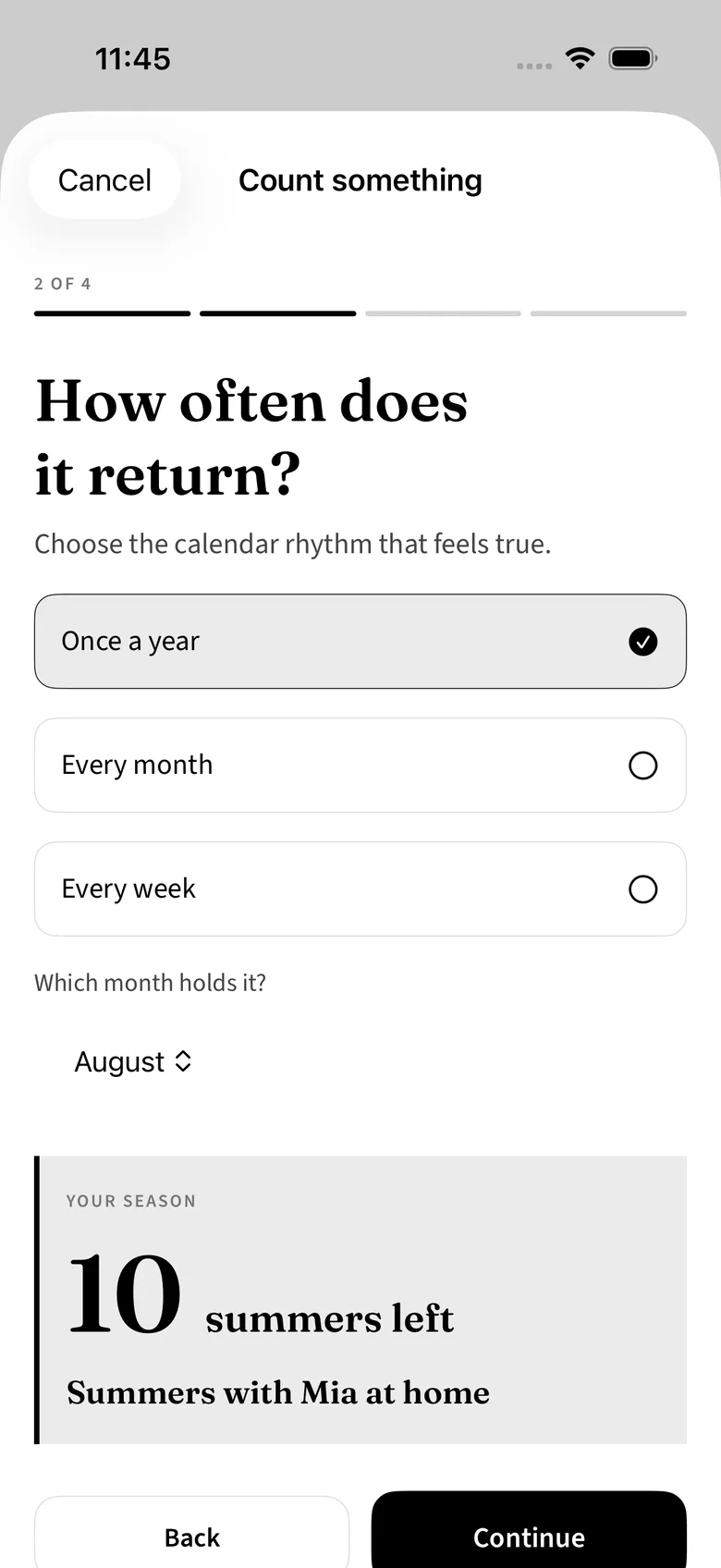
Name something that comes round and will run out, in your own words.
Say roughly when it ends — she leaves for university, we move, these knees give out. An estimate is fine.
The app does the arithmetic and shows the count. Whatever closes soonest sits at the top.
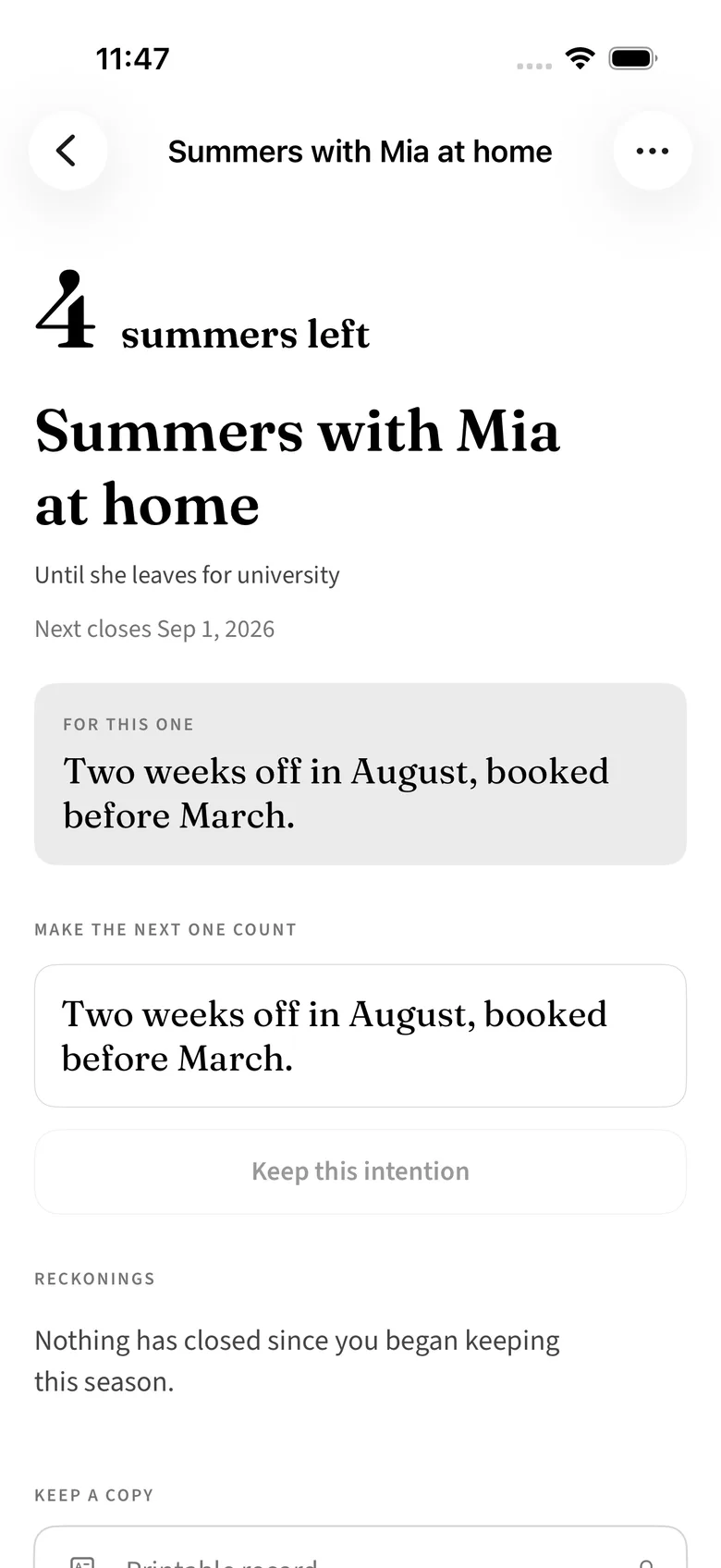
Write one sentence about what you intend for the next occurrence. One.
When an occurrence closes, Seasons comes back once and asks whether it was spent.
An estimate may be revised at any time. A reckoning may not — once you have answered whether an occurrence was spent, that answer is permanent.
The reckoning
When the summer ends or the month turns, the app comes back a single time and asks whether it was spent. Your answer is kept permanently, next to the sentence you wrote when you still had it ahead of you.
The claim
One sentence about what you intend for the next one.
The close
The occurrence ends on the calendar, not on your say-so.
The reckoning
Was it spent? Answered once, kept for good.
The pair
What you meant, beside what happened.
Replace the claim as often as you like. The sentence you had when the occurrence closed is the one kept beside the reckoning, so later you read what you meant to do next to what you did.
The part that compounds
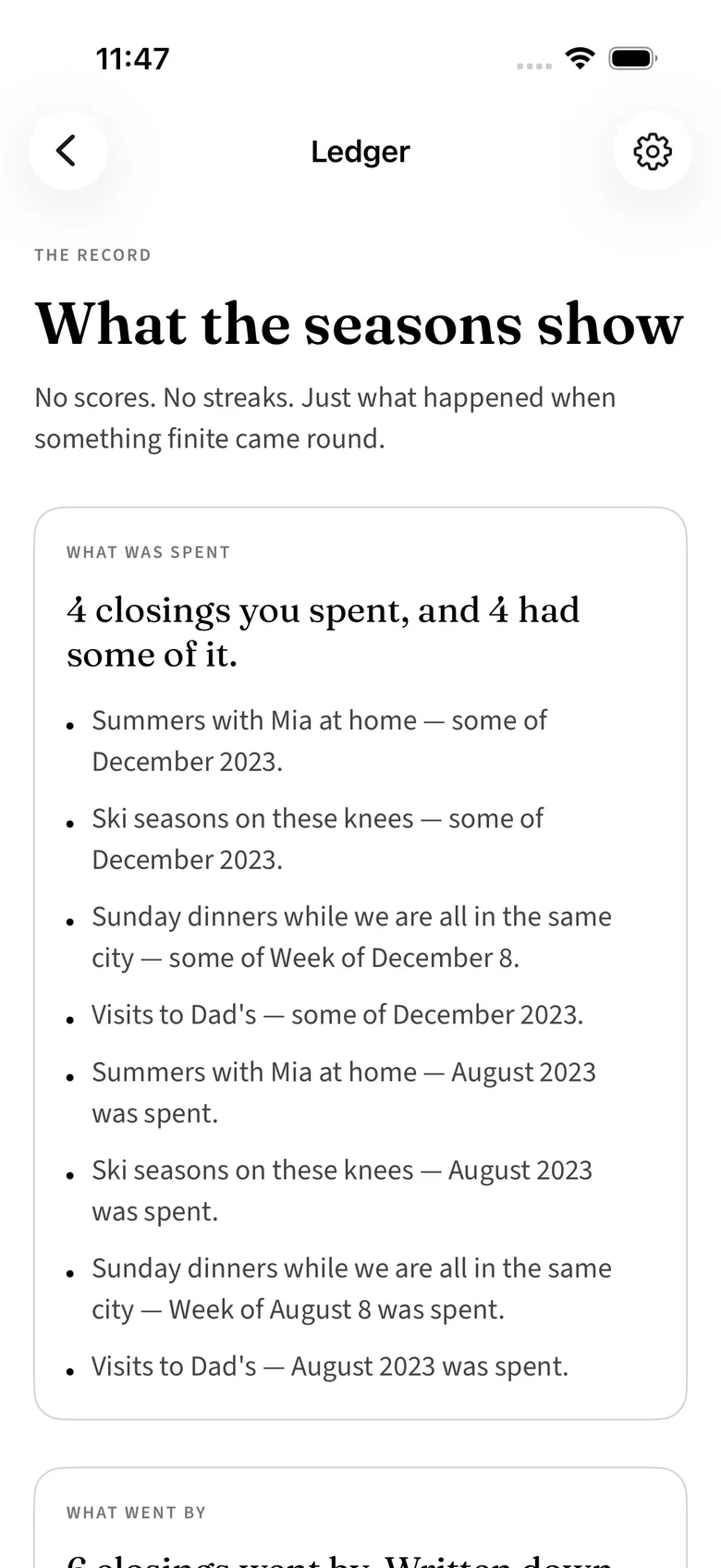
Every reckoning across every season, in one place.
Four summers with a claim you never kept is a different life from four summers you spent the way you said you would. That difference does not show up in any single year, and it is the only thing worth measuring here.
An estimate may be revised. A reckoning may not.
That asymmetry is the whole design. The future is a guess; what you did with an occurrence is a fact.
Ledger
Every reckoning, across every season.
Reckoning
Asked once, after the occurrence closed.
What it refuses to do
Nothing here grades you. A summer you answer honestly as unspent is a fact about that summer, and the app has nothing further to say about it.
Private by default
There is no account, no sign-up, and no email address to hand over. Nothing leaves the device unless you turn on iCloud in Settings, which is off by default and uses your own private iCloud account.
Pricing
Naming seasons is free, as many as you like. Every reckoning is free to write and free to read on the season it belongs to — you wrote it. All five themes, both appearance modes, and every accessibility affordance are free too.
Paid once · no subscription · nothing to renew
Seasons and counts
Free
Unlimited seasons, every count, every claim, every reckoning, all themes.
Seasons Complete
$4.99 once
The Ledger — every reckoning in one place and what it adds up to — Home Screen and Lock Screen counts that stay accurate for months, a quiet reminder the morning after something closes, and export as text, PDF, or a card worth sending.
Mini app bundle
$9.99 once
Seasons, every other HourLife mini app, and every mini app added later — at no extra cost.
See everything in the bundleBoth are bought inside the app and charged once. Prices are in USD; the App Store charges Apple's regional price in your own currency. The bundle covers the mini apps — HourLife itself, the full Life OS, is a separate product and is not included.
Version 1.0 · Coming to the App Store
Seasons is built for iPhone. It is designed to be opened a few times a year, which is an unusual thing for an app to want and the reason this one is worth keeping.
The other layers
How many are left. What you do with the next one.
Seasons counts the occurrences. HourLife is where the shape of a whole life is planned, and Time Freedom Review decides a single week. Different distances from the same question.
We would like to use Google Analytics to see which pages are worth keeping. It is off until you say yes, and the site works exactly the same either way. How we handle your data.