Photos
One swipe from everything else.
Hand someone your phone on a picture of an insurance card and they are one gesture away from your entire camera roll.
ShowMe · A HourLife mini app
Somebody asks for something exact. You start scrolling — Notes, Photos, an email from 2023. It takes twenty seconds, and the whole time somebody is watching your screen.
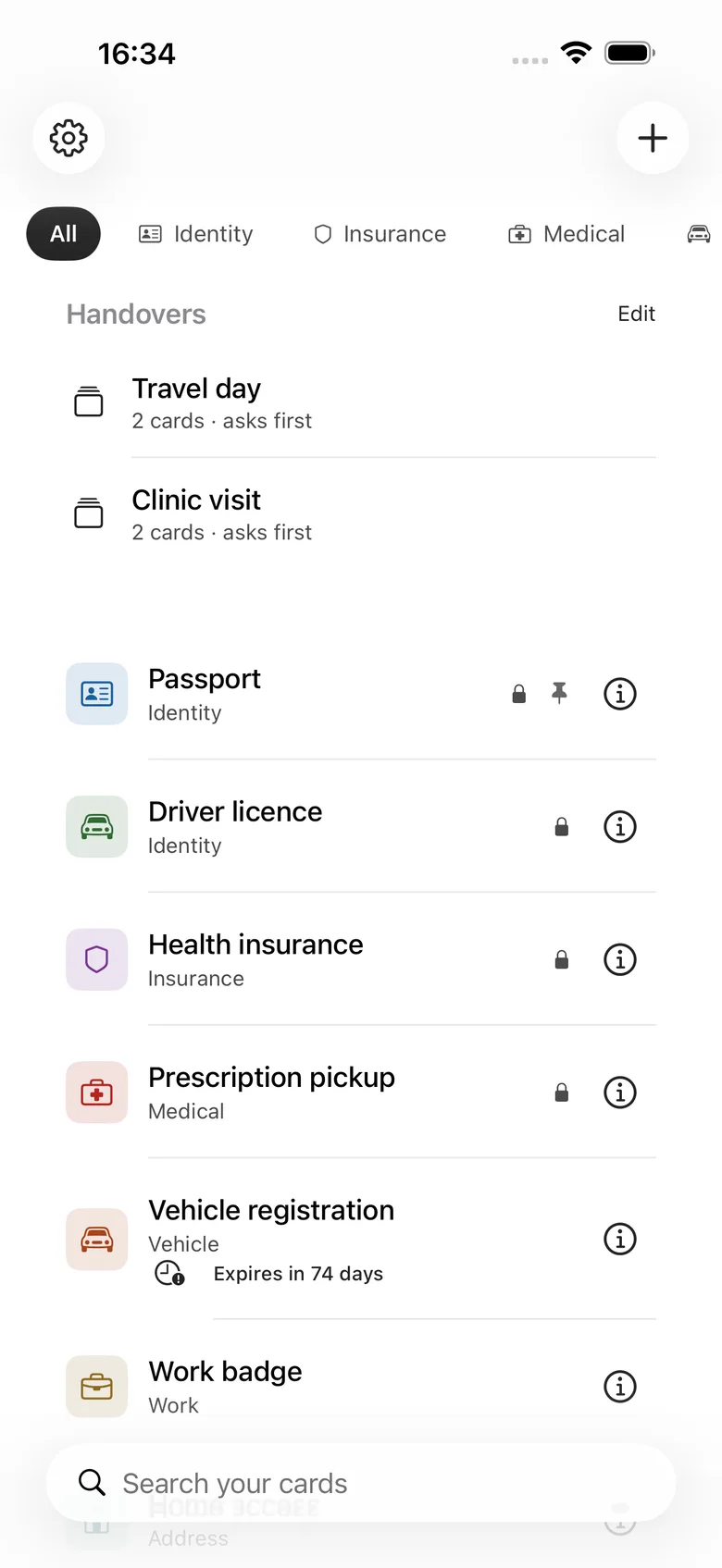
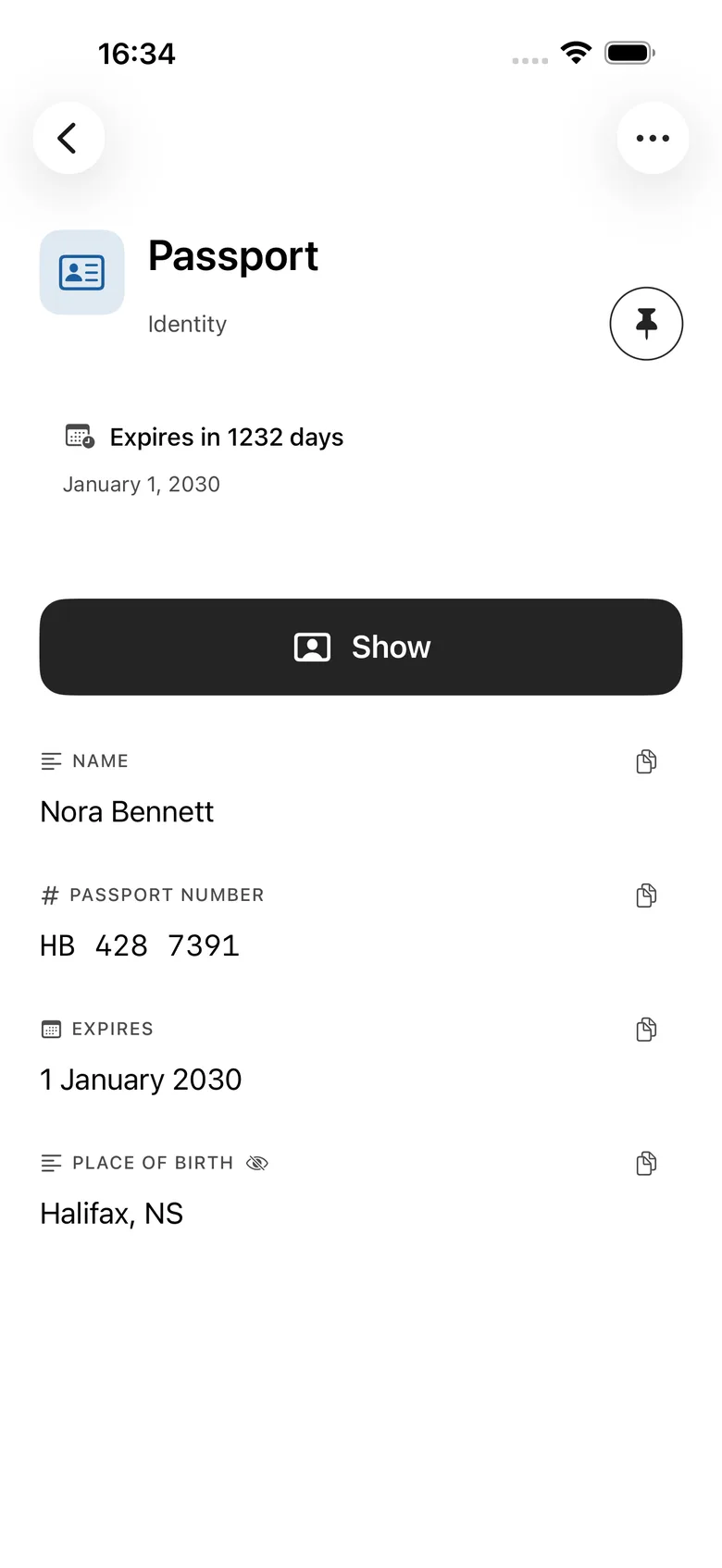
ShowMe keeps that information as private cards. Open one, tap Show, and the app goes full screen on that card alone, in type large enough to read across a counter. Then you can hand the phone over.
iPhone · iPad · Local-first, iCloud optional · Free

Why this exists
You already have the policy number. It is in a photo, or a note, or an email. The difficulty is producing it in front of a stranger without also producing everything either side of it — the next photo, the previous note, the rest of your inbox.
Photos
Hand someone your phone on a picture of an insurance card and they are one gesture away from your entire camera roll.
The password manager
Reveal, copy, paste. Nothing in it is legible at arm's length across a counter, and it was never meant to be.
ShowMe
Full screen on that card alone. No back, no edit, no share, no swipe to the next one.
How it works
Showing keeps the information on your screen. Sharing makes a second copy, and it is always a separate action you have to confirm.
Make a card: labelled text fields, one or two pictures, or a PDF.
Mark the sensitive ones so they ask for Face ID again even inside an unlocked app.
When someone asks, open the card and tap Show.
The app goes full screen on that card. Everything else is out of reach.
To leave, tap the lock and authenticate. Then the phone comes back to you.
Turn the phone sideways and the card reflows. It does not exit Presentation Mode, and it does not show anyone the way out. Nothing is ever truncated — the value grows to fill the space instead.
Three locks
Most apps have a lock. ShowMe has three, because the person you are protecting the information from changes depending on where the phone is.
App Lock
For anyone who picks up your phone. The whole collection sits behind Face ID, Touch ID, or a PIN.
Card Lock
For the moment after that. A sensitive card asks again before it opens, inside an already-unlocked app.
Presentation Lock
For the person you just handed the phone to. No back, no edit, no share, no swipe.
When the app leaves the foreground it covers the content immediately, before the app-switcher snapshot is taken. Card content is kept out of widgets, notifications, Siri suggestions, and Spotlight.
Honest about what it cannot do
Presentation Lock stops someone browsing your cards. It cannot stop iOS itself.
It cannot block system gestures unless you turn on Apple's Guided Access, and there is a short guide in Settings for doing exactly that. It cannot stop someone photographing your screen with another camera — though ShowMe does warn you when screen recording or mirroring is active. And an image of a passport or a licence is a copy, not the document; some places will not accept one.
One card is one disclosure boundary.
That is the promise the app can actually keep, so it is the one it makes.
Handover
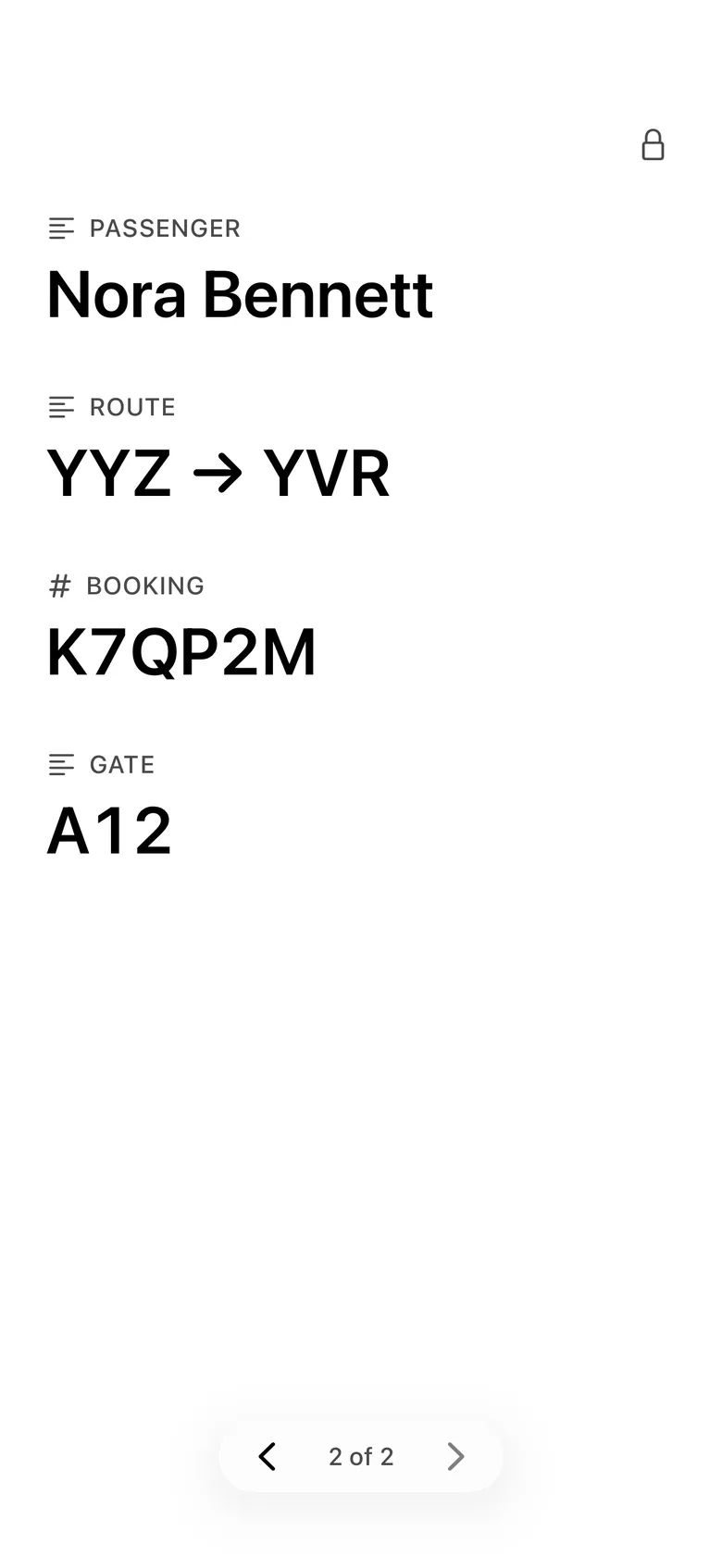
Several cards in a controlled sequence.
Presentation
One card, large type, nothing either side.
What it refuses to do
The disclosure boundary is the product, and it is not for sale. Every lock, Presentation Mode, unlimited text and image cards, search, favourites, and Recently Deleted are free — as is everything else in the app.
Private by default
Card content is stored on your iPhone by default. There is no account, sign-up, email address, advertising, tracking, or analytics. Optional iCloud sync uses your own iCloud account, with card fields encrypted before they leave the device.
Pricing
Every card type, every lock, and every way of handing something over is free for as long as you keep the app.
Free · no subscription · no in-app purchase
Everything included
Free
Unlimited text and image cards, categories and icons, all three locks, Presentation Mode, search, favourites, Recently Deleted, private iCloud sync, PDF and document cards with chosen pages, on-device card scanning, show-as-QR-code, single-card sharing, expiry reminders, redaction, and handovers.
Every HourLife mini app is free — there is nothing to unlock inside ShowMe and nothing to restore. HourLife itself, the full Life OS, is a separate product on its own terms.
Version 1.0 · On the App Store
There is no locked shelf and nothing to restore. Every card type, every lock, every redaction, and every handover is there the moment you install it — and a card you already made is readable and presentable for as long as you keep the app.
The other layers
The card you show. The life you are running.
ShowMe is the smallest possible app: one job, done at a counter. HourLife is the other end of the range. ShowMe is free either way.
We would like to use Google Analytics to see which pages are worth keeping. It is off until you say yes, and the site works exactly the same either way. How we handle your data.
Google Analytics is currently on. We use it to see which pages are worth keeping, and nothing else. You can change that whenever you like — the site works exactly the same either way. How we handle your data.