 ShowMe
ShowMe 1.0: show the card, not the phone
ShowMe 1.0 is now available for iPhone and iPad. Keep the information people ask for as private cards, then show one value full screen without handing over the rest of your phone.
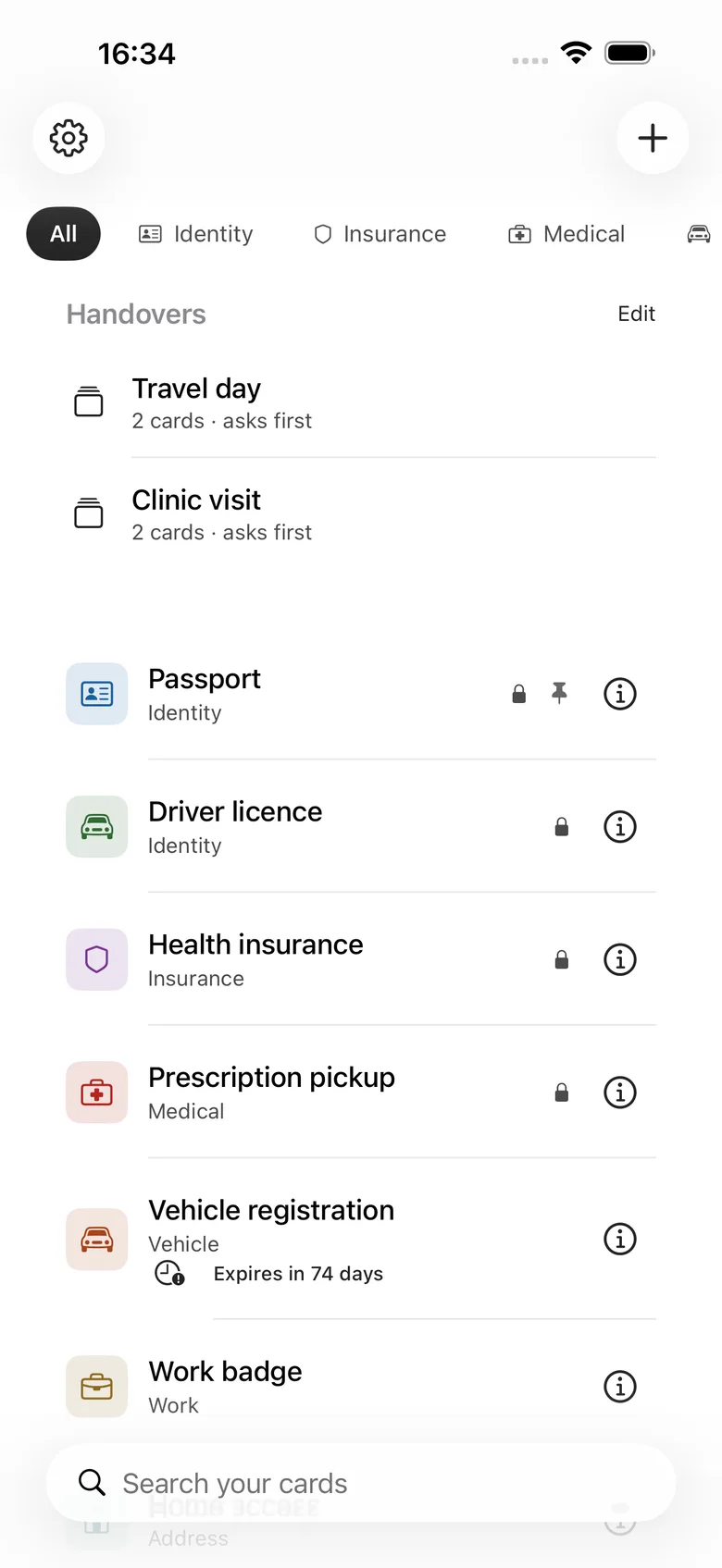
ShowMe 1.0 is now available on the App Store for iPhone and iPad.
The information was never missing. It was just in the wrong place.
A policy number in an old email. A postal code in Notes. The front of an insurance card in Photos, three swipes past a picture you did not mean to show. An emergency contact you can find, eventually, while somebody waits on the other side of the counter.
ShowMe is a small app for that moment. Keep the things people ask for as private cards, then open one and tap Show. The app fills the screen with that card alone — large enough to read — and keeps everything else out of reach until you unlock it.
The moment the app is for
The best way to explain ShowMe is the handover:

You find the card. You tap Show. The phone becomes a single, readable surface. There is no back button, no edit control, no share button, and no swipe to the next card for the person holding it.
To leave, you tap the lock and authenticate. The phone comes back to you before the collection does.
That boundary is the product. Notes can store the number. Photos can store the image. ShowMe is for producing it without also producing everything around it.
Showing is not sharing
These are different verbs, and most software treats them as if they were interchangeable.
Showing keeps the information on your screen. It is the right action when a receptionist needs to read a policy number, a gate agent needs to see a booking code, or a pharmacist needs the front of a card.
Sharing makes a second copy. ShowMe keeps that separate and deliberate: the owner has to choose what leaves, confirm it, and authenticate first when the card is sensitive. Presentation Mode never quietly turns a handover into an export.
One card is one disclosure boundary.
Three locks, because there are three different risks
ShowMe has three locks rather than one catch-all setting:
- App Lock keeps the collection away from anyone who picks up your phone.
- Sensitive Card Lock asks again before a marked card opens, even inside an already-unlocked app.
- Presentation Lock protects the person you just handed the phone to: one card, no navigation, authentication to return.
The locks do different jobs. A passport card should not be treated like a restaurant address, and a phone handed across a counter needs a different boundary from a phone sitting in your pocket.
Built to be read, not merely stored
The presentation screen is deliberately plain. Values grow to fill the space instead of being truncated. Turn the phone sideways and the same card reflows; it does not exit Presentation Mode or reveal a route through the collection.
Cards can hold labelled text fields, images, or documents. A handover can gather the cards for a particular moment — Travel day or Clinic visit — and show them in a controlled order:
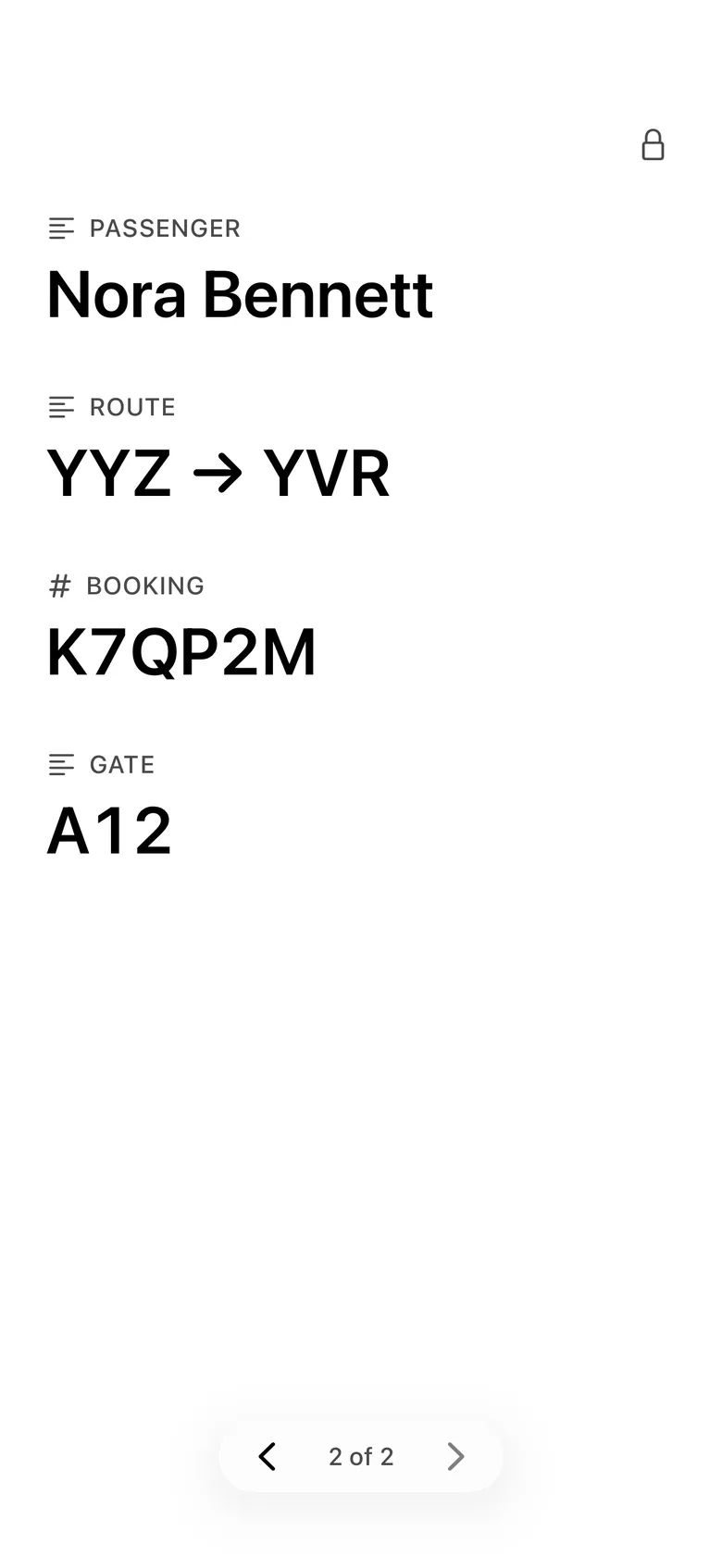
There is also on-device document scanning, redaction, expiry reminders, search, favourites, Recently Deleted, and a QR view when copying a value by hand would be the slower kind of sharing. The app does the assembly; your information stays yours.
What it refuses to be
ShowMe is not an official digital identity wallet. An image of a passport or licence is a copy, and some places will not accept it as the original document.
It is not a password manager. Nothing autofills, and the app is not a home for generated secrets or payment credentials. It is not a document-management system with folders, tags, and an inbox that needs tending.
It is a reference and presentation tool with one opinion: when you show something, show only that thing.
Private by construction
Card content is stored on the iPhone by default. There is no account, sign-up, email address, advertising, tracking, or third-party analytics. Optional iCloud sync uses your own private iCloud account, and the app keeps card names and values out of notifications, widgets, Siri suggestions, and Spotlight.
The privacy screen also appears as soon as the app leaves the foreground, before an app-switcher snapshot can turn a private card into a thumbnail. If screen recording or mirroring is active, ShowMe tells you. It does not pretend an app lock can stop iOS itself or somebody pointing another camera at the display.
Free, and whole
ShowMe is free. There is no subscription, no in-app purchase, no card limit, and no locked shelf. Text cards, image cards, document cards, all three locks, Presentation Mode, handovers, redaction, scanning, expiry reminders, private iCloud sync, and the complete record are included.
The disclosure boundary is the reason the app exists. It is not the part we put behind a paywall.
Download ShowMe on the App Store.
Show the card. Keep the phone.