Plan the day. Hold a direction. Keep the life you lived.
Your private Life OS.
HourLife puts plans, goals, habits and a journal in one calm app: more than 40 modules that share one record, kept on your devices.
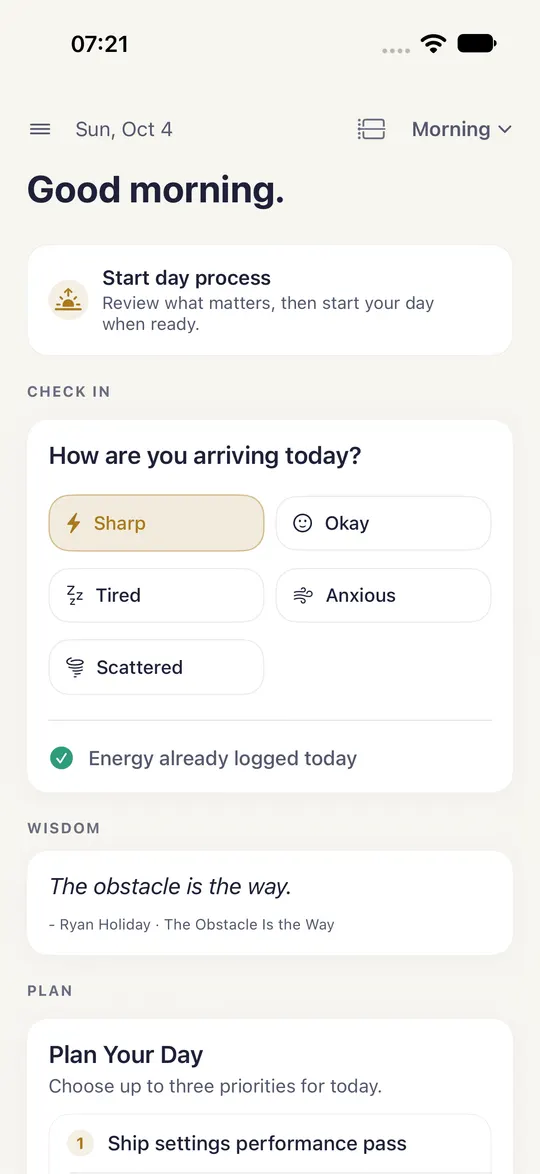
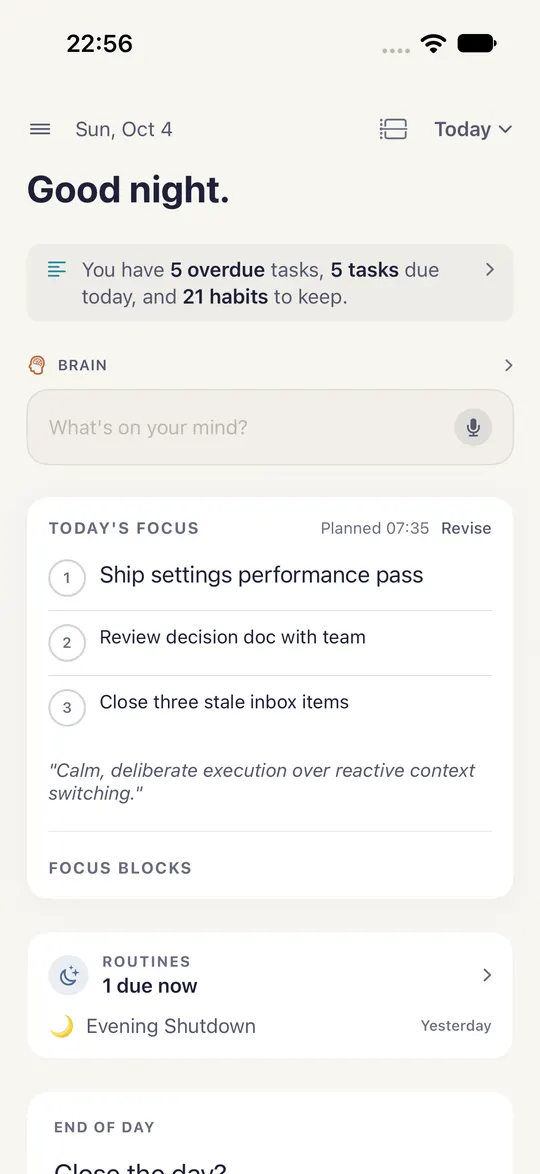
One day, from the first check-in to the last light.
Today is the screen you open first. It offers Morning as the day starts and Evening as it ends, so the next right thing is a tap away, not a search.
-
07:00
Arrive, then plan.
The morning opens with a check-in that asks how you are arriving, then lets you choose up to three priorities for the day.
-
09:00 – 17:00
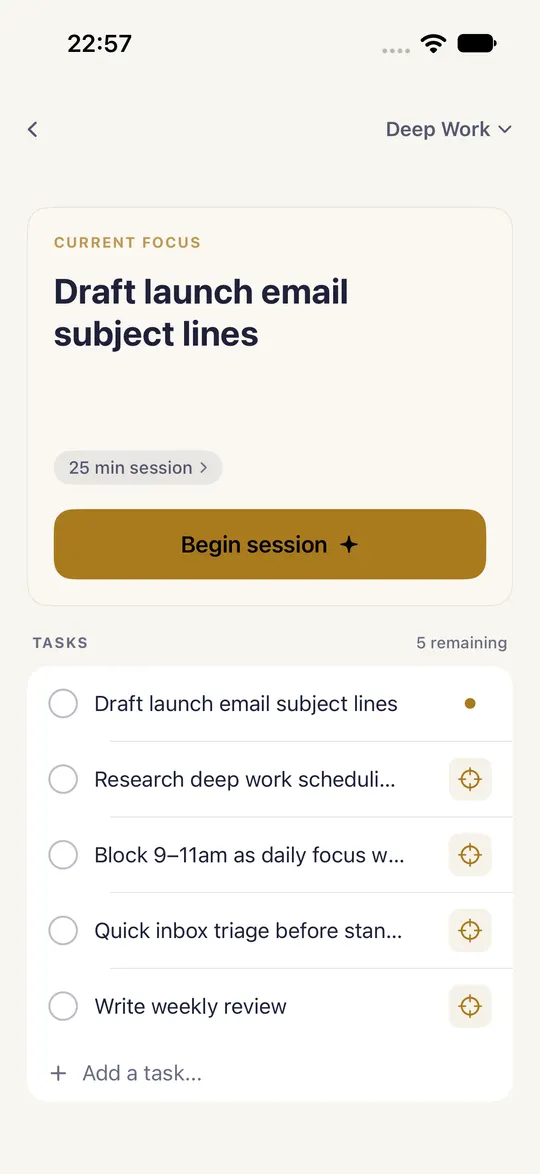
Do the work.
Deep Work holds one focus and the tasks behind it. Begin a session, and the rest of the day waits until it ends.
-
20:00
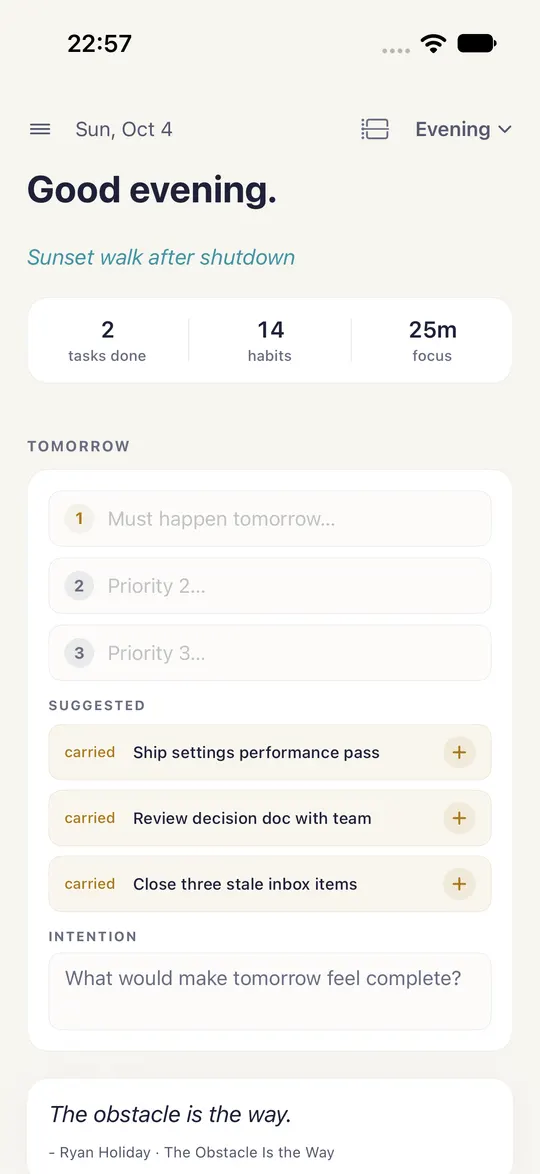
Close the day.
The evening brings routines and habits due, the day's highlights, gratitude, and a short plan for tomorrow.
A mode for each kind of hour.
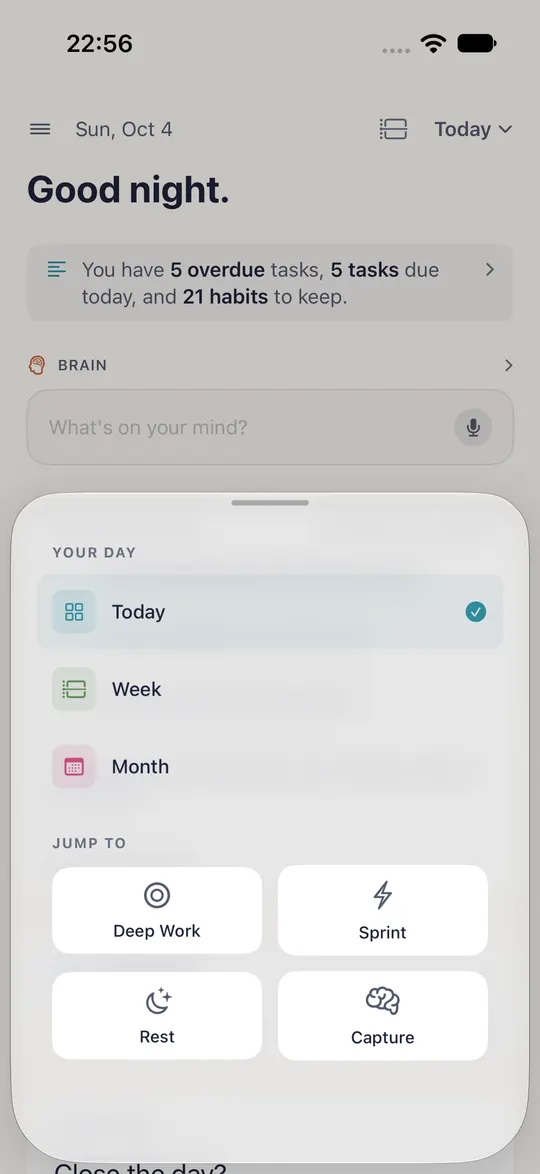
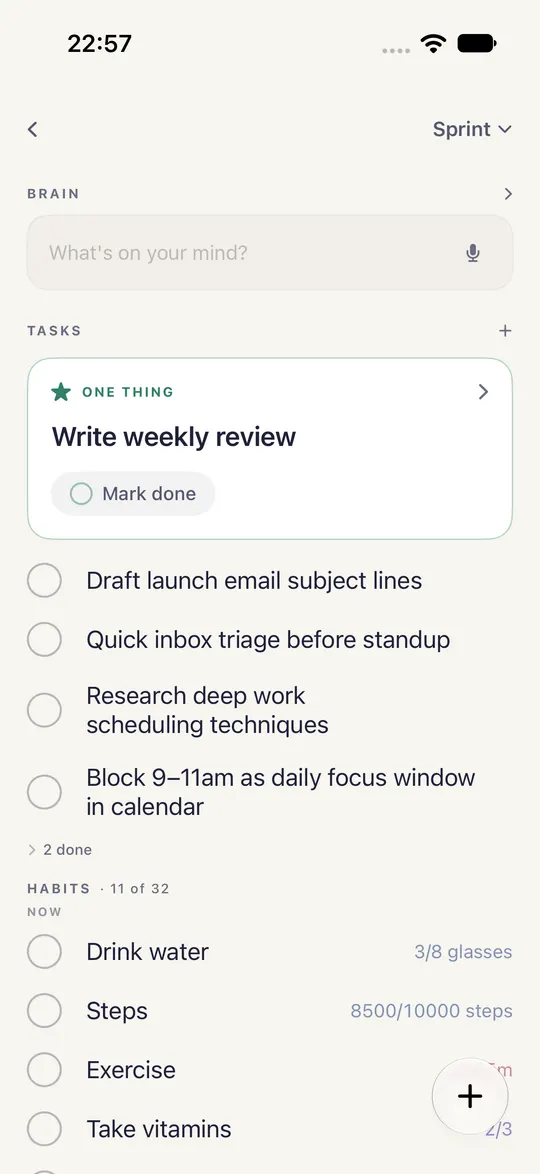
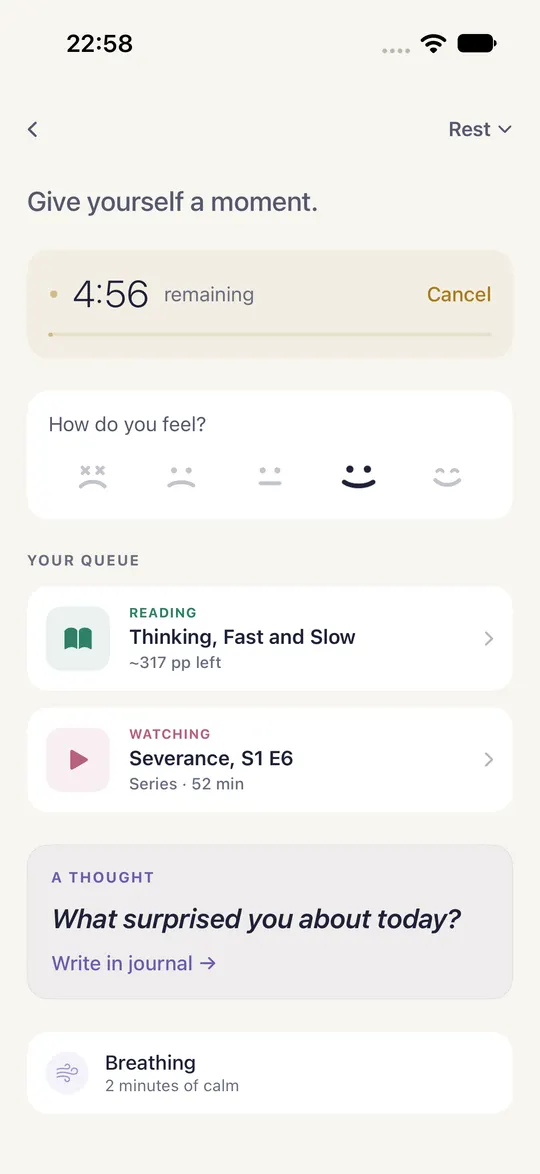
Today looks out to the week and the month when you need the larger shape. When there is one kind of thing to do, step into a work mode, and step back out when it is done.
- Deep Work
- One focus and a timed session.
- Sprint
- Fast tasks and the habits due now.
- Rest
- A short timer, how you feel, and what is next to read or watch.
- Capture
- Get it out of your head and back to the day.
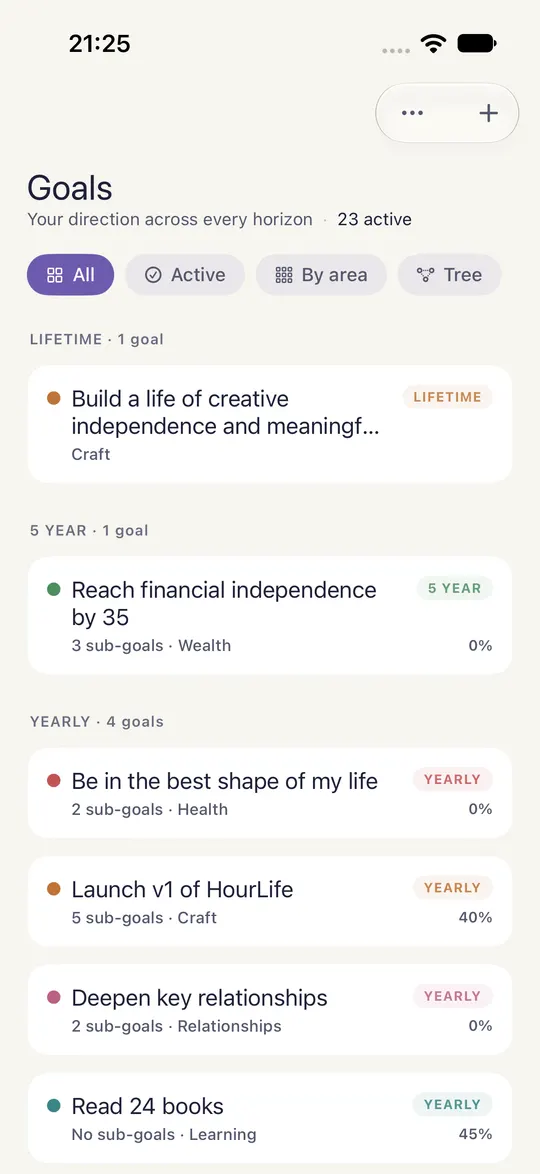
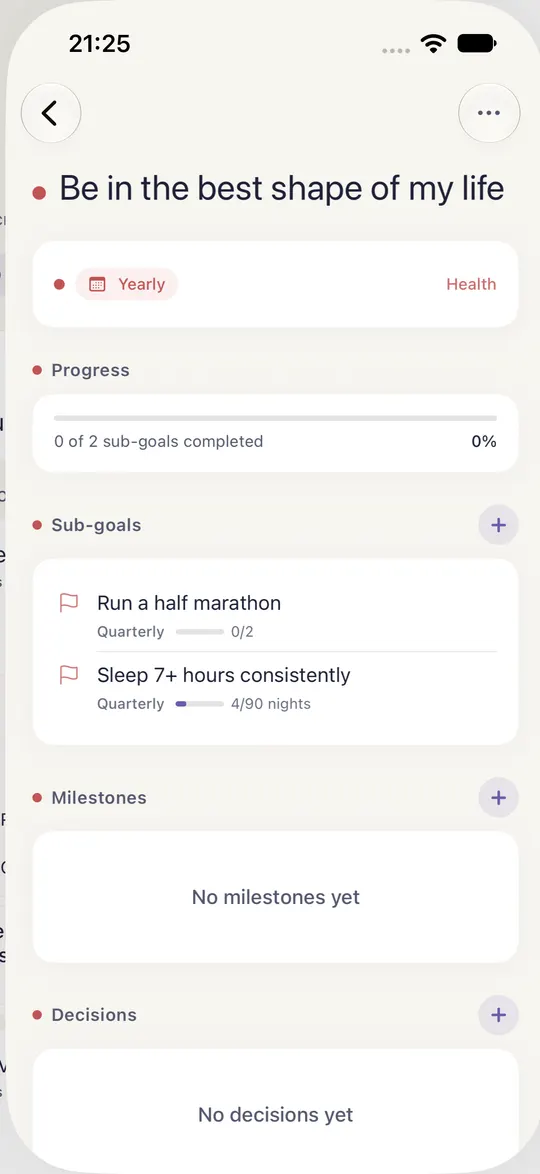
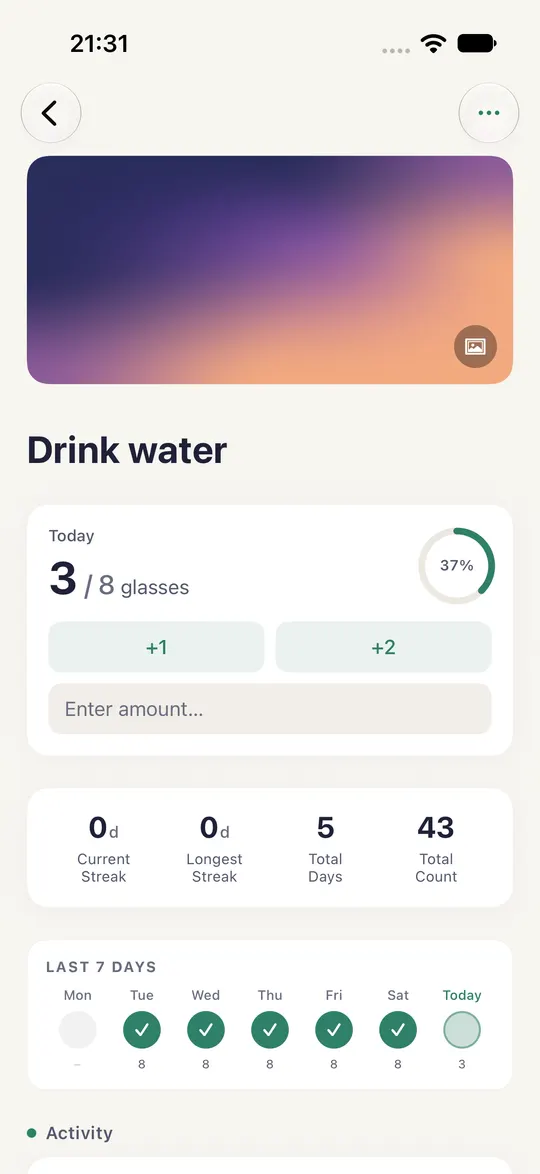
Keep the life you actually lived.
Write the day down in Journal. Mark what was good in Highlights. The moments that matter join your Life Timeline, which the app calls the events that would appear in your biography.
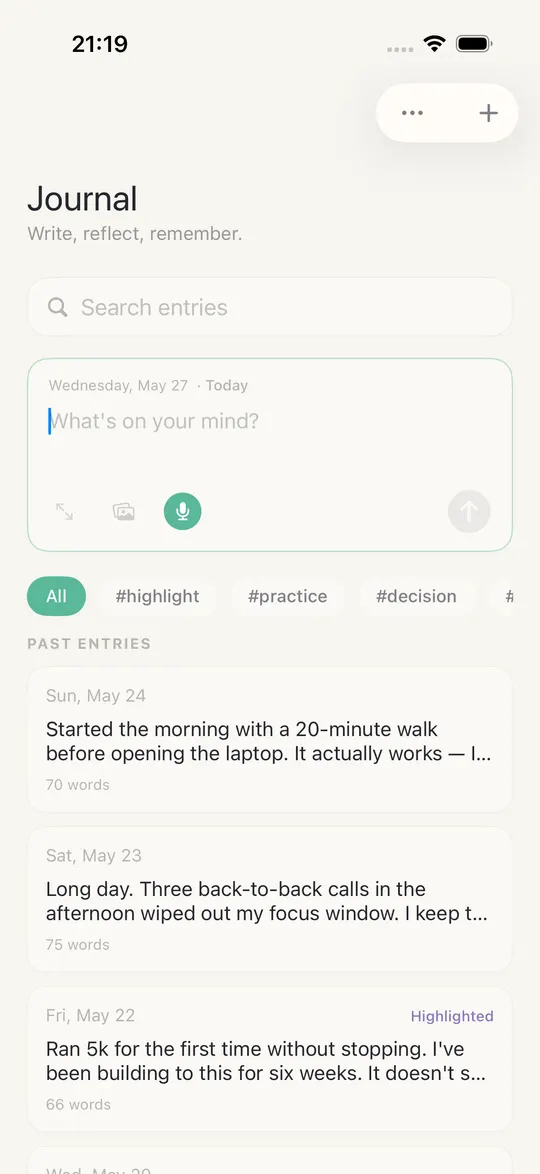
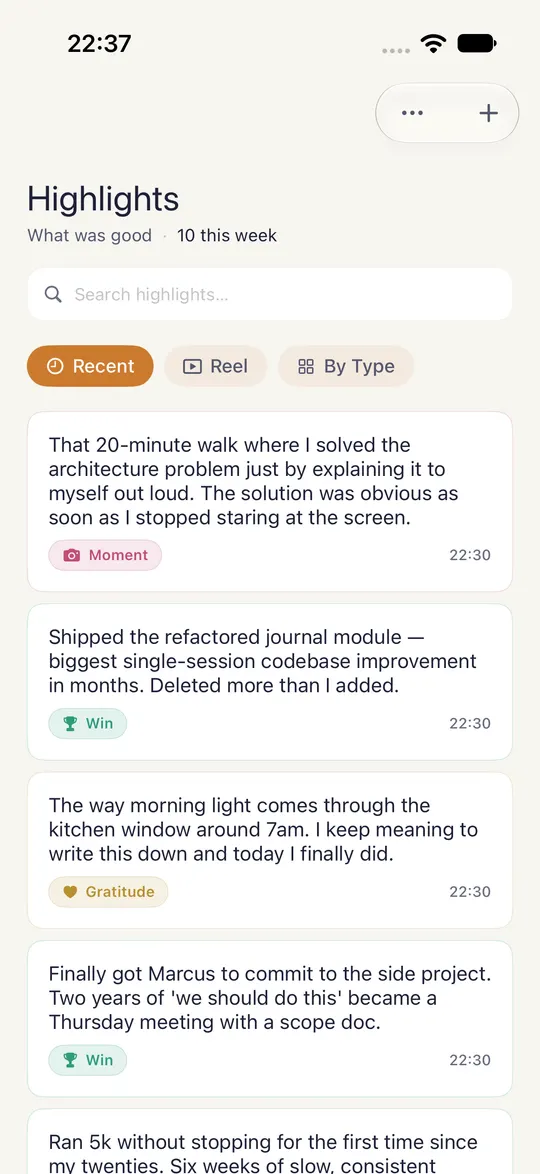
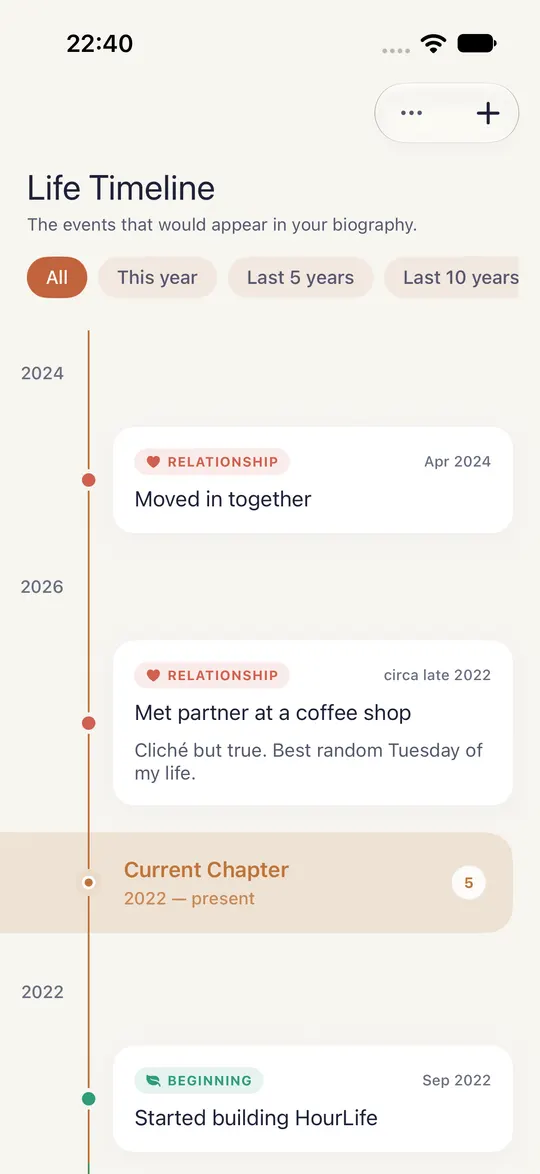
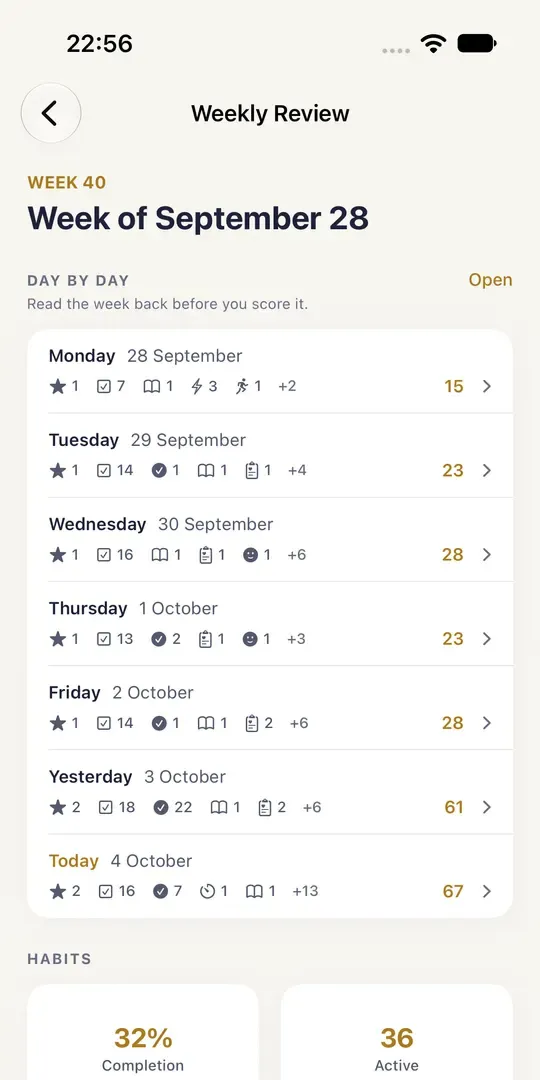
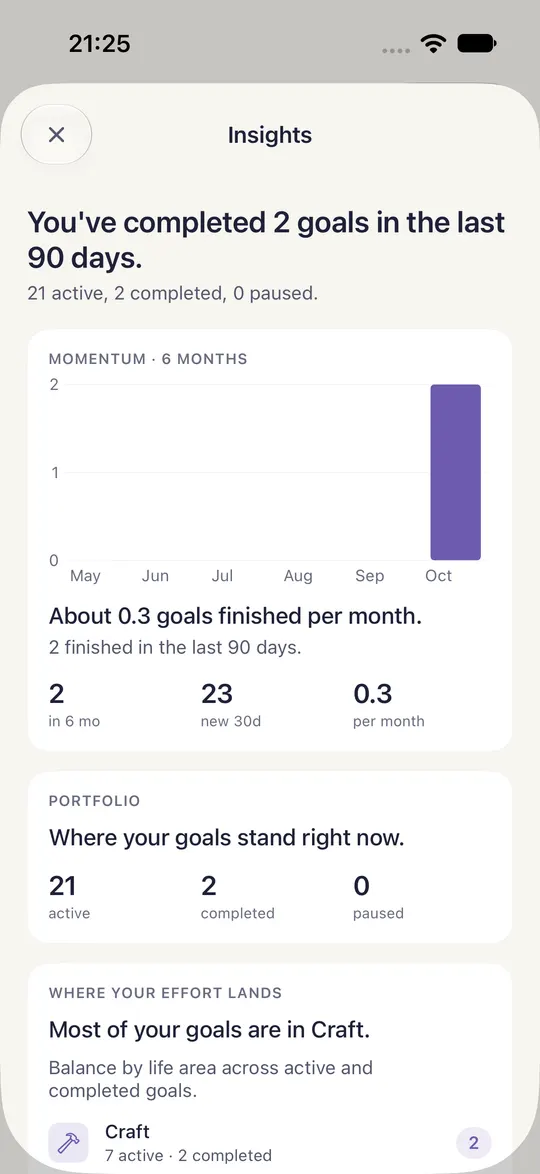
The record reads itself back.
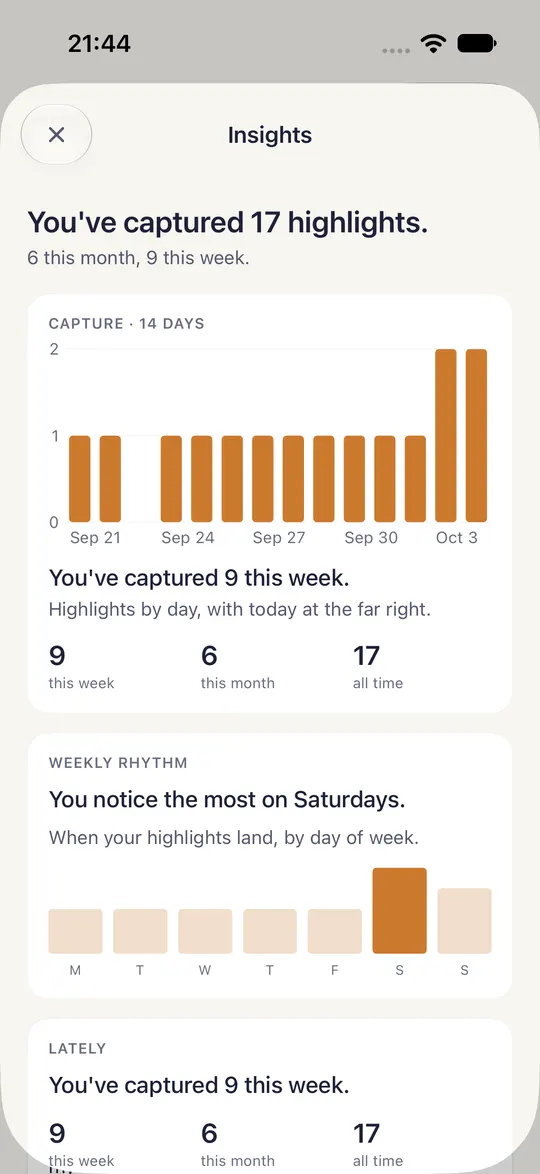
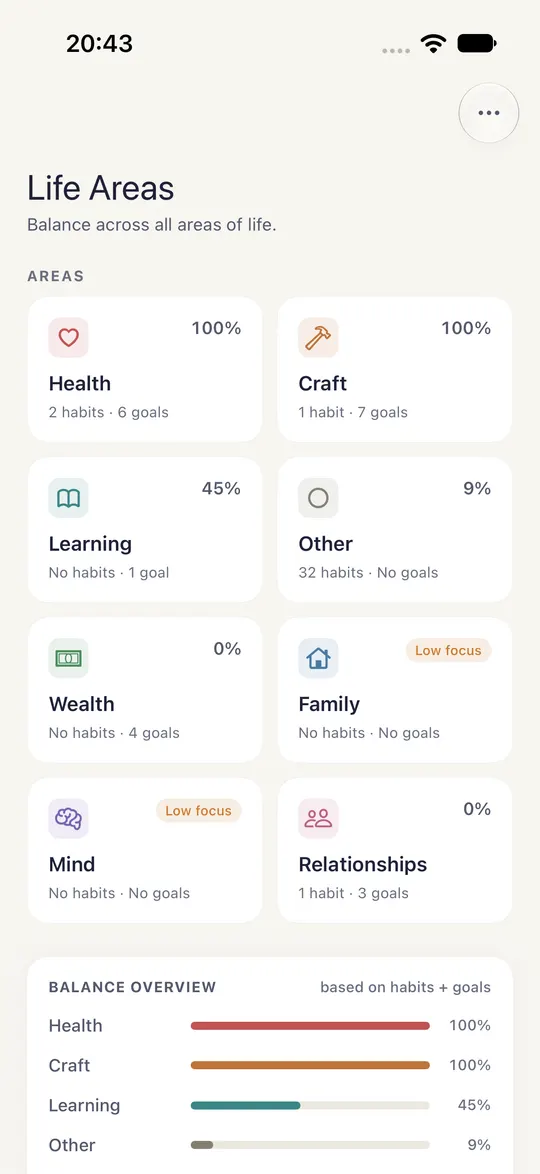
The weekly review walks the week day by day before you score it. Goals and Highlights keep an Insights page, and Life Areas shows how your habits and goals spread across health, craft, learning, money and the people you love.
Where the 168 went.
Hours keeps the time, one tap per activity. Areas keeps how your habits and goals spread across eight parts of a life. Lay a week of it out and its shape is plain before you read a number. A gap is an invitation.
Hours · a sample week
- Sleep 57½h
- Work 37h
- Exercise 5½h
- Family 19h
- Reading 5h
- Chores 4h
- Not logged
Areas · focus scores
In the app
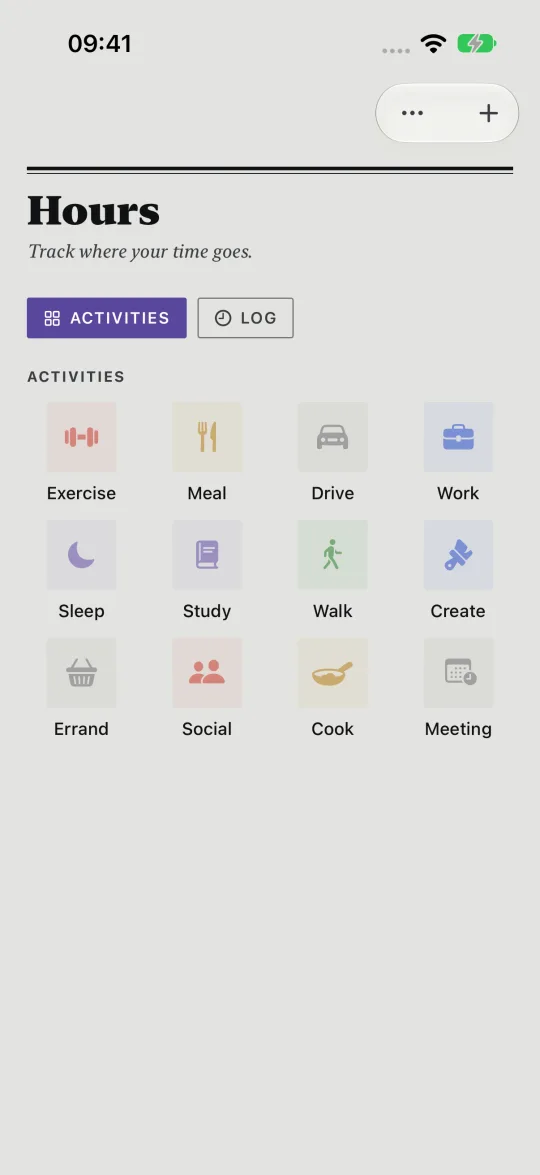
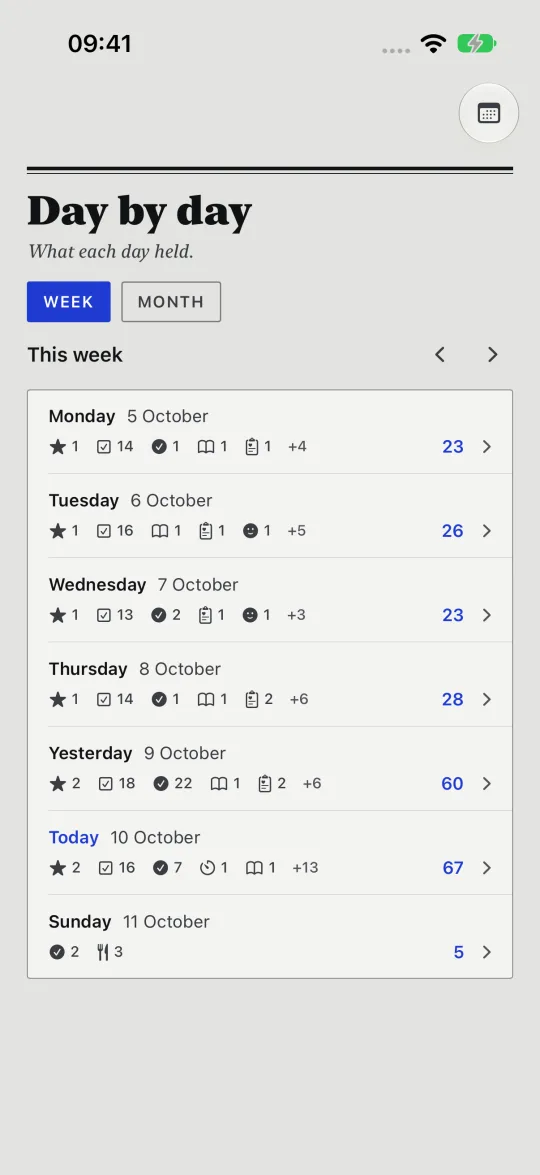
Hours opens on a grid of tiles. Tap Work, Meal or Drive as you begin, and stop when you finish. Day by day, in Calendar, reads the week back one row per day, with small tallies by type and each day's total.
Every module keeps its own shape.
A habit is a promise kept each day, a review runs on a clock, an idea waits until it is ready. Each part of HourLife holds something different, so each one is drawn to fit it. Here are twelve, sketched.
-
Habits
Five kinds, from a checkbox to a counter. Each habit keeps its current and longest streak and a heatmap of every day.
-
Focus
A timer for deep work, linked to a task, goal or person. Four dots keep your place in a round of four sessions.
-
Brain
One field: what's on your mind? Later each capture asks what it is, and a tap makes it a task, a journal entry or a highlight.
-
Compass Premium
Reviews on four clocks, from a five-minute weekly reset to an hour or more for the year. Each shows the days until it is due.
-
Decisions Premium
Opened, decided, then reviewed. When the reminder comes, rate how it went, Good, Mixed, Bad or Too early, and keep the lesson.
-
Someday
Ideas you're not ready for, kept, not done. An idea's age turns gold after 30 days and coral after 90, and a monthly review sorts them.
-
Waiting
What you're waiting on is someone. Each item shows its age in days, and once its follow-up date passes it moves into “Follow up needed.”
-
Values Premium
Identities grow from Aspiring to Developing to Established. Each value names what it rules out, as well as what it holds.
-
Highlights Premium
Wins, moments, gratitudes and insights, kept like film. A year on, Today can bring back the one you saved that day.
-
Gratitude
A daily line of thanks, linked to a person, a goal or an area. Insights keep your streak and show who shows up most.
-
People
The people who matter, in four rings from Inner to Peripheral. When a keep-in-touch interval lapses, that person turns amber.
-
Countdowns
Days until the dates that matter and days since the ones that changed things. Goal dates and close friends' birthdays arrive on their own.
42 modules. One record.
Start with Today and add the parts of a life you want to keep: health, people, money, learning. They connect, so the system stays one system. Here are twenty, as the app shows them.
Core
The day itself: what is on, what you wrote, and where the hours went.
Productivity
Getting things done, from one task to a project with milestones.
Life Design
The longer view: what matters to you, what you want, and how you spend your energy.
Reflection
What you notice, learn and decide, kept so you can look back on it.
Health & Body
Readings, workouts, meals, meditation and mood.
Planning
What is not for today: things you are waiting on, someday ideas, pursuits and learning.
Private by design.
Your journal entries, goals, habits and personal records stay on your devices. If you turn on sync, it runs through your own iCloud account, and we never receive or inspect what it carries.