The to-do list
Adding costs nothing.
So you add. Nothing in the format makes you notice that the new thing is displacing the old thing — it just sits below it.

One Thing · A HourLife mini app
You already know what matters most. The trouble is that by Thursday you are carrying four things and finishing none of them.
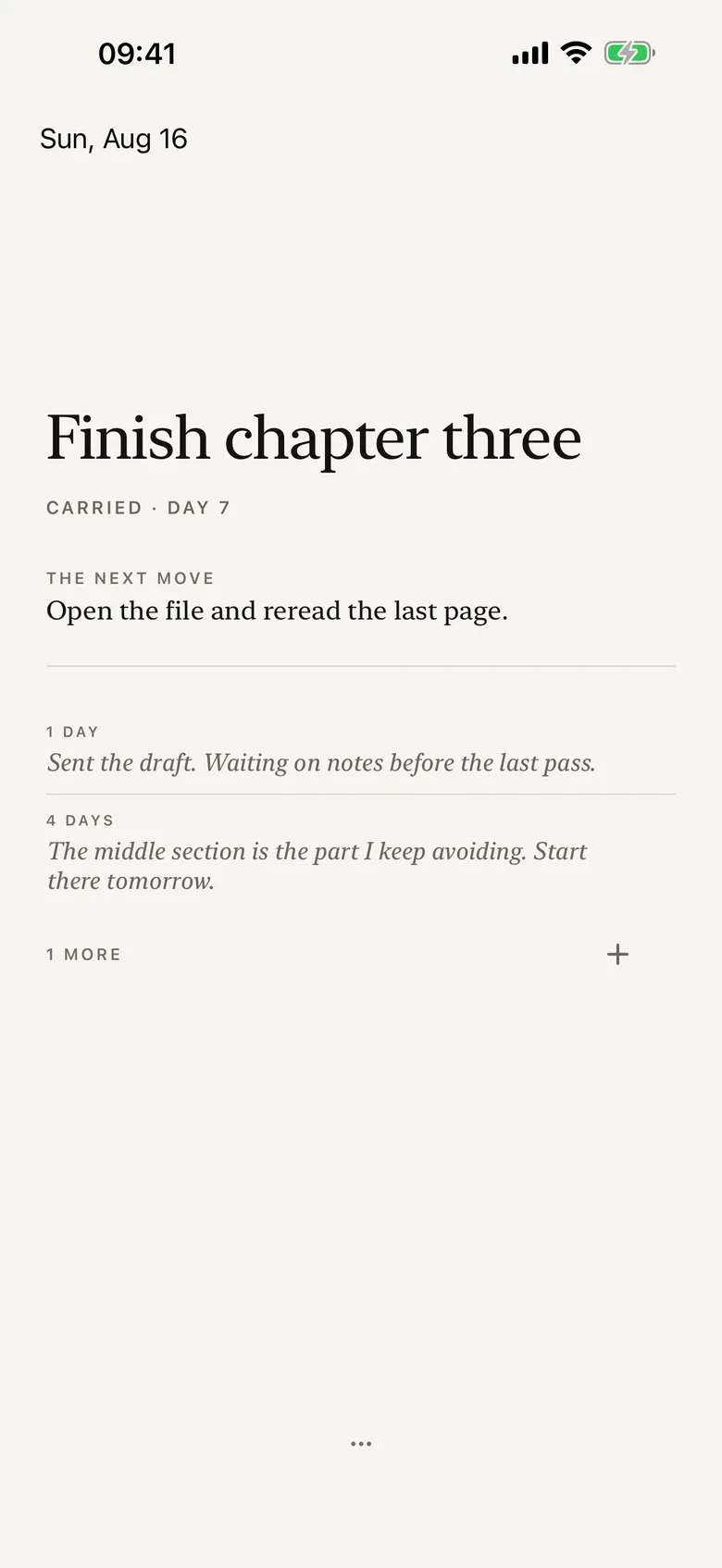
One Thing holds exactly one intention — not the first item on a list, the only item there is. Naming a new one means setting down the old one and writing what replaced it.
iPhone · iPad · Local-first, iCloud optional · Free
Why this exists
Adding is free. That is the whole failure. Every list app lets you take on a fifth commitment at zero cost, which is why you have five, and why the thing you decided on Monday was most important is the one you have not touched since.
The to-do list
So you add. Nothing in the format makes you notice that the new thing is displacing the old thing — it just sits below it.
The priority system
P1, P2, urgent-important. There is always somewhere to put the new thing that is not "instead of".
One Thing
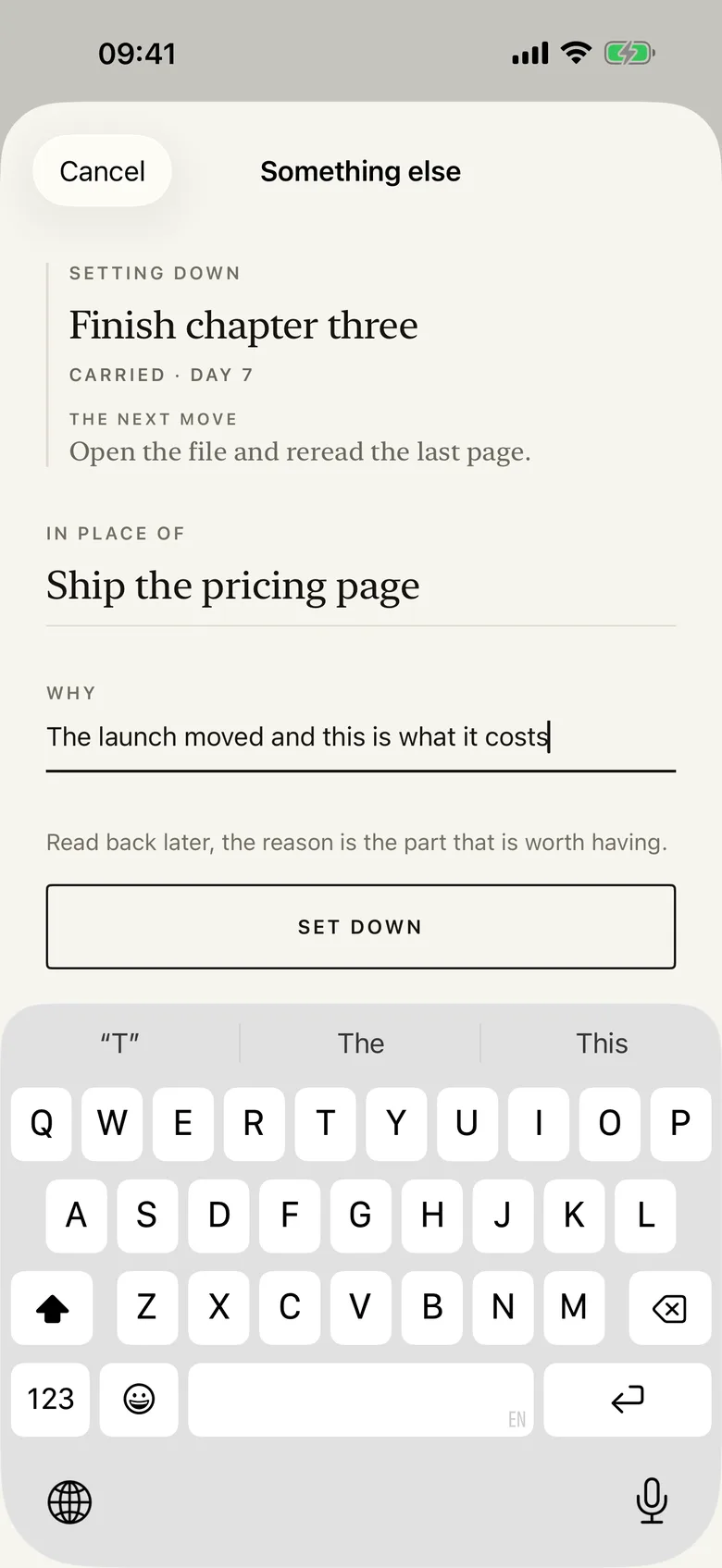
One slot. To name a new thing you have to set the old one down and say, in words, what took its place.
How it works
There is nothing to configure and nothing to check off. The app is one sentence and the history of that sentence.
Name the one thing you are carrying. In your own words, however long you want it.
It stays. The screen shows what it is and how many days you have held it.
To name something new, set the current one down and write what replaced it.
There is no second slot and no someday list to hide it in.
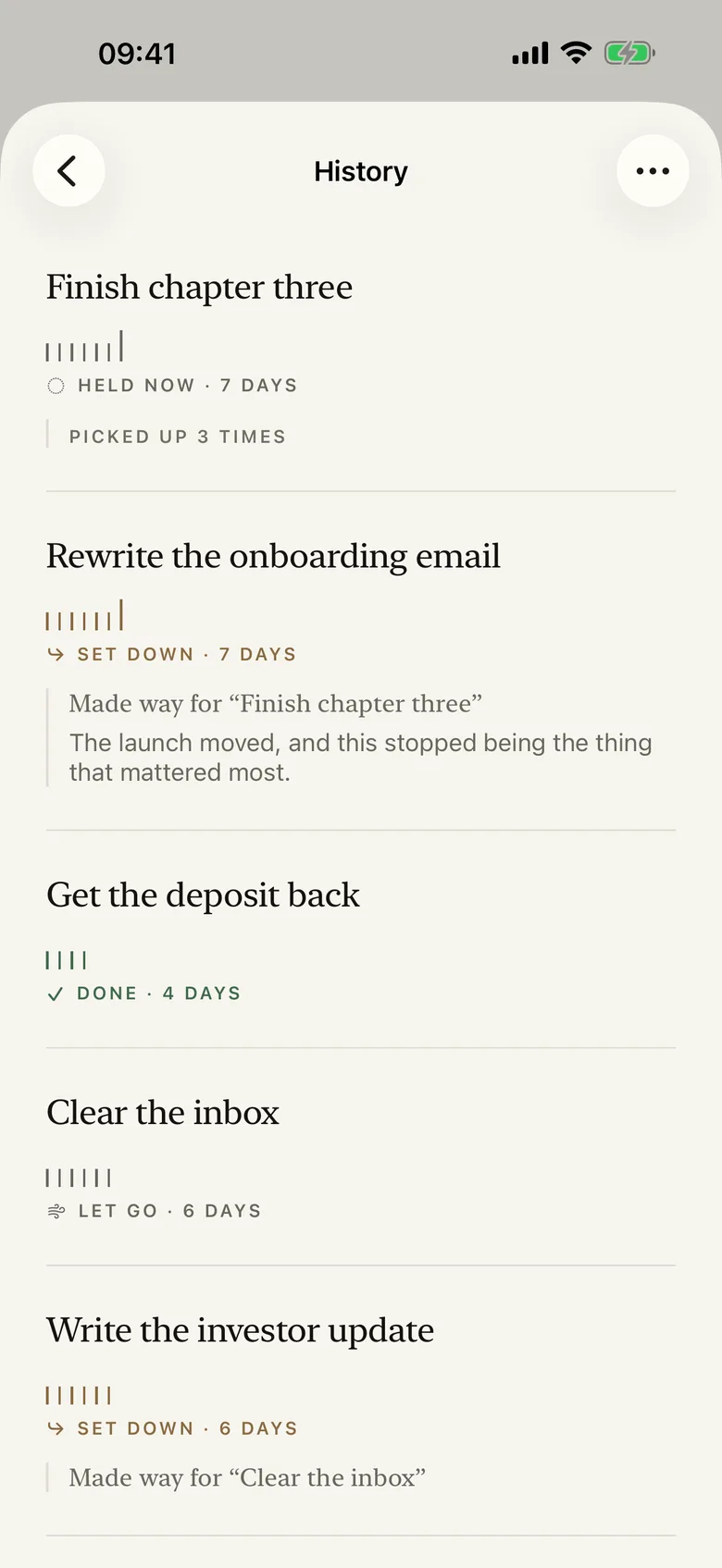
Every trade goes into the record, in order, with what displaced what.
A day with nothing named is a legitimate day, and the app says so out loud rather than leaving an accusing empty slot on the screen.
The carry
The number on the screen is the age of the work you are carrying. It is not a grade, and nothing resets it.
Day 1
You named it. Nothing to report.
Day 4
Still here. That is normal for real work.
Day 11
It matters, or it is too big to be one thing.
Set down
You traded it, and you said what for.
The app shows you the length and stays out of the argument. It has no opinion about whether eleven days is too long, because it does not know what you are carrying.
The part that compounds
The record is every intention you have carried, in order, with the trade that ended it.
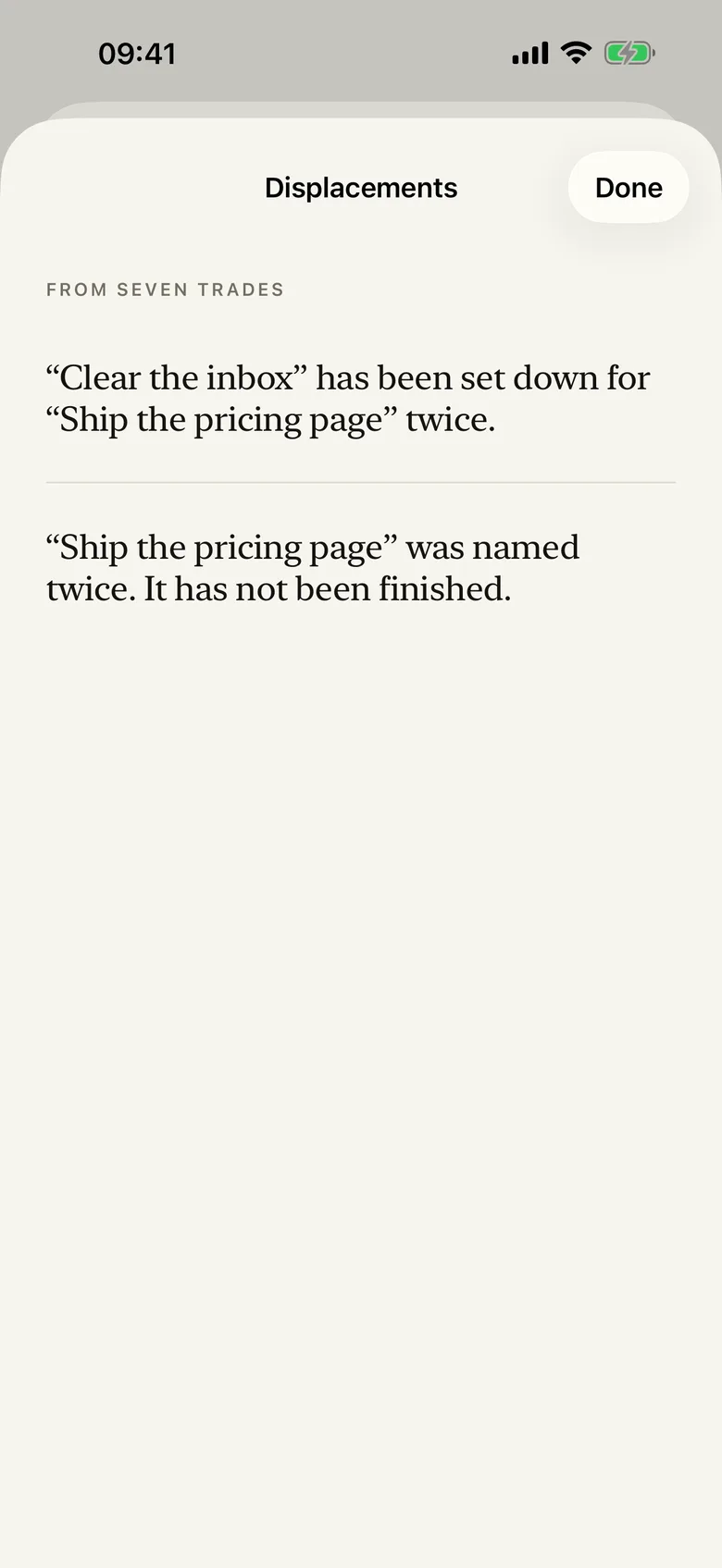
Weeks later it is the most honest document you own about your own attention. The thing you have named and set down three times is telling you something. So is the one that never survives the week you give it.
You wrote it. Reading it is never for sale.
The record and plain-text export are both free, permanently, for that reason.
Displacements
What keeps winning, and what never survives.
Record
Every trade, in order, in your words.
What it refuses to do
The only number in the app is the age of the thing you are carrying, and it is a fact about the work rather than a grade for you.
Private by default
There is no account, no sign-up, and no email address to hand over. Nothing is sent anywhere unless you turn on iCloud sync in Settings, which is off by default and uses your own private iCloud account.
Pricing
The whole record is free for as long as you keep the app, and so is every way of getting it out — you wrote it, and reading what you wrote is never for sale.
Free · no subscription · no in-app purchase
Everything included
Free
The slot, every trade, the whole record, plain-text export, Displacements — the read across every trade you have made — the Home Screen widget and Control Centre button, one daily reminder at an hour you choose, and export as a typeset image or PDF.
Every HourLife mini app is free — there is nothing to unlock inside One Thing and nothing to restore. HourLife itself, the full Life OS, is a separate product on its own terms.
Version 1.0 · On the App Store
One Thing is built for iPhone and iPad. It asks that question and nothing else, and it is not going to grow a second slot.
The other layers
One thing today. One floor every week.
TinyPact protects the minimum you refuse to lose, whatever else the week does. One Thing decides what the week is actually for. Different jobs, both free.
We would like to use Google Analytics to see which pages are worth keeping. It is off until you say yes, and the site works exactly the same either way. How we handle your data.
Google Analytics is currently on. We use it to see which pages are worth keeping, and nothing else. You can change that whenever you like — the site works exactly the same either way. How we handle your data.